1. The Habit Trap: Why Unlearning is Harder Than Learning
When a child or complete beginner sits at a keyboard, their brain is a blank slate. But when an adult who has typed with two index fingers for 10 years tries to touch type, they aren't just learning new physical positions—they are engaged in active neural competition.
Every time you face a stressful work email or tight deadline, your basal ganglia subconsciously defaults to the oldest, strongest physical reflex (reaching with your right index finger across three rows). Breaking this requires deliberate habit reversal, not just passive practice. For fundamental mechanics, review our Complete Touch Typing Guide.
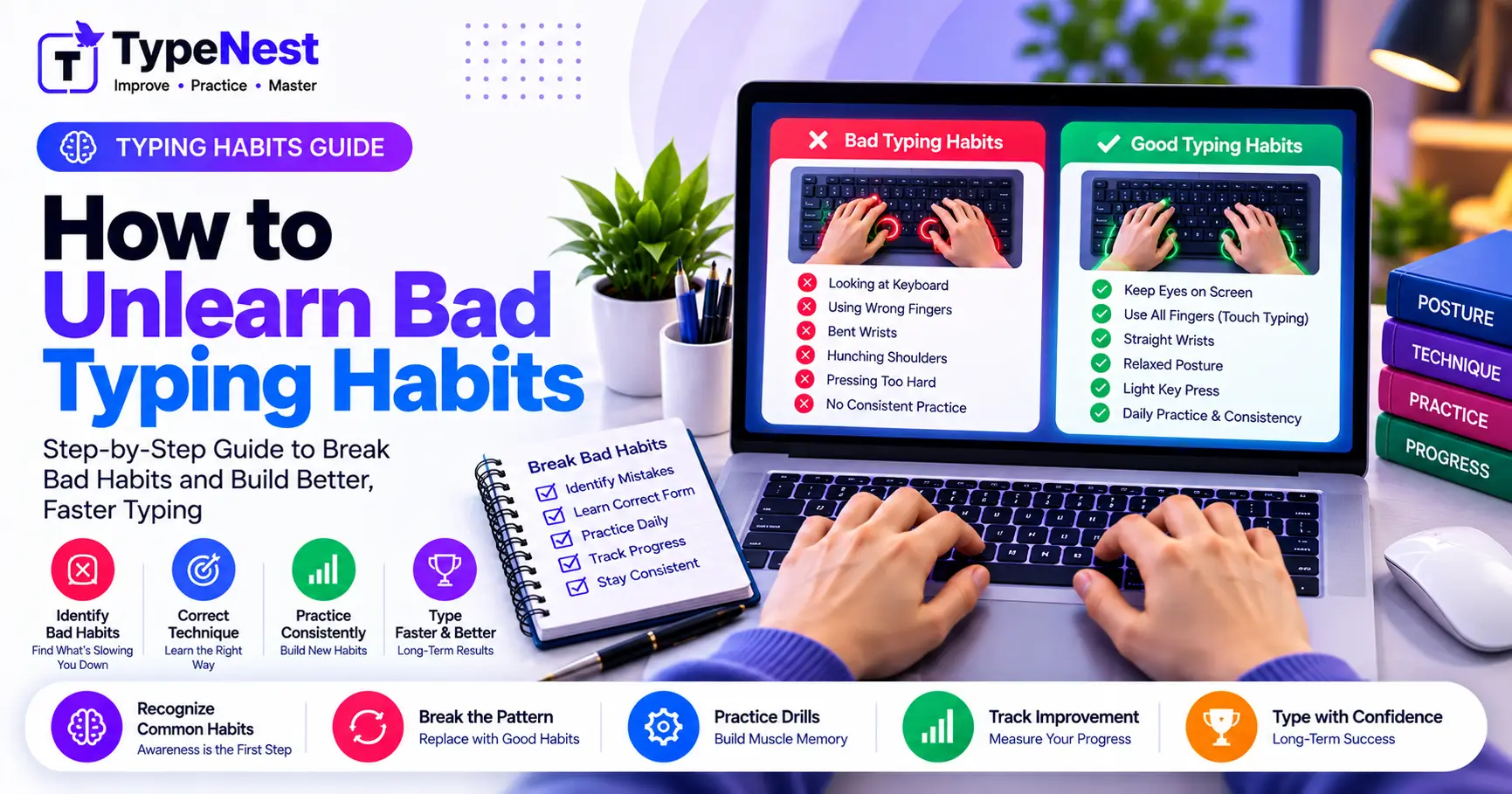
2. The 5 Deadliest Bad Typing Habits
1. The "Visual Peek" Addiction
Glancing down every 2–3 words breaks eye contact with the screen, prevents typo detection in real time, and slows down reading comprehension.
2. Flying Index Finger Reaches
Using the index finger to hit distant keys like P, Q, or Backspace forces your entire hand off home row, wasting split seconds per word.
3. Single-Hand Shift Key Syndrome
Always using the left Shift key—even for letters typed by the left hand (like capital A or S)—contorts your left wrist into unnatural angles.
4. Resting Palms on Desk Edge
Anchoring wrists firmly on a desk or laptop bezel compresses the carpal tunnel and restricts finger reach mobility.
5. Panic Backspacing
Hitting Backspace three times automatically when a typo occurs instead of reading what actually went wrong. (Read Backspace Addiction Guide).
3. The Neuroscience of Motor Extinction
You cannot simply "erase" an old motor memory. Instead, in behavioral neuroscience, the process is called extinction and replacement: you must build a newer, stronger neural pathway that inhibits the old reflex.
The Myelination Principle
Every correct keystroke wraps a microscopic layer of myelin insulation around the new neural pathway. If you type slowly with 100% correct finger placement, the new pathway rapidly thickens until it becomes faster than your old hunt-and-peck reflex.
4. The 4-Step Habit Retraining Roadmap
| Step | Action Item | Rule of Engagement |
|---|---|---|
| Step 1: Deliberate Slowness | Drop speed down to 15–20 WPM. | Never allow an incorrect finger to hit a key. Stop and reset if it does. |
| Step 2: Tactile Anchoring | Lock index fingers to F & J bumps. |
After every single word or key reach, return fingers home immediately. |
| Step 3: Opposite-Shift Drill | Retrain capitalization habits. | Left-hand keys use Right Shift; right-hand keys use Left Shift. |
| Step 4: Real-World Cutoff | Ban 2-finger typing during daily work. | Commit 100% to 10-finger typing even on slack/emails. No switching back. |
5. Radical Techniques to Stop Peeking at Keycaps
If your eyes instinctively glance down at the keyboard, sheer willpower is rarely enough. Use physical constraints to break the cycle:
- The Tea Towel Trick: Drape a light kitchen towel or cloth over both hands while typing. It physically blocks your sightline while allowing complete finger mobility.
- Blank Keycaps: Swap your keyboard's keycaps for unprinted blank PBT caps. Looking down becomes pointless when there are no printed legends to see.
- Dim Display / High Contrast Text: Keep your eyes glued to the on-screen target cursor by practicing on dark-slate themes like TypeNest.
6. Managing the "Transition Slump"
During the first 7 to 10 days of retraining, you will feel clumsy, slow, and frustrated. Your brain will scream: "Just let me use two fingers so I can finish this email in 30 seconds!"
The 14-Day Payoff
Typists who endure the initial 10-day speed dip virtually always surpass their lifetime speed records by Day 21. Once 10 fingers share the workload, 70+ WPM becomes effortless and relaxed, while hunt-and-peck typing would have permanently capped you at 40 WPM.
7. Frequently Asked Questions (FAQs)
Is it too late to unlearn bad habits if I've typed for 15+ years?
Never. Adult neuroplasticity responds remarkably well to physical retraining. Within 3 to 4 weeks of consistent 20-minute daily practice, any adult can overwrite old keyboard reflexes.
Should I practice while doing my actual day job?
For the first 5 days, practice touch typing only during dedicated 20-minute sessions on TypeNest. Once you know key assignments, commit 100% to touch typing during your regular workday.
Conclusion
Breaking bad typing habits is an investment in your career longevity. Be patient through the temporary speed dip, anchor your index fingers on the home row, and let the science of muscle memory transform your keyboard relationship forever.
Continue Learning
Last Updated: October 2026
Author: TypeNest Editorial Team