⌨️ Complete Touch Typing Guide

Complete Beginner's Guide to Touch Typing: Learn Faster, Type Without Looking & Improve Accuracy

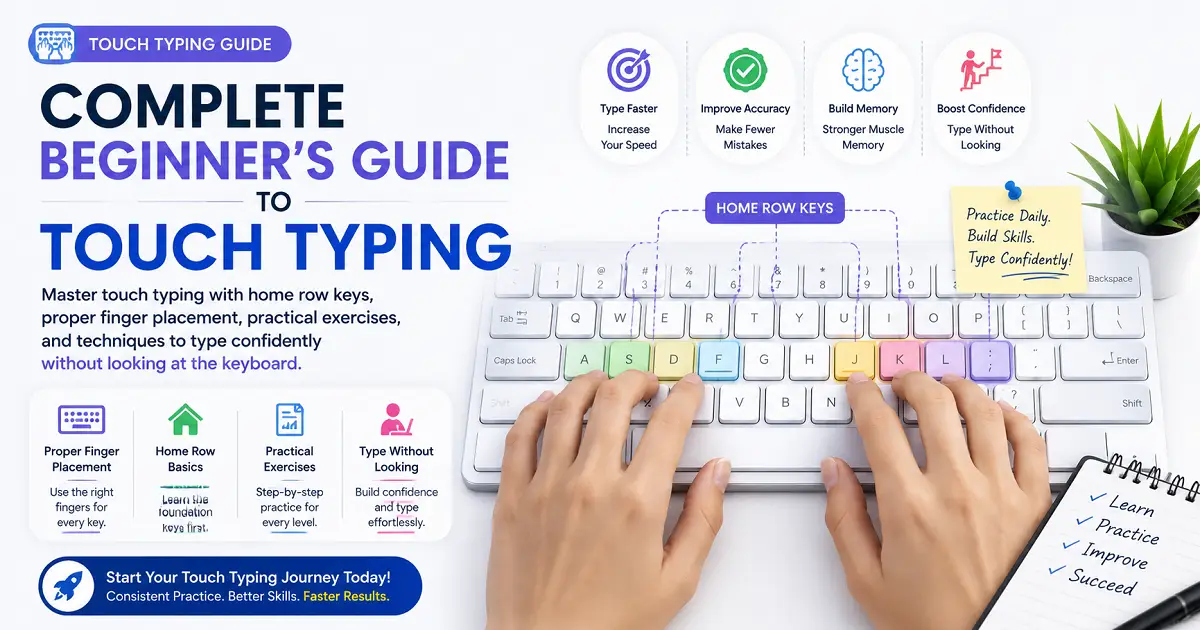
Learn touch typing step by step with proper finger placement, home row keys, practical exercises, and proven techniques to build muscle memory, improve accuracy, and type confidently without looking at the keyboard.

📅 Updated: July 2026 • ⏱️ 22 min read • 👤 TypeNest Team

đź“‘ Table of Contents

Jump to any section of this complete touch typing guide.

Introduction

Have you ever watched someone type without looking at the keyboard and wondered how they do it so effortlessly? Their fingers move smoothly across the keys while their eyes stay focused on the screen, allowing them to write quickly with very few mistakes. This skill is known as touch typing, and it has become one of the most valuable digital skills for students, professionals, programmers, writers, and anyone who uses a computer regularly. Many beginners believe that fast keyboard skills come from natural talent. In reality, most experienced typists developed their ability through proper technique, regular practice, and muscle memory. Learning the correct finger placement and building consistent habits are far more important than trying to type as quickly as possible during the first few weeks. Unlike the traditional "hunt and peck" method, where users constantly look down to locate individual keys, touch typing allows you to type while keeping your attention on the screen. This improves speed, increases accuracy, reduces distractions, and makes long typing sessions much more comfortable. The good news is that anyone can learn this skill. Whether you currently type with two fingers or already have some keyboard experience, structured practice can help you become faster, more accurate, and more confident over time. This complete beginner's guide brings together everything you need to know in one place. Instead of searching through multiple articles about finger placement, home row keys, typing exercises, or learning without looking at the keyboard, you will find every essential concept explained step by step. By the end of this guide, you will understand how touch typing works, why it is more efficient than older typing methods, how muscle memory develops, which exercises produce the best results, and how to build a daily practice routine that leads to steady improvement.

What Is Touch Typing?

Touch typing is a method of using a keyboard without looking at the keys. Instead of searching for each letter visually, your fingers learn where every key is located through repeated practice and muscle memory. As this habit develops, your hands move automatically while your eyes remain focused on the screen. This technique is considered the standard typing method used by experienced computer users around the world. It is widely taught in schools, offices, training centers, and professional workplaces because it improves both efficiency and comfort during everyday computer work. Unlike beginners who often pause to find each key, experienced touch typists rely on consistent finger placement and smooth hand movement. This allows them to write emails, prepare reports, create documents, code software, or complete assignments with fewer interruptions and greater confidence. Learning this method does not mean typing as fast as possible from the beginning. The first objective is to develop correct habits. As your fingers become familiar with the keyboard layout, speed increases naturally while accuracy remains high.

Why Is It Called "Touch Typing"?

The name comes from the idea that your fingers learn to recognize the position of every key through touch rather than sight. Instead of looking down at the keyboard before every keystroke, your hands gradually memorize the layout through repetition. Over time, this creates automatic movement. You begin pressing the correct keys without consciously thinking about their location. This is the same type of learning process used when riding a bicycle or driving a car. At first every movement requires concentration, but after enough practice the actions become automatic. Because your attention stays on the screen instead of the keyboard, it becomes much easier to read, think, and type at the same time.

How Touch Typing Works

The entire system is built around proper finger placement. Each finger is responsible for a specific group of keys, while both hands return to the home row after every keystroke. This reduces unnecessary movement and creates a consistent typing rhythm. As you continue practicing, your brain forms stronger neural pathways between what you see on the screen and how your fingers move. Eventually, locating individual keys no longer requires conscious effort. This combination of correct positioning, repetition, and muscle memory allows experienced typists to work efficiently even during long writing sessions.

Quick Tip: Do not worry about typing quickly during your first few practice sessions. Building correct finger habits from the beginning makes long-term improvement much easier and helps you achieve higher speed with better accuracy later.

Who Should Learn Touch Typing?

Almost anyone who uses a computer can benefit from learning this skill. Students complete assignments more efficiently, office professionals prepare reports faster, programmers write code with fewer interruptions, writers maintain a smoother workflow, and data entry operators improve both speed and accuracy. Even if you only use a computer for emails, online learning, or personal projects, developing proper keyboard habits can save time and make everyday tasks more comfortable. The next section explains the major benefits of learning touch typing and why it remains one of the most valuable digital skills in today's world.

Benefits of Touch Typing

Learning touch typing is about much more than increasing the number of words you can type each minute. It changes the way you interact with a computer by making keyboard use smoother, more accurate, and less mentally demanding. Once your fingers know where each key is located, you spend less time searching for letters and more time focusing on your actual work. Whether you are preparing assignments, writing reports, creating software, answering emails, or producing long documents, efficient keyboard skills can save valuable time every day. Even small improvements become significant when repeated over weeks, months, and years of regular computer use. The following benefits explain why millions of learners choose to develop this skill and why it continues to be recommended by schools, employers, and typing instructors worldwide.

1. Faster Text Entry

One of the most obvious advantages is increased speed. Beginners often pause to locate individual keys before pressing them, while experienced typists move naturally across the keyboard without interruption. As muscle memory develops, the number of unnecessary pauses decreases. Instead of thinking about where each letter is located, your attention stays focused on the ideas you want to express. This allows documents, emails, assignments, and reports to be completed much more efficiently.

2. Better Accuracy

Many people believe typing faster automatically leads to more mistakes. In reality, proper technique usually improves accuracy as well. Using the correct fingers for each key creates consistent hand movement, reducing accidental key presses. Over time, your fingers follow familiar patterns, allowing you to produce cleaner documents with fewer corrections. Higher accuracy also means less time spent editing mistakes after finishing your work.

Without Proper Technique With Proper Technique
Frequent typing mistakes More consistent accuracy
Constant corrections Fewer interruptions
Slower workflow Smoother writing process

3. Improved Productivity

Computer users perform countless keyboard tasks every day, from replying to emails and preparing reports to completing online forms and creating presentations. When entering text becomes effortless, more attention can be devoted to thinking, planning, researching, and solving problems. Instead of concentrating on the keyboard, you can focus entirely on the content you are creating. Over time, this improvement can save hundreds of working hours.

4. Better Concentration

Looking down at the keyboard repeatedly interrupts your thought process. Every glance away from the screen breaks concentration and slows your workflow. When your eyes remain focused on the monitor, reading, thinking, and writing become one continuous process. This uninterrupted flow is especially valuable for programmers, writers, students, researchers, and anyone who works with large amounts of text.

5. Reduced Hand Fatigue

Correct finger placement encourages efficient movement rather than unnecessary stretching across the keyboard. Because every finger has specific responsibilities, your hands travel shorter distances and maintain a more natural position throughout long typing sessions. This reduces physical effort and makes extended computer use more comfortable.

6. Greater Confidence

Many beginners hesitate while typing because they are unsure where the next key is located. As keyboard familiarity improves, confidence grows naturally. You begin writing emails, completing assignments, participating in online discussions, and taking typing tests without constantly worrying about making mistakes. This confidence often carries into other computer-related tasks as well.

7. Valuable Career Skill

Strong keyboard skills are useful in almost every profession. Office employees prepare documents and reports, programmers write code, customer support representatives respond to messages, content writers produce articles, accountants maintain records, and students complete assignments using computers every day. Although every career has different requirements, efficient keyboard use helps improve productivity across almost every industry.

Remember: The greatest benefit is not simply writing faster. It is being able to think, read, and communicate without constantly stopping to search for keys.

Touch Typing Is a Long-Term Investment

Unlike many digital tools that change over time, this is a lifelong skill. Once proper habits become automatic, they continue providing value throughout education, professional careers, and personal projects. Every practice session strengthens muscle memory, making future improvement easier. Whether your goal is completing school assignments more efficiently or becoming a highly productive professional, investing time in learning proper keyboard technique continues to deliver benefits for years to come. In the next section, we will explore the Home Row Keys and learn why they form the foundation of every successful typing method.

Home Row Keys – The Foundation of Touch Typing

Every successful touch typist begins with one simple concept—the Home Row. Before learning numbers, symbols, or advanced typing exercises, it is essential to understand these keys because they serve as the starting position for nearly every keystroke. The home row is the center row of a standard QWERTY keyboard. Instead of moving your hands randomly across the keyboard, you keep your fingers resting on specific keys and move them only when necessary. After pressing another key, each finger naturally returns to its original position. This simple habit improves speed, reduces unnecessary hand movement, and helps develop muscle memory. Rather than searching for keys visually, your fingers gradually learn where every key is located through repetition. Almost every modern typing course begins with the home row because mastering it makes learning the rest of the keyboard much easier.

What Are the Home Row Keys?

On a standard English QWERTY keyboard, the home row consists of eight primary keys.

Left Hand: A   S   D   F

Right Hand: J   K   L   ;

Each finger is assigned one home row key. These positions act as reference points for reaching every other key on the keyboard. Instead of stretching your hands across the keyboard, each finger moves only when necessary and then immediately returns to its assigned home position. This movement pattern becomes automatic through regular practice.

Correct Finger Placement

The table below shows where each finger should rest before you begin typing.

Finger Home Row Key
Left Little Finger A
Left Ring Finger S
Left Middle Finger D
Left Index Finger F
Right Index Finger J
Right Middle Finger K
Right Ring Finger L
Right Little Finger ;
Both Thumbs Space Bar

Why Are the F and J Keys Special?

If you look closely at most keyboards, you will notice small raised bumps on the F and J keys. These tiny bumps are not decorative—they help your fingers locate the correct starting position without looking down. Simply place your left index finger on the bump of the F key and your right index finger on the bump of the J key. Once these fingers are positioned correctly, every other finger naturally falls into place on the remaining home row keys. This small feature makes it possible to type without constantly checking the keyboard.

Practice Tip: Before every practice session, close your eyes for a moment and place your index fingers on the F and J keys using the raised bumps. This simple habit strengthens keyboard awareness and builds muscle memory faster.

Always Return to the Home Row

One of the biggest differences between beginners and experienced typists is what happens after pressing a key. Beginners often leave their fingers wherever the last key was pressed, forcing them to search for the next key repeatedly. Experienced typists follow a different pattern. Each finger moves to press its assigned key and immediately returns to the home row. Because every movement begins from the same position, typing becomes faster, more accurate, and much easier to repeat consistently. Returning to the home row after every keystroke is one of the most important habits you can develop.

Benefits of Using the Home Row

Learning the home row provides several long-term advantages that make every future typing lesson easier.

Common Beginner Mistakes

Many learners slow their progress by developing habits that prevent proper muscle memory from forming. The most common mistakes include:

Correcting these habits early makes future improvement much easier.

Daily Home Row Practice

You do not need long practice sessions to become comfortable with the home row. Practicing for just 10 to 15 minutes each day is enough to strengthen finger coordination and improve keyboard familiarity. Begin by typing simple combinations such as:

asdf    jkl;

asdf jkl;

fj fj fj

asdfg hjkl;

Repeat these exercises slowly while keeping your eyes on the screen rather than the keyboard. Focus on accuracy first and allow speed to improve naturally as your confidence grows. Once the home row becomes comfortable, learning the top row, bottom row, numbers, and symbols becomes much easier because every movement begins from the same familiar position. In the next section, we will compare Touch Typing vs Hunt and Peck Typing to understand why experienced typists work more efficiently and how changing your typing method can dramatically improve long-term performance.

Touch Typing vs Hunt and Peck Typing

Most people begin using a keyboard with a method commonly known as Hunt and Peck. Instead of relying on muscle memory, they look down at the keyboard, search for each key, and press it using only one or two fingers. While this approach may work for occasional computer use, it becomes inefficient when typing longer documents or performing keyboard-intensive tasks. Touch typing follows a completely different approach. Rather than searching for keys visually, each finger is responsible for specific areas of the keyboard. As practice continues, muscle memory develops, allowing your hands to move naturally while your eyes remain focused on the screen. Although learning proper finger placement requires patience at the beginning, it offers much greater speed, accuracy, and comfort in the long run.

What Is Hunt and Peck Typing?

Hunt and Peck is the typing method most beginners use naturally. The typist looks at the keyboard, searches for each letter, presses the key, and then repeats the process for the next character. Because the eyes constantly move between the keyboard and the screen, writing becomes slower and concentration is interrupted. This method also limits the development of muscle memory, making long-term improvement much more difficult. Many people continue using this style for years simply because they never learn an alternative technique.

What Is Touch Typing?

Touch typing allows you to type without watching the keyboard. Every finger has assigned keys, and movements become automatic through regular practice. Instead of thinking about key locations, your attention remains on the text you are reading or writing. The keyboard gradually becomes familiar through repetition, allowing smoother and more efficient typing. Although beginners may experience a temporary drop in speed while learning, most learners eventually become faster and more accurate than they were using Hunt and Peck.

Side-by-Side Comparison

Touch Typing Hunt and Peck
Uses all ten fingers. Usually uses two or three fingers.
Eyes stay on the screen. Eyes frequently look at the keyboard.
Relies on muscle memory. Relies on visual searching.
Higher long-term speed. Speed improves slowly.
Better typing accuracy. More frequent mistakes.
Reduced hand movement. Hands move unnecessarily.
Comfortable for long sessions. Can become tiring over time.

Why Beginners Prefer Hunt and Peck

Most people start using a keyboard without formal instruction. Since looking at the keys feels easier at first, they naturally adopt the Hunt and Peck method. This creates an illusion of comfort because they already know how to find letters visually. However, progress usually reaches a point where improvement becomes very slow. Many users remain around the same speed for years because their fingers never develop consistent movement patterns.

Why Touch Typing Wins in the Long Run

Touch typing requires more patience during the learning stage, but the long-term advantages are significant. As muscle memory develops, your fingers begin locating keys automatically. You spend less time searching, make fewer mistakes, and maintain better concentration throughout long writing sessions. Instead of becoming distracted by the keyboard, you can focus entirely on your ideas, making writing, studying, programming, and office work much more efficient.

The Temporary Learning Curve

Many learners become discouraged because their speed decreases during the first few weeks of learning proper finger placement. This is completely normal. When changing from old habits to a new technique, your brain must build new movement patterns. During this adjustment period, accuracy should be your main priority rather than speed. Once muscle memory develops, improvement becomes much faster and more consistent.

Learning Stage Typical Experience
Week 1 Speed may decrease while learning finger placement.
Week 2–3 Accuracy improves and movements become smoother.
Week 4–6 Speed gradually returns to previous levels.
After Regular Practice Most learners become faster than before.

Should You Switch If You Already Type with Two Fingers?

Yes. Even if you have been using the Hunt and Peck method for many years, it is never too late to learn a more efficient approach. The transition may feel uncomfortable initially because your hands are adapting to new movement patterns. However, thousands of learners successfully make this change every year. With consistent practice, the temporary slowdown is usually replaced by smoother typing, improved accuracy, and better long-term performance.

Important: Do not judge your progress during the first few days of learning. Temporary slowdowns are part of the learning process. Focus on correct finger placement, and speed will improve naturally as muscle memory develops.

Which Method Should You Choose?

If you only use a computer occasionally, either method may allow you to complete simple tasks. However, students, office professionals, programmers, writers, customer support representatives, and anyone who spends several hours each day using a keyboard will benefit greatly from learning proper typing technique. Developing good habits today will continue improving your productivity for many years. In the next section, we will learn How to Type Without Looking at the Keyboard and explore practical exercises that help build strong muscle memory.

How to Type Without Looking at the Keyboard

One of the defining characteristics of an experienced touch typist is the ability to type without constantly looking at the keyboard. At first, this may seem difficult or even impossible, especially if you have spent years relying on visual key searching. However, this skill is developed through practice rather than natural talent. Typing without looking allows your eyes to remain focused on the screen while your fingers move automatically across the keyboard. This improves concentration, increases accuracy, and creates a much smoother writing experience. The goal is not to memorize the keyboard overnight. Instead, you gradually teach your fingers where each key is located until finding keys becomes automatic.

Why Looking at the Keyboard Slows You Down

Every time you shift your eyes from the screen to the keyboard, your brain pauses the writing process. After locating the next key, you must look back at the screen to continue reading or writing. Although each glance lasts only a fraction of a second, repeating this movement hundreds of times during a typing session significantly reduces efficiency. Removing this habit allows your attention to stay focused on your work rather than the keyboard.

Looking at the Keyboard Keeping Eyes on the Screen
Frequent visual interruptions. Continuous focus while typing.
Slower typing rhythm. Smoother finger movement.
Harder to build muscle memory. Muscle memory develops naturally.
More hesitation. Greater confidence over time.

Start with the Home Row

The easiest way to begin is by placing your fingers on the home row before every practice session. Your left hand rests on A S D F, your right hand rests on J K L ;, and both thumbs rest lightly on the space bar. Use the small raised bumps on the F and J keys to position your hands correctly without looking. Returning to this position after every keystroke creates a reliable starting point for every movement across the keyboard.

Practice Slowly First

Many beginners try to type quickly while avoiding the keyboard, which usually leads to frustration. Instead, slow down intentionally. Type one word at a time while keeping your eyes on the screen. If you make mistakes, correct them calmly instead of looking down. Developing accurate movement patterns is much more important than achieving high speed during the early stages.

Cover the Keyboard

One effective practice method is removing the temptation to look at the keys. Some learners place a thin cloth over the keyboard, while others use a keyboard cover or simply move the keyboard slightly lower on the desk. These techniques encourage your fingers to rely on memory rather than visual guidance. Although your speed may decrease initially, confidence usually improves much faster.

Practice Tip: If you accidentally look at the keyboard, don't worry. Simply return your eyes to the screen and continue typing. Building new habits takes time, and occasional mistakes are part of the learning process.

Use Simple Words Before Long Paragraphs

Begin with short and familiar words before attempting longer passages. Simple combinations allow your fingers to develop confidence without becoming overwhelmed. Gradually increase the difficulty as your coordination improves.

Practice Stage Recommended Exercises
Beginner asdf, jkl;, home row drills
Early Practice Short three- and four-letter words
Intermediate Simple sentences
Advanced Full paragraphs and articles

Trust Your Fingers

One of the biggest challenges is resisting the urge to check every key before pressing it. At first, your fingers may occasionally choose the wrong key. This is normal because your muscle memory is still developing. Each correctly typed word strengthens these movement patterns, making future keystrokes easier and more accurate. Over time, your hands begin reaching the correct keys automatically without conscious effort.

Practice Every Day

Typing without looking is not learned in a single day. Practicing for just 15 to 20 minutes daily produces much better results than spending several hours only once each week. Short, consistent practice sessions allow your brain to reinforce movement patterns gradually, leading to steady long-term improvement.

Signs That You Are Improving

As your confidence grows, you will notice several positive changes.

Remember: Typing without looking is not about memorizing every key individually. It is about developing muscle memory through correct finger placement and consistent daily practice.

Build Confidence One Step at a Time

Do not expect perfect results immediately. Every experienced touch typist once struggled with the same challenge. Stay patient, avoid rushing, and practice under similar conditions each day. As your muscle memory strengthens, your hands will begin moving naturally while your attention remains focused entirely on the screen. In the next section, we will learn the Best Touch Typing Exercises that help improve finger coordination, accuracy, and overall keyboard confidence.

Best Touch Typing Exercises

Learning proper finger placement is only the beginning. To become a confident touch typist, you must practice regularly using exercises that gradually improve coordination, accuracy, and muscle memory. Many beginners make the mistake of practicing random paragraphs immediately. While this may seem productive, structured exercises usually produce better results because they focus on one skill at a time. The most effective practice routine starts with simple finger movements, gradually introduces new keys, and finally progresses to words, sentences, and full paragraphs. This step-by-step approach allows your hands to develop natural movement patterns without becoming overwhelmed. The exercises below are arranged from beginner to advanced so you can build confidence while improving steadily.

Exercise 1 – Home Row Practice

Every practice session should begin with the home row. This reinforces proper finger placement and reminds your hands of their starting position before moving to more difficult exercises. Keep your fingers resting on the home row keys and return to the same position after every keystroke.

Practice:

asdf asdf asdf
jkl; jkl; jkl;

asdf jkl;
fj fj fj fj
asdfg hjkl;

Practice slowly until every movement feels comfortable and natural.

Exercise 2 – Top Row Practice

Once the home row becomes familiar, begin reaching for the top row while always returning to the home position. Avoid lifting your entire hand. Only the required finger should move toward the key before returning immediately.

Practice:

qwer qwer
uiop uiop

qwert
yuiop
qaz wsx edc

Exercise 3 – Bottom Row Practice

The bottom row develops finger flexibility because it requires slightly longer downward movements. Continue returning every finger to the home row after each key press.

Practice:

zxcv zxcv
bnm, bnm,

zxcvbn
mnbvcx

Exercise 4 – Common Word Practice

After learning individual letters, begin typing short and frequently used words. Typing complete words helps connect individual finger movements into natural typing patterns.

Practice:

the
that
this
there
with
have
from
people
computer
typing

Exercise 5 – Repeated Sentences

Simple sentences help improve typing rhythm while encouraging smoother transitions between words. Instead of trying to type quickly, maintain a comfortable and consistent pace.

Practice:

The quick brown fox jumps over the lazy dog.

Practice makes progress.

Every day brings improvement.

Accuracy comes before speed.

Exercise 6 – Accuracy Training

Some learners only focus on speed, but dedicated accuracy exercises are equally important. Choose a comfortable pace and aim to complete every line without mistakes. If an error occurs, slow down slightly instead of rushing. Improving precision first usually leads to better long-term performance.

Practice Goal Main Focus
Home Row Drills Finger placement
Letter Patterns Muscle memory
Common Words Keyboard familiarity
Sentences Typing rhythm
Paragraphs Real-world practice

Exercise 7 – Timed Practice

After becoming comfortable with basic exercises, introduce short timed sessions. One-minute or three-minute practice sessions help measure progress while encouraging consistent typing rhythm. Do not repeat the same test continuously. Instead, record your results and compare them over several weeks. Focus on gradual improvement rather than trying to set a new record every day.

Create a Daily Practice Routine

Regular practice is far more effective than occasional long sessions. A simple daily routine might look like this:

Time Activity
5 Minutes Home row warm-up
5 Minutes Top and bottom row drills
10 Minutes Word and sentence practice
10 Minutes Timed typing test

Following a structured routine every day produces much better long-term results than practicing randomly whenever you have free time.

Daily Goal: Practice for 20–30 minutes each day. Short, consistent sessions build muscle memory much faster than practicing for several hours only once a week.

Practice Consistently for the Best Results

There is no secret shortcut to becoming a skilled touch typist. Improvement comes from repeating correct movements until they become automatic. Begin with simple drills, progress to words and sentences, and gradually challenge yourself with longer passages. As your finger coordination improves, your speed and accuracy will naturally increase together. In the next section, we will explore the most common mistakes beginners make while learning touch typing and how you can avoid them from the very beginning.

Common Touch Typing Mistakes to Avoid

Learning touch typing is a gradual process, and almost every beginner makes mistakes along the way. These mistakes are completely normal, but if they become permanent habits, they can slow your progress and make it more difficult to improve later. Fortunately, most typing problems are easy to fix once you recognize them. By correcting these habits early, you can build stronger muscle memory, improve accuracy, and develop a smoother typing rhythm. The sections below explain the most common mistakes beginners make and provide practical solutions for avoiding them.

1. Looking at the Keyboard Too Often

The biggest obstacle to learning touch typing is constantly looking down at the keyboard. Every time your eyes leave the screen, your concentration is interrupted. This prevents your fingers from developing the muscle memory needed to locate keys automatically. Instead of checking every key, trust your finger placement and continue practicing with your eyes focused on the screen. Although this may feel uncomfortable initially, it becomes much easier with regular practice.

2. Typing Too Fast Too Early

Many beginners believe they should increase speed immediately after learning the keyboard layout. This often leads to frequent mistakes, frustration, and inconsistent finger movement. A better approach is to type slowly while maintaining excellent accuracy. Once your movements become natural, speed will increase automatically without forcing your fingers to move faster.

Remember: Slow and accurate practice builds better habits than fast and careless typing.

3. Using the Wrong Fingers

Each finger has assigned keys that help minimize unnecessary hand movement. Many learners ignore these assignments and continue using whichever finger feels convenient. Although this may seem easier at first, it prevents proper muscle memory from developing. Following the recommended finger placement from the beginning creates a much stronger foundation for long-term improvement.

Correct Habit Poor Habit
Use the assigned finger for every key. Press keys with whichever finger is closest.
Return to the home row. Leave fingers scattered across the keyboard.
Move individual fingers. Move the entire hand repeatedly.

4. Ignoring the Home Row

Some learners begin each word from random hand positions instead of returning to the home row. This creates inconsistent movement patterns and makes the keyboard much harder to memorize. Experienced typists naturally return their fingers to the home row after pressing other keys because it provides a reliable starting position for every movement.

5. Practicing Only Occasionally

Typing is a motor skill that improves through repetition. Practicing once a week for several hours is usually much less effective than practicing for twenty minutes every day. Frequent, shorter sessions strengthen muscle memory and help new movement patterns become automatic.

6. Sitting with Poor Posture

Good posture supports comfortable typing and reduces unnecessary strain. Many beginners sit too close to the keyboard, bend their wrists excessively, or hunch their shoulders forward. Maintain a relaxed sitting position with your back supported, elbows close to your body, and wrists in a neutral position. Comfortable posture allows longer practice sessions without unnecessary fatigue.

7. Pressing Keys Too Hard

Some learners strike the keyboard with excessive force, believing it improves speed. Modern keyboards require only light pressure to register each keystroke. Typing gently reduces finger fatigue and allows smoother movement across the keyboard. Efficient typing depends on controlled movement rather than force.

8. Skipping Accuracy Practice

Focusing only on speed often creates long-term problems. When mistakes become frequent, additional time is required to correct them, reducing overall productivity. Developing accurate typing habits first creates a much stronger foundation for future speed improvements. Many experienced typists recommend maintaining an accuracy level above 97% before trying to increase speed significantly.

9. Comparing Yourself with Experts

Watching videos of professional typists reaching extremely high speeds can be motivating, but comparing yourself with years of experience is rarely helpful. Every learner begins at a different level and progresses at a different pace. Instead of comparing your performance with someone else, compare today's results with your own previous practice sessions. Small improvements achieved consistently are far more meaningful than chasing unrealistic records.

10. Giving Up Too Soon

Many learners stop practicing because they expect dramatic improvement within a few days. Building muscle memory takes time. The first few weeks may feel challenging as your hands adapt to new movement patterns, but steady practice eventually leads to smoother and more confident typing. Patience is one of the most important parts of learning this skill.

Success Tip: Avoid trying to fix every mistake at once. Focus on improving one habit at a time, and your overall typing performance will improve naturally.

Build Good Habits from the Beginning

Every experienced touch typist was once a beginner. The difference is that they developed correct habits through consistent practice and avoided shortcuts that slowed long-term progress. Keep your eyes on the screen, use proper finger placement, return to the home row after every keystroke, and practice regularly. These simple habits create the foundation for faster, more accurate, and more comfortable typing. In the next section, we will explore how to create an effective daily practice routine that helps you improve consistently without spending hours every day.

Daily Touch Typing Practice Plan

Learning touch typing does not require spending several hours at the keyboard every day. In fact, short and consistent practice sessions usually produce better long-term results than occasional marathon sessions. The brain develops muscle memory through repetition. Every correctly typed word strengthens the connection between your fingers and the keyboard. Regular practice allows these movements to become automatic, making typing feel smoother and more natural over time. Whether your goal is improving keyboard confidence, increasing productivity, or preparing for a typing examination, following a structured routine helps you make steady progress without becoming overwhelmed.

Why Consistency Matters More Than Duration

Many beginners believe they need to practice for several hours to see noticeable improvement. While longer sessions may seem productive, they often lead to fatigue, reduced concentration, and more typing mistakes. Short daily sessions are usually much more effective because they allow your brain to reinforce correct finger movements without becoming mentally or physically tired. For example, practicing for twenty minutes every day is generally more beneficial than practicing for two hours only once a week.

Practice Habit Expected Result
20 Minutes Every Day Steady improvement and stronger muscle memory.
1 Hour Every Two Days Moderate progress with less consistency.
Several Hours Once a Week Slower long-term improvement.

15-Minute Daily Routine

If you have a busy schedule, even fifteen minutes can make a noticeable difference when practiced consistently.

Time Activity
3 Minutes Home row warm-up.
4 Minutes Top and bottom row exercises.
5 Minutes Word and sentence practice.
3 Minutes Short typing test and review mistakes.

This routine is ideal for beginners who are still becoming familiar with finger placement and keyboard layout.

20-Minute Daily Routine

Twenty minutes is an excellent balance between practice time and consistency. It allows enough repetition to strengthen muscle memory while remaining easy to maintain every day.

Time Activity
5 Minutes Home row review.
5 Minutes Letter combinations and common words.
5 Minutes Paragraph typing practice.
5 Minutes Timed typing test with accuracy review.

Most learners notice steady improvement after several weeks of following this routine consistently.

30-Minute Daily Routine

Learners preparing for professional work or typing examinations may benefit from a slightly longer routine. This schedule provides additional practice while still avoiding unnecessary fatigue.

Time Activity
5 Minutes Warm-up and home row review.
10 Minutes Typing drills and structured lessons.
10 Minutes Paragraphs and real-world typing practice.
5 Minutes Typing test and performance review.

Track Your Weekly Progress

Improvement becomes much easier to notice when you record your practice results. Instead of relying on memory, keep a simple weekly record of your progress.

Week Typing Speed Accuracy Practice Days
Week 1 28 WPM 95% 6 Days
Week 2 33 WPM 96% 6 Days
Week 3 37 WPM 97% 7 Days
Week 4 42 WPM 97% 6 Days

Tracking progress helps you identify patterns, celebrate improvement, and stay motivated throughout the learning process.

Focus on One Skill at a Time

Trying to improve everything at once often slows progress. Instead, concentrate on one area during each practice session. For example:

This approach prevents practice from becoming repetitive while helping you strengthen weaker areas systematically.

Review Mistakes Regularly

Every typing error provides useful feedback. Instead of becoming frustrated by mistakes, identify the letters or finger movements that cause the most difficulty and spend a few extra minutes practicing those combinations. Correcting small weaknesses early prevents them from becoming long-term habits.

Best Practice: Practice consistently, review your mistakes, and focus on gradual improvement rather than trying to achieve high speed immediately. Small improvements repeated every day produce excellent long-term results.

Build a Habit That Lasts

The most successful learners are not those who practice the longest—they are the ones who practice regularly. Choose a routine that fits comfortably into your daily schedule and stick with it. Whether you practice for fifteen, twenty, or thirty minutes, consistency will always produce better results than occasional intensive sessions. As your muscle memory develops, typing becomes smoother, faster, and more accurate with very little conscious effort. In the next section, we will explore how TypeNest helps learners master touch typing through structured lessons, guided practice, and progress tracking.

How TypeNest Helps You Learn Touch Typing

Learning touch typing becomes much easier when you follow a structured learning path instead of practicing random text every day. While many typing websites only provide speed tests, beginners often need guided lessons that teach correct finger placement, keyboard familiarity, and muscle memory before focusing on faster typing. TypeNest is designed with this learning approach in mind. Instead of expecting learners to master the entire keyboard immediately, lessons are introduced step by step so that every new skill builds naturally on the previous one. Whether you are completely new to typing or looking to improve existing keyboard skills, a structured practice system helps you progress more efficiently while maintaining strong typing habits.

Step-by-Step Lessons

One of the biggest challenges for beginners is knowing where to start. TypeNest organizes lessons in a logical sequence, beginning with the home row before gradually introducing the remaining keys. This approach allows learners to become comfortable with one group of keys before moving to the next. Instead of feeling overwhelmed by the entire keyboard, each lesson focuses on a manageable objective, making learning easier and more enjoyable.

Interactive Practice Sessions

Regular practice is essential for building muscle memory. TypeNest includes interactive lessons that encourage correct finger placement while gradually increasing the difficulty level. Learners receive continuous opportunities to repeat key movements until they become natural. This structured repetition helps develop confidence without encouraging poor typing habits.

Real-Time Performance Feedback

Immediate feedback helps learners understand how they are improving. After each lesson or typing test, TypeNest provides useful performance statistics so users can identify strengths and areas that need additional practice. These metrics allow learners to focus on improvement rather than simply completing lessons.

Performance Metric Purpose
Words Per Minute (WPM) Measures typing speed.
Accuracy Shows typing precision.
Mistakes Identifies incorrect keystrokes.
Lesson Progress Tracks completed lessons.
Typing Tests Measures overall improvement.

Learn at Your Own Pace

Every learner progresses differently. Some people become comfortable with keyboard navigation within a few weeks, while others require more practice before increasing speed. TypeNest encourages gradual improvement rather than rushing through lessons. Users can repeat exercises whenever necessary until they feel confident before moving forward. This flexible approach helps build lasting typing skills instead of temporary improvements.

Designed for Every Skill Level

Whether you are a student, office employee, programmer, writer, or someone preparing for typing examinations, TypeNest provides lessons suitable for different experience levels. Beginners can focus on basic finger placement, while experienced learners can continue improving their speed, consistency, and overall keyboard performance through advanced exercises and typing tests.

Practice Anytime

Because TypeNest runs directly in your web browser, you can continue practicing without installing additional software. Whether you are using a desktop computer or laptop, you can continue learning from almost anywhere and maintain a regular practice routine. This makes it easier to stay consistent even with a busy schedule.

Practice Tip: The best learning platform is the one you use consistently. Even twenty minutes of structured daily practice can produce significant improvement over time.

Build Strong Typing Habits

The purpose of TypeNest is not simply to increase typing speed. The goal is to help learners develop correct finger placement, improve accuracy, strengthen muscle memory, and build confidence while using a keyboard. By combining structured lessons, interactive exercises, progress tracking, and regular typing tests, learners can improve steadily without developing habits that become difficult to correct later. In the next section, we will answer some of the most frequently asked questions about touch typing and address common concerns beginners have when learning this valuable skill.

Frequently Asked Questions (FAQs)

Below are answers to some of the most common questions beginners ask when learning touch typing. These questions focus on finger placement, muscle memory, practice methods, and building long-term keyboard confidence.

1. What is touch typing?

Touch typing is a typing method that allows you to use a keyboard without looking at the keys. Instead of searching for letters visually, your fingers learn their positions through muscle memory. This technique improves speed, accuracy, and overall typing efficiency over time.

2. How long does it take to learn touch typing?

The learning time depends on your current experience and how consistently you practice. Most beginners become comfortable with basic finger placement within a few weeks, while developing strong muscle memory usually takes several months of regular practice.

3. Is touch typing difficult to learn?

Not at all. The first few practice sessions may feel slower because you are replacing old habits with better ones. Once your fingers become familiar with the keyboard layout, typing gradually becomes smoother and much more comfortable.

4. Can I learn touch typing if I already use two fingers?

Yes. Many people switch successfully after years of using the Hunt and Peck method. Although your speed may temporarily decrease, consistent practice helps build new muscle memory and usually leads to better long-term performance.

5. Do I have to memorize the keyboard?

No. Touch typing is not about memorizing every key individually. Instead, your fingers gradually remember key locations through repeated practice, allowing movements to become automatic.

6. Why are the F and J keys raised?

The small raised bumps on the F and J keys help you locate the home row without looking at the keyboard. By placing your index fingers on these keys, your remaining fingers naturally fall into the correct starting position.

7. Should I cover the keyboard while practicing?

Many learners find this helpful because it removes the temptation to look down. However, the most important goal is keeping your eyes focused on the screen and trusting your finger placement during practice.

8. How much should I practice every day?

Practicing for around 20 to 30 minutes each day is usually enough for steady improvement. Short, consistent sessions are generally more effective than occasional long practice sessions.

9. Why did my typing become slower after learning touch typing?

This is completely normal. During the early learning stage, your brain is building new movement patterns. As muscle memory develops, your speed gradually returns and often becomes much higher than before.

10. Can children learn touch typing?

Yes. Children often adapt quickly because they develop good keyboard habits from the beginning. Learning proper finger placement early makes future improvement much easier.

11. Does the keyboard type matter?

A comfortable keyboard can improve the overall typing experience, but correct technique and regular practice have a much greater impact on long-term improvement than the keyboard itself.

12. Is touch typing useful for programmers?

Yes. Programmers spend a significant amount of time using a keyboard. Efficient typing allows them to focus more on solving problems and writing quality code instead of searching for keys.

13. What should I focus on first—speed or finger placement?

Always begin with correct finger placement. Developing accurate movement patterns first makes it much easier to improve speed later while maintaining high accuracy.

14. Can I practice on a laptop keyboard?

Absolutely. The same typing principles apply to both desktop and laptop keyboards. Regular practice using proper finger placement is far more important than the keyboard type.

15. What is the biggest mistake beginners make?

The most common mistake is looking at the keyboard too often. This prevents muscle memory from developing and slows long-term progress. Keeping your eyes on the screen and practicing consistently leads to much better results.

Quick Summary: Touch typing is a skill that anyone can learn with patience and regular practice. Focus on correct finger placement, keep your eyes on the screen, practice consistently, and allow muscle memory to develop naturally. Speed will improve as your confidence grows.

Conclusion

Touch typing is more than a way to type faster—it is a practical skill that makes every minute spent at the keyboard more comfortable and productive. By learning proper finger placement, using the home row correctly, and building muscle memory, you can type naturally without depending on the keyboard.

Throughout this guide, you explored the fundamentals of touch typing, including home row keys, correct finger placement, typing without looking at the keyboard, common beginner mistakes, daily practice methods, and effective exercises for long-term improvement. These skills work together to create a strong foundation that benefits students, professionals, programmers, writers, and anyone who uses a computer regularly.

Key Takeaways

Your Next Step

If you are new to touch typing, avoid rushing through lessons. Focus on accuracy, smooth finger movement, and consistent practice. As your hands become familiar with the keyboard, typing without looking will feel effortless, and higher speed will follow naturally.

Every experienced typist began with the same basics. Consistent practice and correct technique—not natural talent—are what transform beginners into confident keyboard users.

Touch typing is not about memorizing keys—it is about training your hands until the keyboard becomes second nature.

Continue Learning

Touch typing is the foundation of efficient keyboard skills. Continue learning with these guides to improve speed, accuracy, and overall typing performance.

Keep Learning with TypeNest

Strong keyboard skills begin with the right technique. Continue practicing with TypeNest's structured touch typing lessons, guided exercises, typing tests, and learning resources to improve confidence, build muscle memory, and develop faster, more accurate typing habits.

Every lesson completed today makes typing easier tomorrow. Keep practicing consistently, and your speed, accuracy, and confidence will continue to grow.


Last Updated: July 2026
Author: TypeNest Editorial Team

🚀 Master Touch Typing with TypeNest

Practice step by step with structured touch typing lessons, guided exercises, typing tests, and interactive learning tools. Build muscle memory, improve finger coordination, and become a faster, more confident typist.

Welcome Back

Login to continue your typing journey.