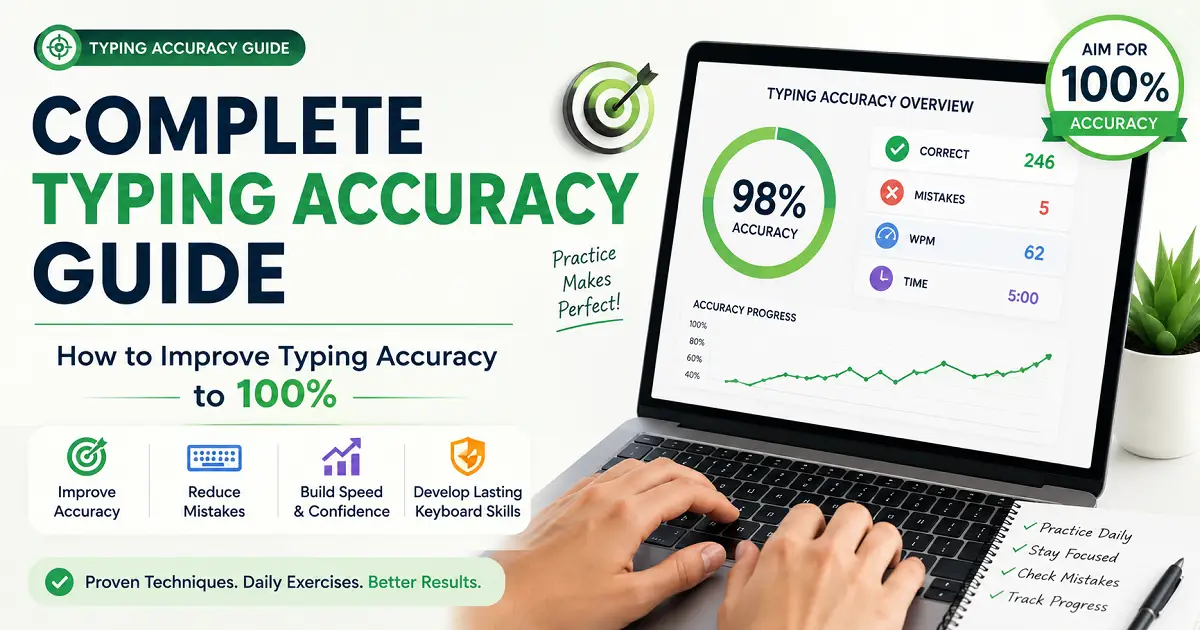
What Is Typing Accuracy?
Typing accuracy is the percentage of characters, words, or keystrokes that you type correctly compared to the total amount of text you type. It is one of the most important indicators of typing performance because it measures the quality of your typing rather than just the speed. Many people focus entirely on Words Per Minute (WPM) when learning to type. While typing speed is certainly valuable, speed alone does not guarantee productivity. A person who types very quickly but constantly makes mistakes often spends extra time correcting those errors, reducing overall efficiency. Professional typists understand that typing accuracy is the true foundation of fast and reliable typing. Once your fingers consistently hit the correct keys, increasing speed becomes much easier through practice and muscle memory. Whether you are a student completing assignments, an office employee preparing reports, a programmer writing code, a content writer producing articles, or a data entry operator working with large amounts of information, accurate typing saves time, reduces frustration, and improves confidence.
Typing Accuracy vs Typing Speed
Typing speed and typing typing consistency are closely connected, but they measure different aspects of your typing skills. Typing speed measures how quickly you type, usually in Words Per Minute (WPM). Typing accuracy measures how correctly you type without making mistakes. Many beginners believe that typing faster automatically makes them better typists. In reality, typing speed without accuracy often creates additional work because every mistake must be corrected before the document is complete. For example, imagine two people typing the same article.
| Typist | Speed | Accuracy | Result |
|---|---|---|---|
| Person A | 90 WPM | 88% | Frequent corrections reduce productivity. |
| Person B | 65 WPM | 99% | Produces clean work with minimal editing. |
Although Person A types much faster, Person B usually finishes the task sooner because there are almost no mistakes to fix. This example demonstrates why employers, teachers, and experienced professionals often value accuracy more than raw typing speed.
Why Typing Accuracy Matters
Every typing mistake has a cost. When writing an email, preparing an office report, entering customer information, or completing an online examination, even small errors can create confusion and require additional time to correct. High correct typing provides several important benefits:
- Produces professional-looking documents.
- Reduces time spent correcting mistakes.
- Improves overall productivity.
- Builds confidence while typing.
- Supports faster long-term typing improvement.
- Helps during competitive typing examinations.
- Creates better communication in emails and reports.
Instead of constantly pressing the Backspace key, accurate typists maintain a smooth typing rhythm that allows them to complete work efficiently.
How Typing Accuracy Is Measured
Typing accuracy is usually calculated as the percentage of correctly typed characters compared to the total number of characters typed. The standard formula is:
Typing Accuracy (%) = (Correct Characters Ă· Total Characters Typed) Ă— 100
For example, suppose you type 800 characters during a typing test. If 784 characters are correct and 16 contain mistakes:
(784 Ă· 800) Ă— 100 = 98% Accuracy
Most modern typing websites automatically calculate this percentage and display it together with your typing speed, error count, and Words Per Minute (WPM). Because typing accuracy reflects the quality of your work, it is often considered a more meaningful performance indicator than speed alone.
What Is Considered Good Typing Accuracy?
The answer depends on your experience level and the type of work you perform. Generally, the following accuracy levels are considered good benchmarks:
| Typing Accuracy | Performance Level | Description |
|---|---|---|
| Below 90% | Needs Improvement | Focus on reducing typing mistakes before increasing speed. |
| 90–94% | Average | Suitable for beginners who are developing basic typing skills. |
| 95–97% | Good | A reliable level for students, office work, and everyday computer use. |
| 98–99% | Excellent | Professional-quality typing with very few errors. |
| 100% | Near Perfect | Exceptional accuracy, typically achieved during controlled typing tests. |
For most students and office professionals, maintaining at least 95% accuracy is a good target. Professional typists, transcriptionists, and data entry specialists often aim for 98–99% accuracy because even small errors can affect the quality of their work.
The Foundation of Every Great Typist
Every skilled typist begins by learning to type accurately. Whether your goal is reaching 50 WPM for office work, preparing for a government typing examination, writing articles professionally, or becoming a faster programmer, your progress always starts with accuracy. Think of typing accuracy as the foundation of a building. Without a strong foundation, increasing typing speed becomes unstable and inconsistent. When accuracy improves, confidence grows, mistakes become less frequent, and higher typing speeds become much easier to achieve. Throughout this guide, you will learn proven techniques to reduce typing mistakes, strengthen muscle memory, improve touch typing skills, and gradually work toward professional-level typing accuracy.
Typing Accuracy vs Typing Speed: Which Is More Important?
One of the most common questions beginners ask is whether they should focus on typing faster or typing more accurately. The simple answer is that both skills are important, but they should not be developed in the same order. Typing accuracy should always come first. Many new typists become obsessed with increasing their Words Per Minute (WPM). They try to type as quickly as possible, believing that higher speed automatically makes them a better typist. Unfortunately, this approach often produces the opposite result. Typing too fast before building proper control leads to frequent mistakes, repeated corrections, poor typing habits, and frustration. Professional typists understand that speed is a result of accuracy—not a replacement for it. When your fingers consistently press the correct keys, your typing naturally becomes faster through repetition and muscle memory. Instead of chasing a high WPM score from the beginning, focus on developing clean, accurate typing habits. Once accuracy becomes consistent, increasing speed becomes much easier.
Understanding the Difference
Although typing speed and typing accuracy are closely connected, they measure completely different aspects of your keyboard skills. Typing speed measures how quickly you type. It is usually expressed in Words Per Minute (WPM) and indicates how much text you can produce within one minute. Typing accuracy, on the other hand, measures how much of that text is typed correctly without mistakes. It reflects the quality and reliability of your typing rather than simply the amount of text you produce. A good typist needs both skills. Fast typing without accuracy creates additional work, while perfect accuracy with extremely slow typing reduces productivity. The goal is to maintain a healthy balance between the two.
| Typing Speed | Typing Accuracy |
|---|---|
| Measures Words Per Minute (WPM). | Measures percentage of correct typing. |
| Focuses on quantity. | Focuses on quality. |
| Can increase quickly. | Improves gradually with practice. |
| Higher speed may increase mistakes. | Higher accuracy reduces corrections. |
| Useful for productivity. | Essential for reliable work. |
A Real-World Example
Imagine two employees working in the same office. Employee A types extremely fast but makes frequent typing mistakes. Every email, report, and spreadsheet requires additional editing before it can be shared. Employee B types slightly slower but rarely makes errors. Documents are completed correctly the first time and require almost no corrections. Which employee is actually more productive? In most workplaces, Employee B completes tasks more efficiently because less time is wasted fixing mistakes. This is why experienced managers often value accuracy more than raw typing speed.
| Employee | Typing Speed | Accuracy | Result |
|---|---|---|---|
| Employee A | 85 WPM | 90% | Frequent editing required. |
| Employee B | 65 WPM | 99% | Reliable work with minimal corrections. |
Although Employee A appears faster, Employee B often completes assignments sooner because there are far fewer mistakes to correct.
The Hidden Cost of Typing Mistakes
Typing mistakes do more than reduce your accuracy score during an online typing test. In real-world situations, every mistake consumes valuable time. Whenever you press the wrong key, you usually need to stop, locate the error, press the Backspace key several times, retype the correct text, and then regain your typing rhythm. This interruption may seem insignificant, but repeating it dozens or even hundreds of times during a long document dramatically reduces productivity. Typing accurately from the beginning allows your hands to maintain a smooth rhythm, helping you complete work more efficiently.
- Less time correcting errors.
- Better concentration.
- Smoother typing rhythm.
- Higher confidence.
- Improved productivity.
- Professional-quality documents.
Why Beginners Should Prioritize Accuracy
During the early stages of learning, your fingers are still developing muscle memory. If you constantly rush, your brain learns incorrect finger movements instead of correct ones. These bad habits become increasingly difficult to remove later. Learning accurate typing first teaches your brain the correct movement pattern. Once those movements become automatic, increasing speed requires much less effort. This is the same principle used by professional musicians and athletes. They first master correct technique slowly before performing at high speed. Typing follows exactly the same process.
When Should You Focus on Speed?
Speed becomes important only after accuracy reaches a consistent level. As a general guideline:
| Your Accuracy | Recommended Focus |
|---|---|
| Below 90% | Correct mistakes and improve technique. |
| 90–95% | Build consistency through daily practice. |
| 95–97% | Begin increasing typing speed gradually. |
| 98–99% | Focus on both speed and endurance. |
This approach allows you to increase your WPM without sacrificing typing quality.
Finding the Right Balance
The best typists are not simply the fastest people—they are the most consistent. They combine excellent accuracy with smooth typing rhythm, proper finger placement, and controlled speed. If your current typing accuracy is below 95%, improving precision will usually produce greater long-term benefits than trying to type faster. Once your accuracy becomes reliable, your Words Per Minute will naturally increase because your fingers move with greater confidence and fewer interruptions. In the next section, we will examine why typing accuracy plays such an important role in education, office work, programming, data entry, and other professional careers, and why employers often value accuracy more than raw typing speed.
Why Typing Accuracy Matters More Than You Think
Typing accuracy is often underestimated because many people naturally pay more attention to typing speed. Seeing a high Words Per Minute (WPM) score feels impressive, while accuracy percentages receive far less attention. However, in real-world situations, accuracy is usually the factor that determines the quality, reliability, and professionalism of your work. Every typing mistake has consequences. A simple spelling error in an email can create confusion, an incorrect number in a spreadsheet can produce inaccurate calculations, and a typing mistake in programming code may cause an entire application to stop working. Even small errors can require additional time to identify and correct. This is why experienced professionals do not judge typing ability by speed alone. They understand that accurate typing saves time, improves communication, and reduces unnecessary work.
Accurate Typing Saves Time
Many beginners believe typing faster automatically means finishing work sooner. In reality, frequent typing mistakes often eliminate the advantage of high speed. Every mistake interrupts your typing rhythm. You stop typing, locate the error, press the Backspace key, retype the correct text, and then try to regain your concentration. Repeating this process dozens of times during a long document can add several extra minutes to a task. Accurate typing removes these interruptions. Your fingers continue moving smoothly across the keyboard, allowing ideas to flow naturally without constant corrections. Instead of spending time fixing mistakes, you spend more time completing meaningful work.
Better Communication
Modern communication depends heavily on typing. Emails, instant messages, reports, presentations, project documentation, online learning, customer support, and business proposals all require clear written communication. Typing mistakes can change the meaning of sentences, create misunderstandings, or make professional communication appear careless. For example, sending an email containing multiple spelling mistakes may reduce the reader's confidence in your work, even if the information itself is correct. Maintaining excellent typing accuracy helps ensure your ideas are communicated clearly and professionally.
Professional Image
Typing accuracy also influences how others perceive your work. Well-written documents with very few mistakes create a positive impression. They demonstrate attention to detail, professionalism, and strong computer skills. On the other hand, reports filled with spelling errors, missing words, or incorrect numbers often require additional editing before they can be shared. This not only consumes extra time but may also reduce confidence in your overall work quality. Whether you are applying for a job, preparing an assignment, or communicating with clients, accurate typing helps present your work in the best possible way.
| High Accuracy | Low Accuracy |
|---|---|
| Professional documents. | Frequent corrections. |
| Clear communication. | Misunderstandings. |
| Higher productivity. | Lost time fixing mistakes. |
| Greater confidence. | Interrupted typing rhythm. |
| Better first impression. | Unprofessional appearance. |
Accuracy in Different Professions
Although every computer user benefits from accurate typing, some professions depend on it even more than others.
- Students need accurate typing for assignments, projects, and examinations.
- Office professionals prepare reports, emails, and official documents every day.
- Programmers must type code precisely because even one incorrect character can produce errors.
- Content writers require clean writing with minimal editing.
- Data entry operators must enter information correctly to maintain reliable records.
- Customer support executives communicate with customers quickly while avoiding costly typing mistakes.
Across all of these professions, accurate typing improves both efficiency and reliability.
Employers Value Accuracy
Many employers include typing tests during recruitment, especially for administrative, customer support, and data entry positions. While typing speed is measured, accuracy is often considered even more important. Employers understand that correcting mistakes consumes valuable working time. A candidate who consistently types at 60 WPM with 98% accuracy is frequently more valuable than someone typing at 85 WPM with only 90% accuracy. Reliable work reduces supervision, minimizes corrections, and increases overall team productivity.
Accuracy Builds Confidence
One of the biggest psychological benefits of accurate typing is confidence. When you know your fingers consistently press the correct keys, you stop worrying about mistakes and focus entirely on your ideas. This confidence creates a smoother typing rhythm, reduces hesitation, and makes long typing sessions much more comfortable. Ironically, improving accuracy often increases typing speed naturally because fewer interruptions occur during the typing process. Instead of forcing yourself to type faster, concentrate on typing correctly. As your confidence, muscle memory, and consistency improve, higher WPM scores usually follow without additional effort.
Accuracy Is the Foundation of Long-Term Improvement
Every expert typist began by developing accurate typing habits. Speed can improve relatively quickly, but correcting years of inaccurate typing habits is much more difficult. By making accuracy your highest priority today, you create a strong foundation for future speed, productivity, and professional success. Throughout the remaining sections of this guide, you will learn practical techniques, daily exercises, touch typing methods, and proven strategies that can help you steadily improve your typing accuracy while building long-term keyboard confidence.
How Typing Accuracy Is Calculated
Every typing test displays an accuracy percentage at the end of the test, but many learners never understand how that number is actually calculated. Knowing how typing accuracy is measured helps you interpret your results correctly and identify areas that need improvement. Typing accuracy is not based on how fast you type. Instead, it measures how many characters or words you typed correctly compared to the total amount of text you attempted to type. Whether you are practicing touch typing, preparing for a typing examination, or simply tracking your progress, understanding this calculation allows you to focus on improving both precision and consistency.
The Standard Typing Accuracy Formula
Most typing websites and software calculate accuracy using a simple mathematical formula.
Typing Accuracy (%) = (Correct Characters Ă· Total Characters Typed) Ă— 100
This formula compares the number of correctly typed characters with the total number of characters you entered during the typing test. The result is expressed as a percentage, making it easy to compare your performance across different typing sessions.
Example 1: High Accuracy
Imagine you complete a typing test and type a total of 500 characters. Out of these:
- Correct Characters: 490
- Incorrect Characters: 10
Applying the formula:
(490 Ă· 500) Ă— 100 = 98% Accuracy
An accuracy score of 98% is considered excellent and reflects strong keyboard control with very few typing mistakes.
Example 2: Average Accuracy
Now consider another typing test.
- Total Characters Typed: 700
- Correct Characters: 651
- Incorrect Characters: 49
The calculation becomes:
(651 Ă· 700) Ă— 100 = 93% Accuracy
Although 93% is not poor, it indicates that typing mistakes are occurring frequently enough to reduce overall efficiency. At this level, focusing on accuracy exercises before increasing speed is usually the best approach.
What Counts as a Typing Error?
Different typing platforms may calculate errors slightly differently, but most consider the following actions as mistakes:
- Typing the wrong letter.
- Missing a required character.
- Adding an extra character.
- Incorrect punctuation.
- Typing the wrong number.
- Capitalization mistakes.
- Incorrect spacing between words.
Some typing tests also count corrected mistakes separately, while others only evaluate the final submitted text. Because of these differences, your accuracy percentage may vary slightly between different typing websites.
Characters vs Words
Many beginners assume typing accuracy is based only on words, but most professional typing platforms actually calculate accuracy using individual characters. Characters include:
- Letters (A–Z)
- Numbers (0–9)
- Spaces
- Punctuation marks
- Special symbols
Using characters instead of words provides a much more precise measurement because every keystroke is evaluated individually.
Accuracy and WPM Work Together
Typing speed (Words Per Minute) and typing accuracy are closely related. When accuracy decreases, effective typing speed usually decreases as well because additional time is required to correct mistakes. For example:
| Typing Speed | Accuracy | Actual Productivity |
|---|---|---|
| 90 WPM | 88% | Lower due to frequent corrections. |
| 70 WPM | 99% | Higher because almost no editing is required. |
This example clearly demonstrates why professional typists always aim to improve accuracy before chasing higher WPM scores.
How Often Should You Measure Accuracy?
Measuring typing accuracy every few minutes is usually unnecessary. Instead, complete one or two full typing tests each day and record both your WPM and your accuracy percentage. Tracking these numbers over several weeks provides a much clearer picture of your improvement than focusing on individual practice sessions. Many learners become discouraged after one poor typing test, even though daily performance naturally fluctuates due to fatigue, concentration, and unfamiliar text. Looking at long-term trends is far more useful than worrying about a single result.
Understanding Your Results
A typing accuracy percentage is more than just a number—it reflects the quality of your keyboard skills. If your accuracy remains below 95%, your main priority should be reducing typing mistakes rather than increasing speed. Once you consistently achieve 97–99% accuracy, you can gradually work on improving your WPM while maintaining the same level of precision. Understanding how typing accuracy is calculated helps you evaluate your progress objectively and avoid the common mistake of focusing only on speed. In the next section, we will explore what is considered good typing accuracy and the realistic accuracy goals you should aim for based on your experience level and profession.
What Is a Good Typing Accuracy?
One of the most frequently asked questions among beginners is, "What is considered good typing accuracy?" While there is no single percentage that applies to everyone, your ideal typing accuracy depends on your experience level, profession, and the type of work you perform. A beginner learning keyboard basics does not need the same level of precision as a professional transcriptionist or data entry operator. However, regardless of your experience, accuracy should always remain the foundation of your typing skills. Many people focus only on increasing their Words Per Minute (WPM), but a high typing speed loses its value if it is accompanied by frequent typing mistakes. The best typists are those who combine consistent speed with excellent accuracy. For most computer users, maintaining an accuracy of 95% or higher is considered good. As your typing skills improve, your long-term goal should gradually move toward 98–99% accuracy.
Typing Accuracy Benchmarks
The table below provides a practical way to evaluate your current typing performance.
| Typing Accuracy | Performance Level | Recommendation |
|---|---|---|
| Below 90% | Needs Improvement | Focus on reducing mistakes before increasing speed. |
| 90–94% | Average | Practice finger placement and typing rhythm. |
| 95–97% | Good | Maintain consistency while gradually improving WPM. |
| 98–99% | Excellent | Professional-quality typing with very few mistakes. |
| 100% | Near Perfect | Outstanding performance during controlled typing tests. |
Rather than trying to achieve perfect accuracy immediately, aim to improve steadily. Increasing your accuracy from 92% to 96% is often a more valuable achievement than increasing your typing speed by several WPM while continuing to make frequent mistakes.
Good Accuracy for Beginners
If you have recently started learning touch typing, making occasional mistakes is completely normal. Your fingers are still learning the keyboard layout, developing muscle memory, and building coordination. During this stage, your main objective should not be typing faster. Instead, focus on pressing the correct keys consistently. A realistic goal for beginners is:
- Accuracy: 90–95%
- Typing Speed: Build naturally through regular practice.
- Priority: Correct finger placement and rhythm.
Once you consistently reach 95% accuracy, increasing speed becomes much easier.
Good Accuracy for Intermediate Typists
Intermediate typists usually have a basic understanding of touch typing and no longer need to look at the keyboard constantly. At this stage, both speed and accuracy should improve together. Recommended targets include:
- Accuracy: 95–97%
- Few typing corrections.
- Smooth typing rhythm.
- Consistent keyboard control.
Maintaining this level of accuracy allows you to work efficiently without constantly interrupting your typing flow.
Professional Accuracy Standards
Many professions require extremely reliable typing because even small mistakes can create significant problems. For example, data entry operators must enter numbers accurately, programmers cannot afford typing errors in code, and transcriptionists must reproduce spoken content exactly. Professionals often aim for:
| Profession | Recommended Accuracy |
|---|---|
| Office Professional | 97%+ |
| Programmer | 98%+ |
| Content Writer | 98%+ |
| Customer Support | 97%+ |
| Data Entry Operator | 99%+ |
| Professional Transcriptionist | 99–100% |
Although these numbers appear high, they become achievable through structured practice and consistent touch typing.
Should You Aim for 100% Accuracy?
Achieving 100% typing accuracy during a short typing test is certainly possible. However, maintaining perfect accuracy over long documents or extended typing sessions is much more difficult. Even experienced typists occasionally make small mistakes. Instead of becoming frustrated by every error, focus on maintaining consistently high accuracy over time. For most learners, maintaining 98–99% accuracy while typing comfortably is a far more realistic and practical goal than trying to achieve perfect results in every practice session.
Accuracy Is More Than a Number
Typing accuracy is not simply another statistic displayed after a typing test. It represents how reliably you can communicate, complete assignments, write reports, enter data, or create professional documents without unnecessary corrections. Higher accuracy improves productivity, reduces stress, builds confidence, and makes typing feel smoother and more natural. As your keyboard skills continue to develop, your focus should shift from simply reaching a specific percentage to maintaining consistent accuracy across different types of typing tasks. In the next section, we will explore the most common causes of typing mistakes and explain why many learners struggle to improve their accuracy despite practicing regularly.
Common Causes of Typing Mistakes
Almost every typist makes mistakes, regardless of experience. Beginners often believe that typing errors occur because they are not naturally good at typing, but this is rarely true. Most typing mistakes are caused by incorrect habits, poor typing techniques, lack of concentration, or inconsistent practice rather than a lack of ability. Identifying the root cause behind an error matters more than simply noticing that a mistake happened. Once you identify the habits that reduce your typing accuracy, you can correct them systematically and build faster, more reliable keyboard skills. Whether your goal is achieving 95% accuracy, reaching 100 WPM, or preparing for a competitive typing examination, avoiding common typing mistakes will help you progress much faster.
1. Looking at the Keyboard Too Often
One of the biggest reasons beginners struggle with typing accuracy is constantly looking at the keyboard. Every time your eyes move between the keyboard and the screen, your concentration breaks. This interruption makes it easier to press the wrong key, skip letters, or lose your place in the text. Touch typing teaches your fingers to locate keys automatically through muscle memory. Although learning this skill takes time, it dramatically reduces typing mistakes in the long run. If you currently depend on looking at the keyboard, try reducing this habit gradually instead of stopping all at once.
2. Typing Too Fast Too Soon
Many learners believe that increasing speed should be their first priority. As a result, they begin pressing keys as quickly as possible before developing proper control over the keyboard. This usually produces:
- Incorrect letters.
- Missed characters.
- Extra keystrokes.
- Frequent use of the Backspace key.
- Lower overall productivity.
A slower typing speed with high accuracy always creates a stronger foundation than fast typing filled with mistakes. Speed should increase naturally after your accuracy becomes consistent.
3. Incorrect Finger Placement
Every finger has designated keys in proper touch typing. When you ignore correct finger placement and allow one or two fingers to perform most of the work, your hands move farther across the keyboard, increasing the likelihood of pressing incorrect keys. Using all ten fingers reduces unnecessary hand movement, improves balance, and makes typing much more accurate. Learning the home row keys correctly is one of the most effective ways to reduce typing mistakes.
4. Poor Typing Posture
Typing posture directly affects finger movement and keyboard control. If your wrists are bent awkwardly, your chair is too low, or your keyboard is positioned incorrectly, your fingers cannot move naturally. A comfortable typing position should include:
- Straight back.
- Relaxed shoulders.
- Elbows close to 90 degrees.
- Wrists in a neutral position.
- Keyboard placed comfortably in front of you.
Good posture not only improves typing accuracy but also reduces fatigue during long typing sessions.
5. Weak Muscle Memory
Muscle memory develops through repetition. Every correctly typed word strengthens the connection between your brain and your fingers. However, if you practice inconsistently or continue making the same mistakes repeatedly, your muscle memory develops much more slowly. This explains why practicing for twenty minutes every day is usually more effective than practicing for several hours once each week. Small, consistent practice sessions build reliable typing habits over time.
6. Lack of Concentration
Typing requires attention. Watching videos, checking notifications, or switching between multiple tasks while practicing often increases typing errors. During dedicated typing practice, eliminate distractions as much as possible. Even fifteen minutes of focused practice is generally more valuable than an hour of distracted typing.
7. Ignoring Accuracy Statistics
Many learners finish a typing test and immediately look only at their WPM score. They completely ignore their typing accuracy percentage. This is a mistake because accuracy provides valuable information about your keyboard control. If your typing accuracy repeatedly stays below 95%, your practice routine should focus on reducing mistakes rather than increasing speed. Tracking both WPM and accuracy provides a much more complete picture of your improvement.
| Common Mistake | Better Habit |
|---|---|
| Looking at the keyboard | Practice touch typing. |
| Typing too quickly | Slow down and improve accuracy. |
| Using only two fingers | Use proper finger placement. |
| Poor sitting posture | Maintain an ergonomic position. |
| Ignoring mistakes | Review and correct recurring errors. |
| Irregular practice | Practice consistently every day. |
8. Rushing Through Difficult Words
Long words, unfamiliar vocabulary, numbers, and punctuation often cause learners to speed up unnecessarily. Instead of slowing down slightly for these sections, they continue typing at the same pace, resulting in multiple mistakes. Experienced typists naturally adjust their rhythm when typing complex text. Maintaining control during difficult passages usually produces better overall performance than trying to maintain maximum speed at all times.
9. Practicing Without a Goal
Typing randomly for several minutes each day is unlikely to produce consistent improvement. Effective practice should have a clear objective. For example:
- Increase accuracy from 94% to 96%.
- Reduce Backspace usage.
- Improve home row confidence.
- Practice numbers and punctuation.
- Complete one full typing test every day.
Having measurable goals helps you identify progress and stay motivated throughout your typing journey.
Build Better Habits, Not Just Faster Fingers
Typing accuracy improves when correct habits become automatic. Rather than trying to eliminate every mistake overnight, focus on correcting one weakness at a time. Improve your finger placement, reduce unnecessary hand movement, maintain good posture, and practice without distractions. Over time, these small improvements combine to produce significant gains in both typing accuracy and overall productivity. In the next section, we will explore one of the most effective methods for improving typing accuracy—Touch Typing—and explain why professional typists rely on it to achieve both speed and precision.
How Touch Typing Improves Typing Accuracy
Typing accuracy improves dramatically when you learn touch typing. Instead of searching for keys with your eyes, your fingers rely on muscle memory to locate every key automatically. This reduces hesitation, improves typing rhythm, and helps eliminate many common typing mistakes.
Rather than covering the complete touch typing method here, we have created a dedicated guide that explains home row keys, correct finger placement, muscle memory, beginner mistakes, and step-by-step practice lessons.
Once you develop proper touch typing skills, the accuracy techniques below will help you reduce mistakes and maintain consistently high typing accuracy.
10 Proven Ways to Improve Typing Accuracy
Improving typing accuracy is not about typing more—it is about typing more carefully and consistently. Many learners focus only on increasing their Words Per Minute (WPM), but accuracy improves when you build good habits and correct mistakes gradually. The following strategies will help you reduce errors, improve consistency, and develop stronger keyboard control.
1. Slow Down Before Speeding Up
Trying to type too quickly often creates unnecessary mistakes. Reduce your speed slightly and focus on pressing the correct keys. Once accuracy becomes consistent, your typing speed will naturally improve through regular practice.
2. Practice Difficult Words and Keys
Pay extra attention to letters, numbers, punctuation marks, or key combinations that repeatedly cause mistakes. Spending a few focused minutes on your weakest areas produces better results than repeating the same easy exercises.
3. Read Ahead While Typing
Instead of reading one letter at a time, try looking one or two words ahead. This creates a smoother typing rhythm and gives your brain time to prepare upcoming keystrokes, reducing hesitation and typing errors.
4. Don't Depend on the Backspace Key
Correcting mistakes is important, but stopping after every small error breaks your rhythm. During practice sessions, concentrate on maintaining steady typing instead of reacting immediately to every mistake.
5. Review Your Mistakes
After every typing test, examine your errors instead of looking only at your WPM score. Identifying recurring mistakes helps you know exactly which skills require additional practice.
| Poor Habit | Better Habit |
|---|---|
| Typing too fast. | Type at a controlled pace. |
| Ignoring repeated errors. | Practice weak areas separately. |
| Watching only WPM. | Track both WPM and accuracy. |
| Random practice. | Practice with clear goals. |
| Giving up after mistakes. | Learn from every typing test. |
6. Track Your Progress
Keep a simple record of your typing speed, accuracy, and common mistakes. Weekly progress is much more meaningful than judging yourself based on a single typing session.
- Typing Accuracy (%)
- Words Per Minute (WPM)
- Total Errors
- Common Mistakes
- Weekly Progress
7. Set Small Accuracy Goals
Rather than aiming for perfect typing immediately, improve one milestone at a time. Moving from 93% to 95%, then 97%, is realistic and much easier to sustain than chasing 100% accuracy from the beginning.
Accuracy Improves Through Consistency
There is no shortcut to accurate typing. Every focused practice session strengthens muscle memory and improves keyboard confidence. By reviewing your mistakes, setting realistic goals, and practicing consistently, you will gradually produce cleaner, more reliable typing while increasing your overall productivity. In the next section, we'll look at a simple daily practice routine that helps you maintain high typing accuracy over the long term.
Daily Practice Routine to Improve Typing Accuracy
One of the biggest misconceptions about typing improvement is that you need to practice for several hours every day. In reality, long practice sessions often lead to mental fatigue, reduced concentration, and more typing mistakes. Professional typists rarely spend hours practicing continuously. Instead, they focus on short, structured, and consistent practice sessions that strengthen muscle memory over time. If your goal is to improve typing accuracy, consistency is far more important than duration. Practicing for just 20 to 30 minutes every day can produce better long-term results than practicing for several hours once a week. A well-planned daily routine allows you to improve finger placement, typing rhythm, concentration, and keyboard confidence without becoming overwhelmed.
Why Daily Practice Works
Every correctly typed word strengthens the connection between your brain and your fingers. This process is known as muscle memory. The more frequently you repeat correct finger movements, the more automatic they become. Eventually, your fingers begin finding keys without conscious effort. When practice is irregular, muscle memory develops much more slowly. This is why learners who practice a little every day usually improve faster than those who practice only occasionally. Daily practice also helps eliminate common typing mistakes before they become permanent habits.
Recommended Daily Practice Schedule
A balanced typing routine should include warm-up exercises, touch typing practice, accuracy drills, and typing tests. The following schedule works well for most beginners and intermediate learners.
| Activity | Time | Purpose |
|---|---|---|
| Finger Warm-Up | 2–3 Minutes | Prepare fingers and improve flexibility. |
| Home Row Practice | 5 Minutes | Strengthen finger placement. |
| Touch Typing Lesson | 10 Minutes | Build muscle memory. |
| Accuracy Exercise | 5 Minutes | Reduce typing mistakes. |
| Typing Test | 5 Minutes | Measure WPM and accuracy. |
This complete routine takes less than thirty minutes while covering every major skill required for long-term typing improvement.
Warm Up Before Typing
Just like athletes warm up before training, typists also benefit from preparing their hands. Spend two or three minutes typing simple words and easy sentences before beginning more challenging exercises. This allows your fingers to loosen up and improves coordination during the rest of your practice session. Simple warm-up activities include:
- Typing the home row repeatedly.
- Practicing common English words.
- Typing short sentences slowly.
- Stretching your fingers gently.
Practice Accuracy Before Speed
The first part of every practice session should focus entirely on accuracy. Slow your typing speed if necessary and concentrate on pressing the correct keys. Ignore your WPM score during this stage. Once you consistently maintain high accuracy, gradually increase your typing speed without changing your typing technique. This approach develops stronger muscle memory and produces long-term improvements.
Use Real Text Instead of Random Letters
Typing random letters may improve finger movement, but practicing real sentences provides better preparation for everyday computer use. Choose paragraphs from books, articles, emails, or educational material. Real-world text teaches you to type punctuation, capital letters, numbers, and common word combinations naturally. This makes your practice sessions more realistic and improves both typing accuracy and reading rhythm.
Complete One Typing Test Daily
After finishing your practice exercises, complete one full typing test. Instead of taking multiple tests back-to-back, treat each test as a progress checkpoint. Record:
- Words Per Minute (WPM).
- Typing Accuracy (%).
- Total Errors.
- Practice Date.
Tracking these numbers helps you identify long-term improvement rather than judging yourself based on a single typing session.
| Week | Typing Speed | Accuracy |
|---|---|---|
| Week 1 | 36 WPM | 93% |
| Week 2 | 39 WPM | 95% |
| Week 3 | 42 WPM | 97% |
| Week 4 | 46 WPM | 98% |
Even small weekly improvements add up to significant progress over several months.
Avoid Common Practice Mistakes
Many learners unknowingly reduce the effectiveness of their practice sessions. Avoid these common mistakes:
- Practicing only when you feel motivated.
- Ignoring typing accuracy.
- Looking at the keyboard constantly.
- Skipping touch typing lessons.
- Practicing while distracted.
- Typing too fast before building consistency.
Replacing these habits with structured daily practice creates faster and more reliable improvement.
Consistency Beats Perfection
You do not need perfect practice sessions to become an excellent typist. Some days your typing speed may increase, while other days your accuracy may improve instead. This is completely normal. Focus on showing up every day, practicing with proper technique, and gradually reducing your mistakes. Over time, these small improvements accumulate into stronger typing skills, higher accuracy, and greater keyboard confidence. In the next section, we will examine the recommended typing accuracy goals for different users, including students, office professionals, programmers, writers, customer support executives, and data entry operators.
Recommended Typing Accuracy Goals for Different Users
Not everyone needs the same level of typing accuracy. The ideal accuracy percentage depends on how you use a computer and the type of work you perform every day. For example, a student writing classroom assignments may occasionally make small mistakes without serious consequences. However, a data entry operator entering financial records or a programmer writing software code cannot afford frequent typing errors. Instead of comparing yourself with professional typists, set realistic accuracy goals that match your personal or professional needs. As your keyboard skills improve, you can gradually increase both your typing speed and your typing accuracy.
Typing Accuracy Goals by Experience Level
Your current typing experience should determine your first accuracy target. Trying to achieve perfect accuracy too early often creates unnecessary pressure and slows learning. The following table provides practical goals for different experience levels.
| Experience Level | Recommended Accuracy | Main Focus |
|---|---|---|
| Beginner | 90–95% | Learn keyboard layout and finger placement. |
| Intermediate | 95–97% | Reduce mistakes while improving consistency. |
| Advanced | 97–99% | Increase speed without reducing accuracy. |
| Professional | 99–100% | Maintain reliable performance during long sessions. |
Improving from 92% to 96% accuracy is a significant achievement and usually produces greater long-term benefits than increasing your typing speed while continuing to make frequent mistakes.
Recommended Accuracy by Profession
Different careers place different demands on typing accuracy. Some jobs require rapid communication, while others require near-perfect precision. The table below provides practical recommendations.
| Profession | Recommended Accuracy | Reason |
|---|---|---|
| School Student | 95%+ | Assignments and online learning. |
| College Student | 96%+ | Projects, reports, and presentations. |
| Office Professional | 97%+ | Professional documents and emails. |
| Programmer | 98%+ | Even one incorrect character can cause coding errors. |
| Content Writer | 98%+ | Reduces editing and proofreading time. |
| Customer Support | 97%+ | Clear and accurate customer communication. |
| Data Entry Operator | 99%+ | Incorrect information can affect records and reports. |
| Transcriptionist | 99–100% | Requires highly accurate text reproduction. |
Government Typing Exams
Many government recruitment examinations include typing tests. Although each examination follows its own rules, candidates are generally expected to maintain both good typing speed and excellent typing accuracy. Frequent typing mistakes may reduce the final score even if the required Words Per Minute (WPM) has been achieved. For this reason, candidates should practice maintaining at least 97–98% accuracy while typing comfortably under timed conditions. Regular mock typing tests are one of the best ways to prepare for these examinations.
Why You Should Set Small Accuracy Goals
Improving typing accuracy is a gradual process. Instead of trying to jump directly from 90% to 99%, work toward smaller milestones. For example:
| Current Accuracy | Next Goal |
|---|---|
| 90% | 93% |
| 93% | 95% |
| 95% | 97% |
| 97% | 98% |
| 98% | 99% |
Small improvements are easier to achieve, easier to measure, and much more motivating than chasing perfection immediately.
Don't Compare Yourself with Professional Typists
Many learners become discouraged after comparing their typing accuracy with experienced professionals. Remember that expert typists have often spent years practicing every day. Your goal should be continuous personal improvement rather than competing with someone else's results. If your typing accuracy improves from 93% to 96% over a month of consistent practice, that represents excellent progress. The only meaningful comparison is between your current performance and your previous performance.
Build Confidence Through Consistency
Typing accuracy is not achieved through a single perfect typing test. It is developed through thousands of correct keystrokes repeated consistently over weeks and months. As your finger placement improves, muscle memory becomes stronger, and typing mistakes become less frequent, your confidence naturally grows. Stay patient, practice regularly, and celebrate every improvement. In the next section, we will examine several common myths about typing accuracy and explain why many popular beliefs actually slow down long-term typing improvement.
Common Typing Accuracy Myths
There is no shortage of advice about typing accuracy on the internet. Unfortunately, not all of it is correct. Many beginners unknowingly follow outdated techniques or believe myths that slow their progress instead of improving it. These misconceptions often lead learners to practice incorrectly, chase unrealistic goals, or become discouraged when they do not see immediate improvement. Understanding the truth behind these myths allows you to build better typing habits and improve your accuracy more efficiently.
Myth 1: Typing Faster Automatically Improves Accuracy
Many beginners believe that if they continue typing faster, their accuracy will naturally improve. The opposite is usually true. When you increase your speed before developing proper keyboard control, your fingers become less precise, resulting in more typing mistakes. The most effective approach is to improve accuracy first. Once your fingers consistently press the correct keys, speed increases naturally through muscle memory. Professional typists become fast because they type accurately—not because they rush.
Myth 2: 100% Accuracy Is Required Every Time
Many learners become frustrated after making even a single mistake during a typing test. While achieving 100% accuracy is an excellent goal, maintaining perfect accuracy during every practice session is unrealistic. Even experienced typists occasionally make small typing errors. Instead of aiming for perfection every day, focus on maintaining consistently high accuracy over time. For most learners, maintaining 97–99% accuracy is a far more practical and sustainable goal.
Myth 3: Looking at the Keyboard Does Not Affect Accuracy
Some people believe they can continue looking at the keyboard forever without affecting their typing performance. Although this may seem comfortable, constantly shifting your eyes between the keyboard and the screen interrupts concentration and slows muscle memory development. Touch typing allows your fingers to locate keys automatically, improving both typing accuracy and typing speed. Reducing dependence on the keyboard is one of the most effective long-term improvements you can make.
Myth 4: Expensive Keyboards Improve Accuracy
Mechanical keyboards, ergonomic keyboards, and premium equipment may improve typing comfort, but they cannot automatically improve typing accuracy. A learner with strong typing technique using a basic keyboard will almost always outperform someone with poor typing habits using expensive hardware. Accuracy comes from proper finger placement, regular practice, and consistent muscle memory—not from the keyboard itself.
Myth 5: Practicing for Hours Every Day Is Necessary
Many learners assume that longer practice sessions always produce better results. In reality, concentration decreases as practice sessions become excessively long. Most professional typing instructors recommend practicing for about 20 to 30 minutes each day rather than several hours once or twice a week. Short, focused practice sessions build muscle memory more effectively while preventing mental fatigue.
Myth 6: Accuracy Improves Overnight
Typing accuracy develops gradually. Every correctly typed sentence strengthens muscle memory, while every mistake provides an opportunity to improve. Most learners notice steady progress over several weeks rather than dramatic improvements after only a few practice sessions. Patience and consistency always produce better results than trying to force rapid improvement.
Myth 7: Backspace Means You Are Failing
Some learners become discouraged whenever they need to press the Backspace key. Correcting mistakes is a normal part of learning. However, constantly stopping after every small error interrupts typing rhythm. Instead of worrying about occasional corrections, focus on reducing the overall number of mistakes from week to week. Gradual improvement is much more important than achieving perfection immediately.
Myth 8: Accuracy Is Only Important During Typing Tests
Typing accuracy is valuable far beyond online typing tests. Every email, report, assignment, spreadsheet, programming project, and business document benefits from accurate typing. Reducing mistakes improves communication, saves editing time, and creates a more professional impression. Good typing accuracy is a practical life skill—not simply a typing test statistic.
| Common Myth | Reality |
|---|---|
| Speed automatically improves accuracy. | Accuracy should improve before speed. |
| 100% accuracy is required every day. | Consistency matters more than perfection. |
| Looking at the keyboard is harmless. | Touch typing improves long-term accuracy. |
| Expensive keyboards create better typists. | Technique matters far more than hardware. |
| Practice for hours to improve quickly. | Short daily practice is more effective. |
| Accuracy only matters in typing tests. | Accuracy improves everyday productivity. |
Focus on Proven Methods
The fastest way to improve typing accuracy is to ignore popular myths and follow proven techniques. Practice consistently, learn touch typing, maintain proper finger placement, track your accuracy regularly, and increase your speed only after building reliable keyboard control. Typing accuracy is not determined by talent or expensive equipment. It is developed through thousands of correct keystrokes repeated over time. In the next section, we will explore how TypeNest helps learners improve typing accuracy through structured lessons, guided practice, typing tests, and progress tracking.
How TypeNest Helps You Improve Typing Accuracy
Improving typing accuracy requires more than simply taking random typing tests every day. While repeated practice is important, real improvement happens when you follow a structured learning path that develops proper finger placement, touch typing skills, muscle memory, and consistent typing habits. This is exactly where TypeNest is designed to help. Instead of asking learners to type random paragraphs repeatedly, TypeNest provides a step-by-step learning experience that gradually builds typing confidence. Every lesson is designed to reduce mistakes first and improve speed naturally as your accuracy becomes more consistent. Whether you are a complete beginner learning the keyboard layout or an experienced typist trying to achieve 99% accuracy, structured practice is far more effective than unplanned typing exercises.
Learn Touch Typing from the Beginning
Touch typing is one of the most effective ways to improve typing accuracy. TypeNest introduces touch typing through carefully organized lessons that teach correct finger placement before moving to more advanced exercises. Instead of overwhelming beginners with the entire keyboard, new keys are introduced gradually. This allows muscle memory to develop naturally while reducing typing mistakes. As learners progress, they become more comfortable typing without looking at the keyboard, leading to higher accuracy and smoother typing rhythm.
Structured Lessons That Build Accuracy
Random practice often leads to inconsistent improvement because learners repeat the same mistakes without understanding why they occur. TypeNest organizes lessons in a logical sequence. Each lesson focuses on a specific typing skill, allowing learners to master one concept before moving to the next. This structured approach helps improve:
- Finger placement.
- Keyboard familiarity.
- Typing rhythm.
- Muscle memory.
- Typing confidence.
- Long-term typing accuracy.
Building these skills gradually creates a stronger foundation than simply repeating typing tests.
Real-Time Accuracy Feedback
One of the fastest ways to improve typing is by understanding your mistakes immediately. TypeNest provides real-time feedback during practice sessions, allowing learners to recognize incorrect keystrokes as they occur. Instead of waiting until the end of a lesson, users can identify recurring mistakes and correct them before those habits become permanent. Immediate feedback accelerates learning and improves keyboard control.
Track Your Progress
Improvement becomes much more motivating when you can clearly see your progress. TypeNest allows learners to monitor important typing statistics, including:
- Typing Accuracy Percentage.
- Words Per Minute (WPM).
- Total Mistakes.
- Completed Lessons.
- Typing Test Results.
- Overall Learning Progress.
Tracking these metrics helps learners understand what is improving and where additional practice is needed. Instead of relying on guesswork, every practice session contributes measurable progress.
Daily Practice Without Feeling Overwhelmed
Many beginners believe they must practice for several hours every day. TypeNest encourages short, focused practice sessions instead. Practicing for twenty to thirty minutes each day is usually enough to strengthen muscle memory while avoiding mental fatigue. Because lessons are divided into manageable sections, learners can practice consistently even with busy schedules. Regular daily practice is one of the biggest factors behind long-term typing improvement.
| Random Practice | Structured Practice with TypeNest |
|---|---|
| No clear learning path. | Step-by-step lessons. |
| Difficult to identify mistakes. | Immediate accuracy feedback. |
| Limited progress tracking. | Track WPM, accuracy, and lessons. |
| Easy to lose motivation. | Clear goals and measurable progress. |
| Inconsistent improvement. | Steady long-term improvement. |
Typing Tests for Every Skill Level
As your typing accuracy improves, regular typing tests become an important way to measure your performance. TypeNest includes typing tests suitable for beginners, intermediate learners, and advanced typists. These tests allow users to evaluate:
- Typing Accuracy.
- Words Per Minute (WPM).
- Error Count.
- Typing Consistency.
- Overall Progress.
Taking regular typing tests helps learners build confidence while setting realistic goals for future improvement.
Build a Skill That Lasts a Lifetime
Typing accuracy is not just about achieving a high score on a typing test. It is a practical skill that improves productivity, communication, and confidence throughout your education and career. Whether you are writing assignments, preparing office documents, coding software, creating content, or entering business data, accurate typing saves time and reduces unnecessary corrections. TypeNest is designed to support that journey through structured lessons, touch typing practice, typing tests, progress tracking, and continuous skill development. In the next section, we will answer some of the most frequently asked questions about typing accuracy, common typing mistakes, and practical ways to continue improving your keyboard skills.
How to Reach 100% Typing Accuracy
Achieving 100% typing accuracy is a goal that almost every learner dreams about. Seeing a perfect accuracy score at the end of a typing test is satisfying and gives a sense of accomplishment. However, many beginners misunderstand what 100% accuracy actually means. Perfect accuracy does not mean you will never make another typing mistake. Even experienced typists occasionally press the wrong key, especially during long typing sessions or while working under pressure. Instead, 100% typing accuracy should be viewed as a performance goal that reflects excellent typing habits, strong concentration, proper technique, and well-developed muscle memory. Rather than chasing perfection every day, focus on building the habits that make near-perfect typing possible.
Start by Improving Accuracy Gradually
One of the biggest mistakes learners make is expecting their typing accuracy to jump from 90% directly to 100%. Typing improvement rarely happens that way. Instead, accuracy develops step by step. For example:
| Current Accuracy | Next Target | Main Focus |
|---|---|---|
| 90% | 93% | Reduce common typing mistakes. |
| 93% | 95% | Improve finger placement. |
| 95% | 97% | Build typing consistency. |
| 97% | 98% | Reduce unnecessary corrections. |
| 98% | 99% | Develop stronger muscle memory. |
| 99% | 100% | Maintain concentration throughout the test. |
Small improvements are easier to achieve, easier to measure, and much more sustainable than trying to become perfect overnight.
Master Touch Typing
Touch typing is the single most effective skill for improving typing accuracy. When you stop looking at the keyboard and allow your fingers to locate keys automatically, typing becomes much smoother and more consistent. Professional typists rarely think about individual keys. Instead, their fingers move automatically through years of practice. The stronger your muscle memory becomes, the fewer mistakes you will make.
Slow Down When Necessary
Typing accuracy always comes before typing speed. If you notice your accuracy dropping below your usual level, reduce your typing speed slightly. Slowing down allows your brain to process upcoming words more effectively while giving your fingers enough time to press the correct keys. Ironically, slowing down today often helps you type faster tomorrow because you are reinforcing correct finger movements rather than incorrect ones.
Practice Difficult Characters
Every typist has certain letters, numbers, or punctuation marks that cause more mistakes. Instead of avoiding these difficult characters, practice them deliberately. Spend a few minutes each day typing:
- Numbers and symbols.
- Capital letters.
- Punctuation marks.
- Long English words.
- Frequently mistyped letter combinations.
Targeted practice helps eliminate recurring errors much faster than random typing exercises.
Maintain Complete Focus
Typing accuracy depends heavily on concentration. Checking notifications, talking with someone, listening to distracting conversations, or switching between multiple tasks increases typing mistakes significantly. When practicing, give your full attention to the typing exercise. Even fifteen minutes of focused practice is often more valuable than an hour of distracted typing.
Review Your Mistakes
Many learners finish a typing test, look only at their WPM score, and immediately start another test. This habit slows improvement. Instead, spend a few minutes reviewing your errors. Ask yourself:
- Which letters caused the mistakes?
- Were the mistakes caused by poor finger placement?
- Did you rush through difficult words?
- Did punctuation or capitalization create problems?
Understanding why mistakes happen is one of the fastest ways to eliminate them.
| Poor Practice Habit | Better Practice Habit |
|---|---|
| Only checking WPM. | Review WPM and accuracy together. |
| Ignoring repeated mistakes. | Practice weak keys separately. |
| Typing as fast as possible. | Type smoothly with control. |
| Random practice sessions. | Follow a structured daily routine. |
| Comparing yourself with experts. | Track your own weekly progress. |
Build Consistency Instead of Perfection
Professional typists rarely worry about achieving one perfect typing test. Instead, they aim to produce consistently accurate results every day. For example, maintaining 98–99% accuracy across hundreds of typing sessions is generally more valuable than achieving 100% only once. Consistency demonstrates strong typing habits and reliable keyboard control. This is exactly what employers and professional environments value most.
Keep Practicing with Patience
There is no shortcut to perfect typing accuracy. Every correctly typed sentence strengthens muscle memory. Every practice session teaches your fingers to move more efficiently. Every mistake provides an opportunity to improve. Be patient with your progress. Some weeks you may improve your accuracy by only one percentage point, while other weeks you may simply become more consistent. Both are signs of improvement. The ultimate goal is not simply achieving 100% accuracy during a typing test. The real goal is becoming a confident typist who can produce clear, professional, and error-free work in everyday situations. In the next section, we will summarize the recommended typing accuracy goals for different experience levels and professions, helping you choose realistic milestones for your own typing journey.
Recommended Typing Accuracy Goals
Setting realistic typing accuracy goals is one of the best ways to stay motivated and measure your progress. Many learners become discouraged because they compare themselves with professional typists instead of focusing on gradual improvement. Rather than aiming for perfect typing immediately, establish small milestones based on your current skill level. As your muscle memory, finger placement, and keyboard confidence improve, you can gradually increase both your typing accuracy and your typing speed. The tables below provide practical benchmarks that can help you evaluate your current typing performance and decide what to work on next.
Typing Accuracy Goals by Skill Level
| Skill Level | Typing Accuracy | Primary Focus | Next Goal |
|---|---|---|---|
| Beginner | 90–95% | Learn keyboard layout and proper finger placement. | Reach 95% accuracy consistently. |
| Intermediate | 95–97% | Reduce mistakes and improve typing rhythm. | Maintain 97%+ accuracy. |
| Advanced | 97–99% | Increase typing speed without sacrificing accuracy. | Reach 99% consistently. |
| Professional | 99–100% | Maintain excellent consistency during long typing sessions. | Improve endurance and productivity. |
Recommended Accuracy by Profession
Different professions require different levels of typing precision. The following recommendations reflect practical expectations rather than strict rules.
| Profession | Recommended Accuracy | Importance |
|---|---|---|
| Student | 95%+ | Assignments, projects and online learning. |
| Office Professional | 97%+ | Reports, emails and official documentation. |
| Programmer | 98%+ | Even a single incorrect character may create coding errors. |
| Content Writer | 98%+ | Reduces editing time and improves writing efficiency. |
| Customer Support | 97%+ | Ensures clear communication with customers. |
| Data Entry Operator | 99%+ | Maintains reliable records and prevents costly mistakes. |
| Transcriptionist | 99–100% | Requires near-perfect text reproduction. |
Weekly Improvement Targets
Large improvements rarely happen overnight. Instead of expecting immediate perfection, aim for small weekly improvements that gradually strengthen your typing skills.
| Current Accuracy | Short-Term Goal | Long-Term Goal |
|---|---|---|
| 90% | 92% | 95% |
| 92% | 94% | 97% |
| 95% | 97% | 98% |
| 97% | 98% | 99% |
| 99% | Maintain Consistency | Professional-Level Accuracy |
How to Measure Progress Correctly
Do not judge your typing ability based on a single typing test. Some days your concentration will be better than others, and your results may naturally fluctuate. The most reliable way to measure improvement is to track your average typing accuracy over several weeks. Keep a simple practice log that records:
- Typing Accuracy (%).
- Words Per Minute (WPM).
- Total Errors.
- Practice Duration.
- Areas That Need Improvement.
Reviewing this information regularly makes it much easier to identify patterns and monitor your long-term progress.
Keep Moving Toward Your Next Milestone
Every improvement in typing accuracy brings long-term benefits. Higher accuracy means fewer corrections, smoother typing, greater confidence, and increased productivity in school, work, and daily computer use. Instead of comparing yourself with expert typists, compare today's performance with where you started. If your accuracy has improved from 92% to 96%, you have already made meaningful progress. Continue practicing consistently, maintain proper typing technique, and celebrate each milestone. Over time, these small achievements will help you develop professional-level typing accuracy that lasts throughout your career.
Frequently Asked Questions (FAQs)
These frequently asked questions cover common doubts about typing accuracy, error reduction, touch typing, and developing reliable keyboard skills for everyday work and professional use.
1. Why is typing accuracy important?
Typing accuracy reduces errors, saves editing time, improves productivity, and helps you complete work more efficiently. Accurate typing is valuable for students, office professionals, programmers, writers, and anyone who uses a computer regularly.
2. How is typing accuracy calculated?
Typing accuracy is calculated by comparing the number of correctly typed characters or words with the total number typed. Most typing tests display this result as a percentage after the test is completed.
3. Why does my accuracy drop when I type faster?
Typing faster before developing strong muscle memory often increases mistakes. Improving your finger placement and typing rhythm first helps maintain high accuracy as your speed gradually increases.
4. Can touch typing reduce typing mistakes?
Yes. Touch typing allows your fingers to locate keys automatically without looking at the keyboard. This improves consistency, reduces unnecessary hand movement, and helps decrease typing errors over time.
5. Which keys usually cause the most typing mistakes?
Many learners struggle with numbers, punctuation marks, capital letters, and keys that require finger stretching. Practicing these keys separately can significantly improve overall typing accuracy.
6. Does correcting mistakes right away affect my accuracy score?
Stopping to fix every small error breaks your rhythm and can actually lower your effective accuracy over a full session. Reviewing mistakes after completing a paragraph, rather than mid-sentence, usually gives a more reliable picture of your true accuracy.
7. What is a realistic typing accuracy goal?
Beginners should aim for at least 95% accuracy. Intermediate learners should work toward 97%, while advanced typists generally maintain 98–99% accuracy during regular typing sessions.
8. Does posture affect typing accuracy?
Yes. Sitting comfortably with proper wrist, arm, and keyboard positioning reduces fatigue and allows your fingers to move more naturally, improving long-term typing performance.
9. Can poor typing habits be corrected?
Absolutely. Even experienced typists can improve by learning proper finger placement, practicing touch typing, slowing down when necessary, and replacing incorrect habits with consistent daily practice.
10. Why does my accuracy stay the same even after weeks of practice?
If your accuracy has plateaued, it usually means you're practicing without reviewing your typing reports. Accuracy improves only when you identify which specific keys or letter combinations are causing errors and drill those separately — not by repeating the same general practice.
11. How can I stay motivated while improving accuracy?
Set small weekly goals, track your progress, and celebrate gradual improvements. Focusing on consistent progress rather than perfect results helps maintain motivation over the long term.
12. What should I track during typing practice?
Monitor your typing accuracy percentage, WPM, total errors, practice duration, and recurring mistakes. Tracking these metrics provides a clear picture of your long-term improvement.
13. Is 99% accuracy enough for professional work?
Yes. Maintaining 98–99% accuracy is considered an excellent professional standard for most careers, including programming, content writing, administration, and customer support.
14. Can daily typing practice prevent mistakes?
Yes. Short, consistent practice sessions strengthen muscle memory and improve keyboard familiarity, making accurate typing easier over time.
15. What is the best long-term strategy for improving typing accuracy?
Practice regularly, learn touch typing, maintain proper finger placement, analyze your mistakes, and increase your speed only after achieving consistent accuracy. Long-term consistency always produces better results than trying to type as fast as possible.
Conclusion
Touch typing is one of the most valuable computer skills you can learn. Rather than relying on the Hunt and Peck method or constantly looking at the keyboard, touch typing allows you to type with confidence by developing strong muscle memory and proper finger placement. Throughout this guide, we explored the fundamentals of touch typing, including the home row keys, correct finger positioning, the differences between touch typing and Hunt and Peck, practical exercises, daily practice routines, and the most common mistakes beginners should avoid. We also discussed how typing without looking at the keyboard improves concentration, accuracy, and long-term productivity. Remember that becoming a confident touch typist does not happen overnight. It is a gradual process built through patience, consistency, and correct practice. Your speed may temporarily decrease while learning proper technique, but as muscle memory develops, both speed and accuracy naturally improve. Instead of comparing yourself with experienced typists, focus on your own progress. Every practice session strengthens your keyboard skills and brings you closer to smoother, faster, and more comfortable typing. Whether your goal is improving school assignments, office productivity, programming efficiency, or preparing for typing exams, learning touch typing is an investment that will continue benefiting you throughout your education and professional career.
Start practicing with structured lessons, finger placement exercises, and guided typing practice on TypeNest. Just 20–30 minutes of daily practice can help you build muscle memory, improve typing accuracy, and increase your typing speed naturally.
Keep Learning with TypeNest
Touch typing is a lifelong skill that becomes more valuable with regular practice. Continue exploring our expert guides, structured lessons, and typing exercises to improve your keyboard confidence, accuracy, and overall productivity.
Every lesson you complete and every practice session you finish helps you become a more efficient and confident computer user.
Last Updated: July 2026
Author: TypeNest Editorial Team