πŸ“Š Typing Speed Guide

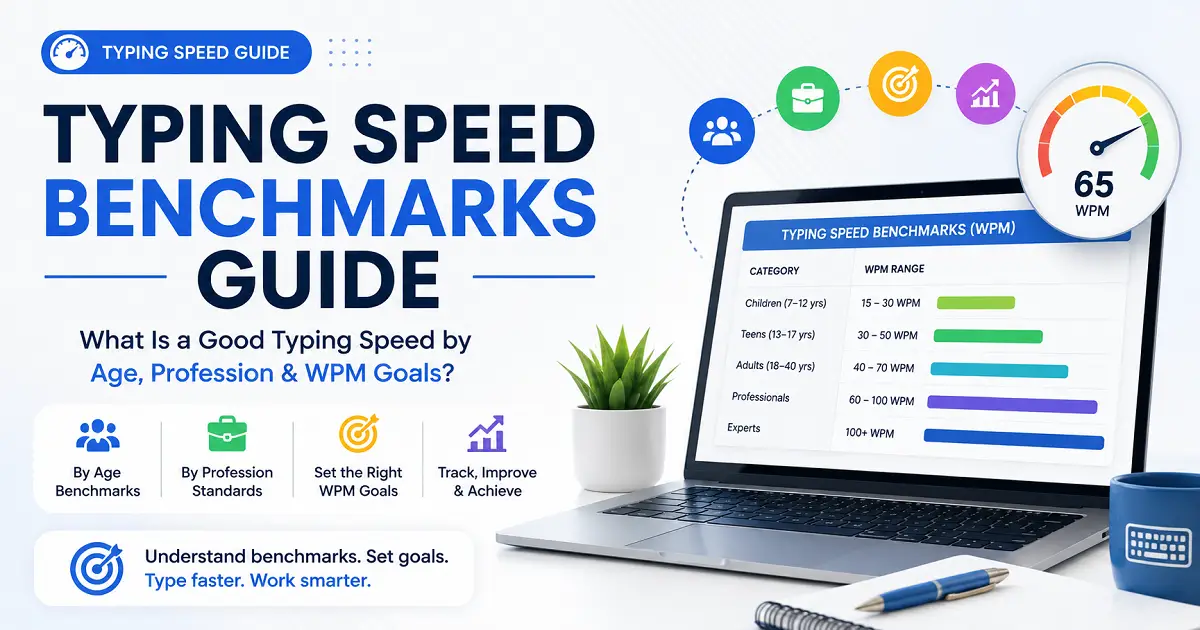
Typing Speed Benchmarks Guide: What Is a Good Typing Speed by Age, Profession & WPM Goals?

Learn how to evaluate your typing performance with realistic WPM benchmarks based on age, profession, and experience, and choose the right typing goal for your needs.

πŸ“… Updated: July 2026 β€’ ⏱️ 20 min read β€’ πŸ‘€ TypeNest Team

πŸ“‘ Table of Contents

Jump to any section of this complete typing speed benchmarks guide.

Introduction

Have you ever taken a typing test and wondered whether your WPM score is actually good? Perhaps you reached 35 WPM and felt slow, or maybe you consistently type at 70 WPM and are curious whether that places you above average. These are common questions because efficient keyboard skills have become an essential part of modern education, careers, and everyday computer use. Whether you are a student completing assignments, an office professional preparing reports, a programmer writing code, a content writer creating articles, or someone preparing for a government typing examination, your keyboard performance directly affects how efficiently you work. Even a small improvement in Words Per Minute (WPM) can save hours over weeks and months of regular computer use. The challenge is that there is no single benchmark that is perfect for everyone. A school student, a data entry operator, and a professional transcriptionist all have different requirements. What may be considered excellent for one profession could be only average for another. That is why understanding WPM benchmarks is far more useful than comparing your score with someone else's. This complete Typing Speed Benchmarks Guide brings everything together in one place. Instead of searching for separate articles on WPM, professions, age groups, or performance goals, you will find all the essential information in a single comprehensive resource. In this guide, you will learn what WPM means, how keyboard performance is measured, what is considered a good typing speed in 2026, average results across different age groups and professions, realistic goals from 30 WPM to 100 WPM, and practical ways to measure and improve your overall typing performance. By the end of this guide, you will know where your current skill level stands and what milestone you should aim for next.

What Is Typing Speed?

Typing speed refers to how quickly you can enter text using a computer keyboard. It is one of the most widely used measurements for evaluating keyboard proficiency and is an important digital skill for students, office professionals, programmers, writers, customer support teams, data entry operators, and many other computer users. Although typing may seem like a simple activity, your keyboard performance has a significant impact on daily productivity. Someone who types efficiently can complete emails, reports, assignments, coding projects, and documentation much faster than someone with slower keyboard skills. Over months and years, this difference can save hundreds of working hours. Performance is usually measured in Words Per Minute (WPM), the international standard used to evaluate keyboard efficiency. However, speed alone does not tell the complete story. A fast typist who makes frequent mistakes may actually finish work more slowly because additional time is spent correcting errors. That is why professional typing tests always measure both WPM and typing accuracy together.

Why Typing Speed Matters

Computers are now an essential part of everyday life. Students use them for assignments and online learning, office employees prepare reports and emails, programmers develop software, writers create content, and many government recruitment processes include typing tests. Improving your keyboard skills offers several practical benefits:

Even increasing your WPM by 10 to 15 words per minute can make a noticeable difference in daily productivity. Small improvements become significant over time.

Typing Speed vs Typing Accuracy

Many beginners focus only on increasing their WPM, believing that faster typing always produces better results. In reality, speed and accuracy should improve together. For example, someone who reaches 80 WPM but makes frequent mistakes may spend valuable time correcting errors. Another typist working at 60 WPM with 99% accuracy often completes tasks more efficiently because the work is correct the first time. The ideal goal is to improve your WPM while maintaining an accuracy level of at least 95–98%.

Typing Performance Result
High Speed + Low Accuracy Frequent corrections reduce productivity.
Low Speed + High Accuracy Reliable but slower work completion.
High Speed + High Accuracy The ideal balance for efficient computer users.

Typing Speed Improves with Practice

Typing performance is not fixed. Most people gradually improve through regular practice, familiarity with the keyboard, and consistent computer use. Small improvements made over time often produce noticeable gains in productivity. If your current typing speed feels lower than expected, focus on gradual progress instead of comparing yourself with advanced typists. Even an increase of 10 WPM can make everyday computer work much more comfortable.

What Is WPM (Words Per Minute)?

Whenever people discuss keyboard performance, they usually refer to a number followed by the letters WPM. WPM stands for Words Per Minute, the international standard used to measure how quickly text is entered on a keyboard. Whether you take an online typing test, prepare for a government examination, or apply for a data entry position, your performance is almost always measured using WPM. Instead of counting every individual word, typing tests use a standardized calculation so that results remain fair and consistent across different users, devices, and typing platforms. Understanding how WPM is calculated helps you interpret your results correctly and set realistic improvement goals.

How Is WPM Calculated?

Many people assume that one typed word equals one actual English word. In reality, typing tests use a standard calculation. A single word is treated as five characters, including letters, numbers, spaces, and punctuation marks. The basic formula is:

Words Per Minute (WPM) = Total Characters Typed Γ· 5

For example, if you type 350 characters in one minute:

350 Characters Γ· 5 = 70 WPM

This universal formula allows typing websites around the world to compare results consistently, regardless of the text being typed.

Gross WPM vs Net WPM

Most modern typing tests display two different measurements.

Type Meaning
Gross WPM Typing speed before errors are deducted.
Net WPM Final performance after mistakes and corrections are considered.

Gross WPM measures how quickly you type, while Net WPM reflects your actual productivity after errors are taken into account. Because Net WPM represents real-world performance more accurately, employers and professional typing tests usually consider it the more important measurement.

Why Accuracy Matters Along with WPM

A high WPM score alone does not guarantee better productivity. Consider two people taking the same typing test.

Typist WPM Accuracy Overall Performance
Person A 85 WPM 88% Frequent corrections reduce efficiency.
Person B 68 WPM 99% Produces cleaner and more reliable work.

Although Person A types faster, Person B often completes tasks more efficiently because fewer mistakes require correction. For most learners, maintaining an accuracy level above 95% while gradually increasing WPM produces the best long-term results.

Typical WPM Ranges

The following benchmarks provide a practical way to compare your current skill level with commonly accepted WPM ranges.

Typing Level Words Per Minute (WPM) Description
Beginner Below 20 WPM Learning keyboard layout, finger placement, and basic typing skills.
Basic 20–40 WPM Comfortable for everyday typing tasks while building confidence and consistency.
Average 40–60 WPM Suitable for students, general computer users, and most office work.
Good 60–80 WPM Strong typing performance for professional work with high accuracy.
Advanced 80–100 WPM Excellent touch typing skills with fast, accurate, and consistent performance.
Professional 100+ WPM Exceptional typing ability typically achieved by expert typists, transcriptionists, and competitive typists.

These values are general benchmarks rather than fixed rules. Your ideal goal depends on your profession, daily computer usage, and the level of accuracy required for your work.

What Should You Focus On?

If you are just beginning, avoid becoming obsessed with achieving a very high WPM immediately. Instead, concentrate on building correct typing habits, maintaining excellent accuracy, and practicing consistently. As your finger movements become smoother and muscle memory develops, your WPM will naturally improve. Increasing from 35 WPM to 50 WPM with high accuracy is far more valuable than briefly reaching 70 WPM while making frequent mistakes. In the next section, we will explore why keyboard proficiency has become one of the most valuable digital skills and how it influences productivity in education, business, and professional careers.

Why Typing Speed Matters in 2026

Typing has evolved from being a basic computer skill into one of the most valuable digital abilities in today's technology-driven world. Whether you are studying, working remotely, running a business, writing content, developing software, or preparing for competitive examinations, almost every task involves using a keyboard. In 2026, computers remain at the center of education, business, communication, and entertainment. Emails, reports, presentations, online forms, spreadsheets, coding projects, research papers, documentation, and instant messaging all require efficient keyboard skills. The faster and more accurately you type, the less time you spend entering text and the more time you can devote to meaningful work. Many people underestimate the value of improving their WPM because the difference appears small. Increasing your performance from 40 WPM to 60 WPM may not seem dramatic, but over months and years it can save hundreds of working hours. Small improvements in keyboard efficiency often lead to significant gains in productivity.

Typing Saves Valuable Time

Time is one of the most valuable resources in education and professional life. Every report, assignment, email, or project requires keyboard input. Completing these tasks more efficiently gives you additional time for learning, planning, creativity, and problem-solving. Imagine two office employees preparing reports every day.

Employee WPM Result
Employee A 35 WPM Takes longer to complete documents.
Employee B 65 WPM Finishes work earlier and handles more tasks.

Although both employees perform similar work, the faster typist completes documents more efficiently and has additional time to review information instead of simply entering text.

Better Keyboard Skills Improve Productivity

Productivity is not about working harderβ€”it is about completing tasks more efficiently. People with strong keyboard skills prepare reports, respond to emails, write articles, update spreadsheets, and enter information with less effort. This increased efficiency allows them to focus on decision-making, creativity, communication, and other valuable responsibilities instead of spending unnecessary time typing. This is one of the main reasons employers value candidates with reliable keyboard proficiency.

Benefits for Students

Students use computers throughout their education for assignments, presentations, online classes, project reports, coding, research, and examinations. A student who types comfortably can complete assignments faster, take better lecture notes, and finish online assessments with greater confidence. Instead of concentrating on finding individual keys, they can focus on understanding and expressing ideas. The keyboard skills developed during school or college continue providing value throughout a person's career.

Benefits for Working Professionals

Almost every modern profession depends on computer usage. Office employees prepare reports. Programmers write code. Customer support executives respond to emails and live chats. Content writers create articles. Data entry operators process large volumes of information. Digital marketers manage campaigns. Administrative staff prepare documents. Regardless of the profession, efficient keyboard skills help professionals complete more work within the same amount of time. Higher efficiency often leads to stronger performance, greater confidence, and better career opportunities.

Government Typing Examinations

Many government recruitment examinations include typing tests as part of the selection process. Jobs related to clerical work, administration, stenography, office assistance, and data entry often specify minimum WPM requirements. Candidates who prepare only for the minimum requirement may struggle under examination pressure. Building a comfortable margin above the required WPM improves confidence and reduces mistakes during the test. Regular practice is one of the best ways to perform well in these examinations.

Faster Typing Reduces Mental Fatigue

Slow keyboard input often forces users to divide their attention between thinking and searching for keys. This constant interruption breaks concentration and increases mental fatigue. Touch typists rely on muscle memory instead of looking at the keyboard. Their fingers move naturally while their attention remains focused on ideas rather than key locations. As a result, computer work becomes smoother, more comfortable, and less mentally exhausting during long sessions.

Pro Tip: The greatest advantage of improving your keyboard skills is not simply achieving a higher WPMβ€”it is being able to think, write, and communicate without constantly being interrupted by the keyboard.

A Skill That Lasts a Lifetime

Unlike many software tools that change every few years, efficient typing is a lifelong skill. Once you develop strong keyboard habits and touch typing techniques, they continue benefiting you throughout your education, career, and personal life. Whether you change jobs, learn new software, become a programmer, start freelancing, or work remotely, efficient keyboard skills will remain one of your most valuable digital assets. That is why investing time in improving your typing ability today continues to deliver benefits for many years to come.

Average Typing Speed Worldwide

One of the most common questions people ask after completing a typing test is, "Is my WPM good?" The answer depends on your experience, daily computer usage, profession, and typing accuracy. A result that feels excellent for a beginner may only be average for someone who spends several hours each day working on a computer. Data collected from popular typing platforms shows that most users type between 35 and 45 Words Per Minute (WPM). This range represents the average computer user who types regularly but has not received formal touch typing training. People who practice touch typing consistently often reach 50 to 70 WPM. Experienced professionals such as transcriptionists, programmers, writers, and data entry specialists frequently exceed 80 WPM, while elite competitive typists may achieve more than 120 WPM with excellent accuracy. Instead of comparing yourself with exceptionally fast typists online, compare your results with realistic benchmarks and focus on steady improvement.

Average WPM Benchmarks

The following table provides commonly accepted WPM ranges used by typing platforms and training websites. These values are practical reference points rather than strict rules.

Typing Level Words Per Minute (WPM) Description
Beginner Below 20 WPM Learning keyboard layout, finger placement, and basic typing skills.
Basic 20–40 WPM Comfortable for everyday typing tasks while building confidence and consistency.
Average 40–60 WPM Suitable for students, general computer users, and most office work.
Good 60–80 WPM Strong keyboard performance for professional work with high accuracy.
Advanced 80–100 WPM Excellent touch typing skills with fast, accurate, and consistent performance.
Professional 100+ WPM Exceptional keyboard proficiency typically achieved by expert typists, transcriptionists, and competitive typists.

Where Do Most People Fall?

Most computer users never receive formal typing training. They gradually improve through everyday computer use, which explains why many people remain within the 35–45 WPM range for years. Learning touch typing changes this pattern significantly. Instead of searching for keys visually, touch typists rely on muscle memory, allowing them to type faster while maintaining excellent accuracy. This is one of the reasons structured typing courses often produce noticeable improvements within the first few months of consistent practice.

Why Results Vary from Person to Person

WPM varies because everyone uses a computer differently. Someone who writes emails for thirty minutes each day cannot be compared with a programmer writing code for eight hours or a content writer producing thousands of words daily. Several factors influence keyboard performance:

For example, a student who recently started using a laptop will naturally type more slowly than an experienced software developer. Both results may still be perfectly normal for their respective experience levels.

Should You Compare Yourself with Others?

Comparing your WPM with friends or social media videos can be discouraging. Many online demonstrations feature highly experienced typists who have spent years practicing and represent only a small percentage of computer users. A much better approach is to compare your current performance with your previous results. For example:

Month WPM Improvement
January 34 WPM Starting Point
February 42 WPM +8 WPM
March 49 WPM +15 WPM
April 58 WPM +24 WPM

Tracking your own improvement provides a much clearer picture of progress than comparing yourself with advanced typists.

Remember: Consistent improvement is far more valuable than chasing an unrealistic WPM target. Increasing your performance from 40 WPM to 55 WPM while maintaining excellent accuracy is a meaningful achievement that can noticeably improve everyday productivity.

Average Results Are Only a Reference

Average WPM provides a useful benchmark, but it should never become your final goal. The right target depends on your profession, education, and personal objectives. For example, an office assistant may only need 45–55 WPM, while content writers, programmers, transcriptionists, and data entry specialists often benefit from maintaining speeds above 70 WPM. Likewise, candidates preparing for government typing examinations should aim comfortably above the minimum requirement to perform confidently under exam conditions. In the next section, we will explore what is generally considered a good typing speed and how to choose the right WPM target based on your own needs rather than relying only on worldwide averages.

What Is a Good Typing Speed?

There is no single WPM score that is perfect for everyone. The ideal performance depends on how you use a computer, how often you type, and the type of work or study you do. A school student, an office administrator, a software developer, and a professional transcriptionist all have different keyboard requirements. Instead of comparing yourself with exceptionally fast typists online, compare your current WPM with realistic benchmarks for your experience level. A result of 40 WPM may be an excellent achievement for someone who has recently learned touch typing, while professionals who spend several hours each day at a keyboard often aim much higher. Rather than chasing the highest possible WPM overnight, focus on making steady progress while maintaining excellent accuracy. Consistent improvement always delivers better long-term results than unrealistic short-term goals.

Typing Speed Levels Explained

The following table provides a simple way to compare your current WPM with commonly accepted performance levels.

Typing Level Words Per Minute (WPM) Description
Beginner Below 20 WPM Learning keyboard layout, finger placement, and basic typing skills.
Basic 20–40 WPM Comfortable for everyday typing tasks while building confidence and consistency.
Average 40–60 WPM Suitable for students, general computer users, and most office work.
Good 60–80 WPM Strong typing performance for professional work with high accuracy.
Advanced 80–100 WPM Excellent touch typing skills with fast, accurate, and consistent performance.
Professional 100+ WPM Exceptional typing ability typically achieved by expert typists, transcriptionists, and competitive typists.

What Is a Good Typing Speed for Students?

Students spend a significant amount of time preparing assignments, taking notes, writing reports, completing online assessments, and conducting research. A keyboard performance of 40–50 WPM is generally sufficient for most school and college work. Learning touch typing early helps students complete assignments more efficiently, reduce mistakes, and work with greater confidence during long study sessions. Those pursuing computer science, engineering, journalism, or related fields often benefit from improving their WPM to around 60 or higher.

What Is a Good Typing Speed for Office Work?

Office professionals regularly prepare reports, emails, spreadsheets, meeting notes, and business documents. Maintaining around 50–70 WPM allows most employees to complete daily work efficiently without constantly thinking about the keyboard. Accuracy is especially important in office environments because mistakes in official documents often require additional time to correct. Maintaining an accuracy level above 96% is usually more valuable than simply achieving a higher WPM.

What Is a Good Typing Speed for Programmers?

Many people assume programmers must type extremely fast. In reality, software development depends far more on logical thinking and problem-solving than raw keyboard speed. A programmer working at 50–80 WPM with excellent accuracy is usually more productive than someone who types faster but frequently introduces typing errors into code. Understanding algorithms and writing clean code will always have a greater impact than achieving a higher WPM score.

What Is a Good Typing Speed for Writers?

Content writers, journalists, bloggers, authors, and copywriters often spend several hours each day writing. Because of this, keyboard efficiency directly influences productivity. Many experienced writers comfortably maintain 60–90 WPM. However, creativity, research, and writing quality remain far more important than raw typing performance. A writer producing content at 65 WPM with excellent accuracy often completes more polished work than someone typing faster while making frequent corrections.

What Is a Good Typing Speed for Data Entry Jobs?

Data entry professionals spend much of their working day entering information into computer systems. Their work requires both speed and exceptional accuracy. Many employers expect at least 60 WPM, while experienced operators commonly maintain 70–90 WPM with accuracy close to 99%. Because data entry involves handling important information, accuracy is considered just as important as keyboard speed.

What About Government Typing Exams?

Government typing examinations usually specify minimum WPM requirements depending on the department and recruitment rules. Rather than preparing only for the minimum qualifying score, candidates should practice until they can comfortably exceed the required benchmark. This provides extra confidence during the examination and reduces mistakes caused by nervousness. Strong accuracy, proper finger placement, and regular practice remain the keys to success.

Recommended Goal: For most computer users, reaching 50–60 WPM with at least 97% accuracy is an excellent long-term objective. It provides a practical balance between efficiency, comfort, and real-world productivity.

A Good Typing Speed Is One That Meets Your Goals

Rather than asking whether your WPM is better than someone else's, ask whether it helps you complete your own work efficiently. If your current performance allows you to finish assignments, office tasks, coding projects, or professional work comfortably while maintaining high accuracy, you are already moving in the right direction. Continue practicing consistently, strengthen your touch typing technique, and focus on gradual improvement. Even increasing your WPM by 10 over the next few months can noticeably improve productivity throughout your education and career. In the next section, we will compare WPM across different age groups to understand how keyboard performance changes with experience and regular computer use.

Typing Speed by Age

Keyboard performance naturally changes as people gain experience using computers. Although age plays a role, it is not the most important factor. Regular practice, touch typing skills, keyboard familiarity, and daily computer usage have a much greater influence on long-term performance than age alone. For example, a teenager who practices touch typing every day may achieve a much higher WPM than an adult who rarely uses a keyboard. Likewise, an experienced office worker in their forties may comfortably outperform a college student who has never learned proper finger placement. Instead of treating age as a limitation, think of it as a general guideline for setting realistic WPM goals.

Average WPM by Age Group

The table below provides general WPM benchmarks for different age groups. These values represent typical averages and may vary depending on education, computer experience, and practice habits.

Age Group Average WPM Typical Skill Level
6–10 Years 10–20 WPM Learning basic keyboard skills.
11–15 Years 20–35 WPM Developing typing confidence.
16–18 Years 35–50 WPM Regular school and computer use.
19–25 Years 45–60 WPM College students and young professionals.
26–40 Years 50–65 WPM Experienced office and computer users.
41–60 Years 45–60 WPM Consistent workplace keyboard use.
60+ Years 30–50 WPM Depends on regular computer usage.

Children and School Students

Young learners usually begin by searching for individual keys with one or two fingers. During this stage, WPM is naturally lower because they are still learning keyboard layout and hand coordination. Introducing touch typing at an early age helps children develop proper finger placement, muscle memory, and confidence. With regular practice, many students improve from around 15 WPM to over 35 WPM within a few months. The primary focus should always be on building correct typing habits rather than achieving high numbers.

Teenagers and College Students

Teenagers and college students spend more time using laptops and computers for assignments, online classes, research, coding, and presentations. As a result, their keyboard skills usually improve naturally through regular use. Students who learn touch typing often reach between 45 and 60 WPM. This range is generally sufficient for academic work and provides a strong foundation for future careers. Those studying engineering, computer science, journalism, or digital media may benefit from aiming for 60 WPM or higher.

Working Professionals

Adults working in offices, businesses, and technical professions often spend several hours each day using a keyboard. Continuous computer use strengthens muscle memory, resulting in faster and more accurate typing. Many experienced professionals comfortably maintain 50–70 WPM. Office administrators, programmers, customer support executives, accountants, and writers often improve further as their daily workload increases. At this stage, maintaining high accuracy becomes just as important as increasing WPM.

Older Adults

WPM may gradually decrease with age because of reduced hand flexibility or slower finger movement. However, many older adults continue to work efficiently thanks to years of keyboard experience. Regular practice, ergonomic keyboards, proper posture, and shorter practice sessions can help maintain both speed and comfort. The goal should not be competing with younger users but maintaining a comfortable level that supports everyday activities such as email, online banking, communication, and document creation.

Experience Matters More Than Age

Age alone does not determine typing performance. People who spend more time using a computer naturally become faster and more consistent because of regular keyboard use. Daily experience usually has a greater influence on WPM than age itself.

Person Age WPM Reason
Student 17 30 WPM Rarely practices typing.
Office Employee 45 68 WPM Uses a keyboard every working day.

Although the student is much younger, the office employee performs much better because of years of practical experience. This demonstrates that regular practice and proper technique are far more important than age alone.

Tip: Never judge your keyboard skills based only on your age. Compare your current WPM with your previous results and focus on steady improvement. Increasing your performance by just 5–10 WPM every few months is excellent progress.

Key Takeaways

Keyboard performance generally improves as people gain more experience using computers, but age alone does not determine typing ability. Consistent practice, touch typing techniques, and maintaining high accuracy have a much greater influence on long-term improvement. In the next section, we will compare WPM across different professions and discover why the ideal benchmark varies depending on the type of work you do.

Typing Speed by Profession

Although average WPM provides a useful benchmark, the level you actually need depends largely on your profession. Different careers require different amounts of keyboard usage. Someone who occasionally writes emails has very different requirements from a data entry operator, content writer, or transcriptionist who spends most of the day working on a computer. Instead of aiming for the highest possible Words Per Minute (WPM), it is more practical to choose a target that matches your career goals. For many professions, consistent accuracy and efficient keyboard skills are more valuable than extremely high speed. The following recommendations provide practical WPM targets for a variety of occupations.

Recommended WPM by Profession

The table below summarizes commonly recommended WPM ranges for different professions. These figures are general guidelines rather than official requirements.

Profession Recommended WPM Accuracy Goal
School Students 35–45 WPM 95%+
College Students 45–60 WPM 96%+
Office Executive 50–70 WPM 97%+
Programmer 50–80 WPM 97%+
Content Writer / Blogger 60–90 WPM 98%+
Customer Support Executive 50–70 WPM 97%+
Accountant 45–65 WPM 98%+
Data Entry Operator 60–80 WPM 99%+
Government Job Aspirant Official Requirement + 10 WPM 98%+
Professional Typist 100+ WPM 99%+

Students

Students use computers for assignments, online learning, presentations, project reports, and examinations. A performance level of 40–50 WPM is generally sufficient for most academic activities. Those planning careers in engineering, computer science, journalism, or digital media often benefit from improving to 60 WPM or higher because these fields involve extensive keyboard use.

Office Professionals

Office employees spend much of their working day preparing reports, responding to emails, updating spreadsheets, creating presentations, and managing documents. Maintaining around 50–70 WPM allows most professionals to complete daily responsibilities efficiently while keeping accuracy high. Employers generally value reliable, error-free work more than exceptionally high WPM.

Programmers and Software Developers

Many beginners assume programmers must type extremely fast. In reality, software development depends far more on logical thinking and problem-solving than raw keyboard speed. Developers spend a large portion of their time reading code, debugging applications, designing algorithms, and reviewing solutions. Maintaining 50–80 WPM with excellent accuracy is more than sufficient for most programming careers. Writing clean, reliable code will always provide greater value than simply achieving a higher WPM score.

Content Writers and Bloggers

Professional writers, bloggers, journalists, copywriters, and technical writers often produce thousands of words every day. Since writing is their primary responsibility, efficient keyboard skills directly improve productivity. Many experienced writers comfortably maintain 60–90 WPM while keeping accuracy above 98%. However, writing quality, creativity, and research remain far more important than raw typing performance.

Customer Support Professionals

Customer support executives communicate through live chat, email, ticketing systems, and internal messaging platforms. Fast and accurate keyboard skills help them respond more quickly while reducing communication errors. A performance level of 50–70 WPM is generally sufficient for this role.

Data Entry Operators

Data entry work requires processing large amounts of information accurately and consistently. Unlike many other careers, both WPM and precision directly influence productivity. Many employers prefer candidates who maintain at least 60 WPM with an accuracy level close to 99%. Because this role often involves financial records, customer information, or official documents, minimizing mistakes is essential.

Government Job Aspirants

Many government recruitment examinations include typing tests with minimum WPM requirements. The exact benchmark depends on the department, language, and recruitment rules. Instead of preparing only for the qualifying score, candidates should aim to perform at least 10 WPM above the official requirement. This additional margin provides greater confidence during the examination, where pressure often reduces performance.

Professional Typists

Professional typists, transcriptionists, caption writers, and court reporters spend most of their working day using a keyboard. Many experienced professionals consistently maintain 100 WPM or higher, while some competitive typists exceed 140 WPM with outstanding accuracy. Reaching this level requires years of structured touch typing practice and exceptional keyboard proficiency.

Career Tip: Instead of comparing yourself with expert typists online, choose a realistic WPM target for your profession and improve gradually. Consistent progress with excellent accuracy will always provide greater long-term value than chasing unrealistic speed records.

Choose the Right Goal for Your Career

Every profession has different keyboard demands. Students need enough speed to complete assignments comfortably, office professionals require efficient document preparation, programmers benefit from accurate coding, writers value uninterrupted workflow, and data entry operators depend on both speed and precision. The most effective approach is to choose a realistic WPM goal based on your career, practice consistently, and improve step by step. As your muscle memory develops, both your keyboard performance and confidence will continue to grow. In the next section, we will examine realistic WPM goals ranging from 30 to 100 WPM and help you decide which milestone should be your next target.

Typing Speed Goals Explained (30 WPM to 100 WPM)

One of the biggest mistakes beginners make is aiming for an extremely high WPM too early. Watching professional typists reach 100 WPM or even 120 WPM can be motivating, but those results usually come after years of consistent practice. A better approach is to improve one milestone at a time. Every achievement builds confidence, strengthens muscle memory, and prepares you for the next level. Instead of asking, "How can I reach 100 WPM?" ask yourself, "What is my next realistic milestone?" Whether you currently type at 25 WPM or 70 WPM, every improvement makes everyday computer work faster, easier, and more productive.

30 WPM – A Strong Starting Point

Reaching 30 WPM is an important milestone for beginners. At this stage, you are becoming familiar with the keyboard layout and gradually developing muscle memory. Most learners still look at the keyboard occasionally and may use incorrect finger placement. That is perfectly normal. Your primary goals should be:

Once you can comfortably maintain 30 WPM with high accuracy, you are ready for the next milestone.

40 WPM – Everyday Computer User

Around 40 WPM is considered average for many computer users. At this level, writing emails, preparing assignments, browsing the internet, and completing office tasks becomes much more comfortable. Many students and office employees remain within this range because they have never received formal touch typing training. To move beyond 40 WPM, focus on:

50 WPM – Good Keyboard Performance

Reaching 50 WPM is a significant achievement. It is more than sufficient for most office jobs, academic work, and everyday computer tasks. At this stage, keyboard use begins to feel natural instead of mechanical. Your attention shifts from searching for keys to focusing on the ideas you are creating. Most users can comfortably prepare reports, presentations, emails, and documentation at this level.

Milestone: Achieving 50 WPM with 97% accuracy is an excellent long-term goal for the average computer user.

60 WPM – Professional Productivity

Maintaining 60 WPM places you above the average computer user. Many office professionals, programmers, teachers, accountants, and business executives work comfortably within this range. The greatest advantage is improved productivity. Less time is spent entering text, leaving more time for thinking, analyzing, and solving problems. At this stage, maintaining accuracy becomes even more important than increasing raw speed.

70 WPM – Advanced Keyboard Skills

A performance level of 70 WPM reflects strong keyboard skills and reliable touch typing. Many experienced programmers, writers, customer support professionals, and advanced office users comfortably work within this range. Although moving from 60 to 70 WPM may seem like a small improvement, it creates a noticeable increase in productivity during long work sessions.

80 WPM – Highly Efficient Typing

Typing at 80 WPM places you among highly skilled keyboard users. Many professional writers, experienced data entry operators, transcriptionists, and software developers reach this level after years of consistent practice. At this stage:

Rather than forcing additional speed, experienced typists usually focus on maintaining consistency during long work sessions.

100 WPM – Expert Level

Achieving 100 WPM is an impressive milestone that reflects years of disciplined practice and excellent touch typing technique. Professional typists who consistently maintain this level usually demonstrate:

Although 100 WPM is an exciting achievement, it is not necessary for most careers. Only professions involving extensive keyboard work truly benefit from maintaining this level.

Which Goal Should You Choose?

Choose a target that matches your personal needs instead of internet records.

Your Goal Recommended Target
Beginner 30–40 WPM
School Student 40–45 WPM
College Student 45–55 WPM
Office Professional 50–70 WPM
Programmer 50–80 WPM
Content Writer 60–90 WPM
Data Entry Operator 70–90 WPM
Professional Typist 100+ WPM

Focus on Progress, Not Perfection

Instead of comparing yourself with expert typists, compare your current performance with your previous results. Every improvement in WPM makes computer work more efficient and helps you complete everyday tasks with greater confidence.

How Employers Evaluate WPM

Strong keyboard skills are valuable in many modern workplaces, but employers rarely judge candidates based on Words Per Minute (WPM) alone. While working quickly improves productivity, companies are usually more interested in how efficiently and accurately you complete real tasks. A candidate who maintains 60 WPM with excellent accuracy is often preferred over someone reaching 90 WPM while making frequent mistakes. Correcting errors takes additional time and can affect reports, emails, customer records, and official documents. For this reason, employers typically evaluate candidates using a combination of WPM, accuracy, consistency, and overall productivity.

Why Keyboard Skills Matter During Recruitment

Many jobs require employees to spend several hours each day working on a computer. Preparing reports, responding to emails, updating databases, creating documents, answering customer queries, and maintaining records all depend on efficient keyboard skills. Recruiters understand that employees with reliable typing ability usually complete these tasks faster while making fewer mistakes. Better keyboard proficiency often leads to higher productivity without increasing working hours. Although WPM may not be the primary hiring criterion, it often becomes an advantage when candidates have similar qualifications.

Jobs That Commonly Require Good Keyboard Skills

Efficient keyboard performance is especially valuable in professions where employees spend a significant portion of the day entering information or communicating through a computer.

Profession Importance
Data Entry Operator Very High
Office Assistant High
Administrative Executive High
Customer Support Executive High
Content Writer High
Programmer Medium
Accountant Medium
Teacher Medium
Graphic Designer Low to Medium

Accuracy Often Matters More Than WPM

Imagine two applicants applying for the same office position.

Candidate WPM Accuracy Overall Performance
Candidate A 85 WPM 89% Frequent mistakes require corrections.
Candidate B 65 WPM 99% Produces clean and reliable documents.

Although Candidate A types faster, Candidate B is usually more productive because fewer corrections are required. That is why many employers place greater emphasis on accuracy than raw speed. For most professional roles, maintaining an accuracy level above 97% is considered an excellent standard.

How Typing Tests Are Used During Hiring

Many organizations include a keyboard assessment as part of the recruitment process. These tests measure practical performance under timed conditions. A typical assessment evaluates several factors:

Government departments, BPO companies, customer support centers, data entry firms, publishing companies, and administrative offices commonly use these assessments during recruitment.

Do All Jobs Require High WPM?

No. Every profession has different requirements. A programmer, for example, spends much of the day designing solutions, reading documentation, and debugging code rather than continuously typing. Likewise, graphic designers and project managers rely more on creativity, planning, and communication than on raw keyboard speed. On the other hand, data entry operators, transcriptionists, customer support executives, and content writers benefit greatly from fast and accurate keyboard skills because computer-based work forms a major part of their daily responsibilities. Understanding the expectations of your chosen career helps you set realistic WPM goals instead of chasing unnecessary records.

Career Tip: For most office jobs, maintaining 50–70 WPM with 97–99% accuracy provides far more value than achieving extremely high speeds while making frequent mistakes.

Build Skills That Employers Value

WPM is only one part of professional computer skills. Employers also appreciate candidates who communicate clearly, organize information efficiently, use office software confidently, and produce accurate work. The best strategy is to combine reliable keyboard skills with excellent accuracy, proper touch typing technique, and regular practice. These abilities improve not only your chances during recruitment but also your long-term productivity throughout your career. In the next section, you will learn how to measure your WPM correctly and understand what your results actually reveal about your overall typing performance.

How to Measure Your WPM Correctly

Knowing your Words Per Minute (WPM) is useful only when it is measured correctly. Many people take a typing test once, see their score, and immediately compare it with friends or online leaderboards. However, a single test rarely reflects your true keyboard performance. Results can vary depending on the text you type, the keyboard you use, your concentration, posture, and even the time of day. That is why professional typing platforms recommend completing multiple tests and calculating your average performance instead of relying on one result. Measuring your WPM correctly helps you monitor real progress, identify weaknesses, and set realistic improvement goals.

Prepare Before Taking a Typing Test

Before starting a typing test, create a comfortable working environment. Small adjustments can improve both speed and accuracy.

Testing under similar conditions makes it much easier to compare your progress over time.

Choose the Right Test Duration

Most typing websites offer tests lasting one, three, five, or ten minutes. Each duration measures a slightly different aspect of your keyboard performance.

Test Duration Best For
1 Minute Quick WPM check.
3 Minutes Balanced speed and consistency.
5 Minutes Real-world keyboard performance.
10 Minutes Endurance and long-term consistency.

If you practice regularly, a three- or five-minute test usually provides the most reliable measurement.

Understand Your Results

After completing a test, you will usually receive several performance metrics.

Metric Meaning
Words Per Minute (WPM) Your average typing rate.
Accuracy Percentage of correctly typed characters.
Errors Total typing mistakes.
Correct Characters Characters entered correctly.
Incorrect Characters Characters entered incorrectly.
Consistency How stable your performance remained throughout the test.

Instead of focusing only on WPM, review every metric together. A slightly lower score combined with excellent accuracy usually reflects stronger overall keyboard skills.

Take Multiple Tests

Your WPM naturally changes from one session to another. Fatigue, stress, unfamiliar text, or simple distractions may affect your results. Instead of judging yourself based on one attempt, complete several tests over different days. For example:

Test WPM Accuracy
Monday 48 97%
Wednesday 51 98%
Friday 50 97%
Average 50 WPM 97.3%

Using an average result provides a much more accurate picture of your actual ability than relying only on your highest or lowest score.

Avoid Common Testing Mistakes

Many beginners reduce their performance by making simple mistakes during a typing test.

Correcting these habits often improves your WPM without requiring additional practice.

Best Practice: Measure your WPM once or twice each week instead of every day. This provides enough time for meaningful improvement while helping you monitor long-term progress.

Track Your Progress Over Time

The most effective way to improve is by tracking gradual progress. Keep a simple record of your WPM, accuracy, and practice time. Even small improvements become motivating when you can clearly see your results over several weeks. For example, increasing from 38 WPM to 48 WPM over two months represents excellent progress, even if your long-term goal is 70 WPM. Remember that improvement is a gradual process. Consistent practice, proper technique, and patience will always deliver better results than trying to achieve extremely high numbers within a short period. In the next section, we will examine some of the most common myths about typing and explain why many popular beliefs are actually incorrect.

Common Typing Speed Myths

The internet is filled with advice about typing, but not all of it is accurate. Many beginners develop unrealistic expectations because they compare themselves with professional typists or believe common myths shared on social media and discussion forums. These misconceptions often lead to frustration, poor keyboard habits, and unnecessary pressure to achieve unrealistic Words Per Minute (WPM) scores. Understanding the facts behind these myths will help you build better habits and improve more effectively.

Myth 1: Faster Typing Always Means Better Typing

This is probably the most common misconception. Typing at 90 WPM with frequent mistakes is not necessarily better than maintaining 60 WPM with excellent accuracy. Every error takes time to identify and correct, reducing overall productivity. Professional typists focus on balancing speed with accuracy. Most employers also value reliable, error-free work more than exceptionally high WPM.

Typing Style Productivity
90 WPM + 88% Accuracy Lower due to frequent corrections.
65 WPM + 99% Accuracy Higher because work is completed correctly.

Myth 2: You Must Reach 100 WPM

Many beginners believe reaching 100 WPM is necessary to become a good typist. In reality, very few careers require that level of performance. For most students, office employees, programmers, teachers, accountants, and business professionals, maintaining 50–70 WPM with excellent accuracy is more than sufficient. Professional transcriptionists and competitive typists may benefit from higher WPM, but they represent only a small percentage of computer users.

Myth 3: Age Determines Typing Ability

Many people assume younger users automatically type faster than older adults. While younger users may become familiar with computers earlier, age itself does not determine keyboard performance. Daily practice, touch typing technique, keyboard experience, and muscle memory have a much greater influence than age. Many experienced office workers comfortably outperform younger users simply because they spend several hours each day using a keyboard.

Myth 4: Looking at the Keyboard Is Fine Forever

Looking at the keyboard occasionally while learning is completely normal. However, continuing this habit for years limits WPM because your eyes constantly move between the keyboard and the screen. Learning touch typing allows your fingers to locate keys automatically while your attention remains focused on the content you are creating. Developing muscle memory is one of the biggest factors behind long-term improvement.

Myth 5: Practicing for Hours Every Day Is Necessary

Long practice sessions are not always better. Many beginners spend several hours practicing in one day and then stop for an entire week. This usually produces slower improvement than shorter, consistent sessions. Practicing for just 15–30 minutes each day is generally far more effective than several hours once in a while. Consistency builds muscle memory much faster than occasional intensive practice.

Myth 6: Expensive Keyboards Make You Faster

Mechanical keyboards and premium equipment can improve comfort, but they do not automatically increase WPM. A typist with proper technique using a basic keyboard will usually outperform someone with poor habits using expensive hardware. Good posture, touch typing, and regular practice always have a greater impact than the keyboard itself.

Myth 7: Improvement Happens Overnight

Better keyboard performance develops gradually. Building muscle memory requires thousands of correct keystrokes over weeks and months of practice. Many learners become discouraged because they expect dramatic improvements within a few days. In reality, increasing your WPM by just 5–10 points over several weeks represents excellent progress. Patience and consistency are the keys to long-term success.

Myth 8: Mistakes Don't Matter

Some people believe typing as quickly as possible is the only objective. However, every mistake reduces efficiency because it must be corrected before the work is finished. Professional keyboard skills always balance speed with accuracy. A typist who consistently maintains 97–99% accuracy will usually complete tasks more efficiently than someone typing faster with frequent errors.

Remember: The best typists are not simply the fastestβ€”they are the most consistent. High accuracy, smooth rhythm, proper technique, and steady improvement create better long-term results than chasing unrealistic WPM records.

Focus on Facts, Not Myths

Improving your keyboard skills is a journey, not a competition. Instead of believing common myths, focus on proper technique, maintaining high accuracy, practicing consistently, and setting realistic goals based on your own needs. As your muscle memory becomes stronger, higher WPM follows naturally. In the next section, you will learn practical and proven strategies for increasing your WPM while maintaining excellent accuracy.

How to Improve Your WPM (Words Per Minute)

Knowing your current Words Per Minute (WPM) is only the beginning. The next step is improving your performance through smart, consistent practice rather than simply trying to type faster. Many learners become frustrated because they chase higher numbers before building reliable typing habits. Improving your WPM is a gradual process. Small improvements made consistently over time usually produce better long-term results than occasional bursts of intense practice. The following strategies will help you increase your typing speed while maintaining strong accuracy and steady progress.

1. Practice with Longer Texts

Short typing drills are useful for measuring speed, but longer paragraphs better reflect real-world computer work. Practicing with articles, reports, and realistic passages helps improve typing rhythm, concentration, and consistency over extended periods. As your endurance improves, maintaining a higher WPM becomes much easier.

2. Prioritize Accuracy Before Speed

Many learners focus only on typing faster, but rushing usually creates more mistakes. Instead, aim for an accuracy level of at least 97%. Once your accuracy becomes consistent, your typing speed naturally increases because fewer corrections interrupt your workflow. Professional typists always value clean, reliable work over impressive speed alone.

3. Practice Every Day

Consistency is far more effective than occasional long practice sessions. Practicing for just 20–30 minutes each day gradually improves keyboard familiarity, rhythm, and overall performance. Even short daily sessions often produce noticeable improvements within a few weeks.

Practice Habit Expected Progress
10 Minutes Daily Steady long-term improvement.
20–30 Minutes Daily Excellent long-term results.
Several Hours Once a Week Slower progress because of inconsistency.

4. Challenge Yourself Gradually

Once you become comfortable at your current speed, increase the difficulty gradually. Practice with longer passages, unfamiliar vocabulary, numbers, punctuation, or timed typing tests to keep improving without sacrificing accuracy. Small increases in difficulty encourage continuous progress.

5. Review Your Test Results

Every typing test provides useful feedback. Instead of checking only your WPM, review your accuracy, consistency, and common typing mistakes. Understanding where errors occur helps you improve much faster than repeating the same practice blindly. Tracking performance over time also makes it easier to see meaningful progress.

6. Build a Comfortable Typing Rhythm

Typing should feel smooth and controlled rather than rushed. Instead of pressing keys as quickly as possible, maintain a steady rhythm that allows you to type comfortably for longer periods. A consistent rhythm often produces better results than brief bursts of speed followed by frequent corrections.

7. Take Regular Typing Tests

Typing tests help measure improvement and identify areas that need additional practice. Instead of testing yourself every day, measure your performance once or twice each week under similar conditions. Track both WPM and accuracy so you can evaluate your overall progress rather than focusing on a single number.

8. Set Realistic Milestones

Large goals can feel overwhelming, especially for beginners. Instead of aiming directly for 100 WPM, divide your journey into smaller milestones.

Current WPM Next Goal
25 WPM 35 WPM
35 WPM 45 WPM
45 WPM 55 WPM
55 WPM 65 WPM
65 WPM 75 WPM
75 WPM 90 WPM

Achieving smaller milestones keeps motivation high and makes long-term improvement much easier to maintain.

9. Choose the Right Practice Platform

A structured learning platform makes improvement easier than random typing exercises. Look for features such as guided lessons, typing tests, progress tracking, accuracy reports, and gradually increasing difficulty. Using the right practice system helps you stay motivated while measuring your improvement more effectively.

Practice Recommendation: Build stronger keyboard skills with structured lessons, typing tests, and guided practice on TypeNest. Consistent practice combined with progress tracking makes it much easier to reach your next WPM milestone.

10. Stay Patient and Consistent

Improving your WPM takes time. Some weeks you may gain several words per minute, while other weeks your performance may remain almost unchanged. The important thing is to continue practicing consistently and measuring your progress over the long term. Remember that higher WPM is only one part of efficient computer use. Combining steady improvement with excellent accuracy will always provide better results than chasing unrealistic speed records. In the next section, you will discover how TypeNest helps learners improve their typing skills through structured lessons, guided practice, and detailed typing tests.

How TypeNest Helps You Improve Your WPM

Achieving higher Words Per Minute (WPM) requires more than taking random typing tests. Most learners benefit from a structured learning path that gradually develops finger placement, muscle memory, accuracy, and keyboard confidence. That is exactly what TypeNest is designed to provide. Instead of asking learners to practice random paragraphs every day, the platform follows a step-by-step learning approach. Each lesson focuses on building correct keyboard habits first, allowing higher WPM to develop naturally through consistent practice. Whether you are a complete beginner or working toward advanced keyboard skills, structured learning delivers better long-term results than unplanned exercises.

Learn Touch Typing Step by Step

One of the biggest challenges for beginners is learning proper finger placement. TypeNest introduces touch typing gradually through carefully structured lessons. Instead of presenting the entire keyboard at once, new keys are introduced progressively, allowing muscle memory to develop naturally. This learning approach reduces frustration while improving confidence and accuracy.

Practice with Structured Lessons

Higher WPM develops through repetition and consistency. TypeNest provides carefully organized lessons that gradually increase in difficulty. As learners complete each stage, they become more comfortable using every finger correctly while maintaining a smooth typing rhythm. Regular practice builds the muscle memory needed to type naturally without constantly looking at the keyboard.

Track Your Progress

Monitoring progress is one of the best ways to stay motivated. TypeNest helps learners track important performance metrics, including:

Reviewing these statistics makes it easier to identify strengths, improve weak areas, and set realistic milestones.

Build Accuracy Before Speed

Many beginners try to increase WPM before developing consistent accuracy. TypeNest encourages learners to master accuracy first and then gradually build speed. This approach creates stronger keyboard habits while reducing unnecessary corrections. Professional typists understand that long-term performance always begins with precision.

Typing Tests for Every Skill Level

As your confidence grows, regular typing tests become an effective way to measure progress. TypeNest includes tests designed for beginners, intermediate learners, and advanced users, making it easy to evaluate both WPM and accuracy under realistic conditions. These assessments help you understand your current level while providing clear goals for future improvement.

Practice Anytime, Anywhere

Because TypeNest runs directly in your web browser, you can practice from almost any computer without installing additional software. Whether you are preparing for a government typing examination, improving workplace productivity, learning touch typing, or aiming for a higher WPM, online practice makes it easier to stay consistent.

Start Today: Expert typists did not become fast overnight. Their results came from structured lessons, consistent daily practice, and gradual improvement. Even 20–30 minutes of focused practice each day can produce noticeable progress within a few weeks.

Keep Learning and Improving

Keyboard skills are valuable throughout education, professional careers, and personal projects. Whether your goal is reaching 50 WPM for office work, 70 WPM for professional productivity, or 100 WPM as a personal milestone, consistent practice remains the most reliable path to success. TypeNest brings together structured lessons, guided practice, progress tracking, and typing tests in one learning platform to help you achieve those goals. The final sections of this guide answer the most frequently asked questions before summarizing the key lessons you should remember.

After understanding WPM benchmarks, average performance, age-based comparisons, and profession-specific recommendations, the next question becomes much simpler: "What WPM should I personally aim for?" The answer depends entirely on how you use a computer. A student writing assignments does not need the same keyboard performance as a professional transcriptionist. Likewise, a programmer has different requirements from a data entry operator. Rather than chasing unrealistic internet records, choose a goal that matches your daily work and improve gradually over time. The recommendations below provide practical long-term WPM targets for different types of computer users.

Recommended WPM by User Type

User Type Recommended WPM Accuracy Goal Priority
Beginner 30–40 WPM 95%+ Learn keyboard basics
School Student 35–45 WPM 95%+ Assignments & online learning
College Student 45–60 WPM 96%+ Projects & presentations
Office Professional 50–70 WPM 97%+ Daily office productivity
Programmer 50–80 WPM 97%+ Efficient coding
Content Writer 60–90 WPM 98%+ Writing productivity
Customer Support 50–70 WPM 97%+ Fast communication
Accountant 45–65 WPM 98%+ Accurate documentation
Data Entry Operator 60–80 WPM 99%+ High-volume data entry
Government Exam Aspirant Official Requirement + 10 WPM 98%+ Comfortable qualification
Professional Typist 100+ WPM 99%+ Maximum productivity

Set Short-Term Goals First

Many learners become discouraged because they immediately set a target of 100 WPM. While ambitious goals can be motivating, they are easier to achieve when divided into smaller milestones. Instead of focusing only on the final destination, celebrate every improvement along the way.

Current WPM Next Milestone
20 WPM 30 WPM
30 WPM 40 WPM
40 WPM 50 WPM
50 WPM 60 WPM
60 WPM 70 WPM
70 WPM 80 WPM
80 WPM 100 WPM

Breaking your learning journey into manageable milestones keeps motivation high and makes long-term progress much easier to achieve.

Accuracy Should Always Come First

Regardless of your profession or target, accuracy should never be sacrificed for a higher WPM. Many learners achieve larger numbers by typing carelessly, only to spend extra time correcting mistakes afterward. In real-world work, this usually reduces productivity instead of improving it. As a general guideline:

Once your accuracy becomes consistent, increasing your WPM becomes much easier because your fingers develop stronger muscle memory and smoother movement.

Final Recommendation: For most students, professionals, programmers, and office workers, maintaining 50–70 WPM with at least 97% accuracy provides an excellent balance between efficiency, comfort, and productivity. Only specialized careers generally require performance above 90 WPM.

Keep Improving One Milestone at a Time

Improving your keyboard skills is a personal journey rather than a competition. Choose a realistic goal based on your current ability, practice consistently, and focus on steady progress instead of instant results. Whether your next milestone is 40 WPM, 60 WPM, or 100 WPM, every improvement makes computer work easier, reduces effort, and increases long-term productivity. The next section answers the most frequently asked questions about WPM, typing accuracy, keyboard performance, and common typing challenges.

Frequently Asked Questions (FAQs)

These frequently asked questions answer common doubts about typing benchmarks, WPM scores, typing performance, and realistic typing goals for different users and professions.

1. How do I know if my typing speed is improving?

The best way to measure improvement is by tracking your average WPM and typing accuracy over several weeks. Instead of comparing a single typing test, compare your long-term progress using multiple practice sessions.

2. Does keyboard type affect typing performance?

A comfortable keyboard may improve typing comfort, but it does not automatically increase your typing speed. Proper typing technique, touch typing, and regular practice have a much greater impact than the keyboard itself.

3. Can typing speed decrease over time?

Yes. Long breaks from typing, poor posture, injuries, or reduced computer usage can temporarily decrease typing performance. Regular practice helps maintain both speed and accuracy.

4. Should children learn touch typing?

Yes. Learning touch typing at an early age helps children build proper finger placement, muscle memory, and confidence. Developing good typing habits early often leads to faster long-term improvement.

5. How often should I measure my WPM?

Testing once or twice each week is usually enough. Measuring your typing performance every day often shows only small fluctuations, while weekly tracking provides a clearer picture of long-term improvement.

6. Why is my WPM different on different typing websites?

Different typing platforms use different text lengths, punctuation, difficulty levels, and scoring methods. Comparing results from the same website over time provides the most reliable benchmark.

7. Can I improve my WPM without taking typing courses?

Yes. Consistent daily practice, typing tests, touch typing exercises, and regular keyboard use can significantly improve your typing performance, even without a formal course.

8. What is a realistic WPM goal for one year?

With consistent practice, many learners improve by 15–30 WPM within a year. Your actual progress depends on your starting level, practice routine, and typing accuracy.

9. Why do professional typists maintain high accuracy?

Professional typists understand that correcting mistakes wastes time. Maintaining high accuracy allows them to complete documents faster and produce more reliable work.

10. Is Net WPM more important than Gross WPM?

Yes. Gross WPM measures raw typing speed before errors are considered, while Net WPM reflects your actual typing performance after mistakes are deducted. Most employers and typing platforms consider Net WPM more meaningful.

11. Can typing speed improve without looking at the keyboard?

Yes. In fact, avoiding the keyboard and relying on touch typing is one of the most effective ways to increase typing speed while maintaining excellent accuracy.

12. What is the best long-term typing goal?

Choose a typing goal that matches your profession and daily computer usage. Focus on improving consistently, maintaining high accuracy, and gradually increasing your WPM rather than chasing unrealistic speed records.

Quick Summary: Typing benchmarks are guidelinesβ€”not competitions. Track your own progress, maintain high accuracy, and improve consistently. Long-term practice always delivers better results than trying to achieve the highest WPM in a short time.

Conclusion

Typing is one of the most valuable digital skills you can develop, regardless of your profession or level of computer experience. Whether you are a student preparing assignments, an office professional handling reports and emails, a programmer writing code, a content writer creating articles, or a candidate preparing for government typing examinations, improving your typing speed can save time and increase productivity every single day. Throughout this guide, we explored what typing speed means, how Words Per Minute (WPM) is calculated, average typing speed benchmarks, realistic typing goals, profession-specific recommendations, and the importance of balancing speed with accuracy. We also discussed how employers evaluate typing skills, how to measure your WPM correctly, and the practical steps you can follow to improve your performance over time. One of the biggest lessons to remember is that typing speed is not about competing with others. Every learner starts from a different level. Some people begin at 20 WPM, while others start at 50 WPM. What matters most is making steady progress through consistent practice. Instead of trying to achieve 100 WPM immediately, focus on reaching your next milestone. If you currently type at 35 WPM, aim for 45 WPM. If you are already typing at 55 WPM, work toward 65 WPM while maintaining excellent accuracy. Small improvements achieved consistently will have a much greater impact than chasing unrealistic goals. Accuracy should always remain your highest priority. A typist who works at 60 WPM with 98% accuracy is usually more productive than someone typing at 90 WPM with frequent mistakes. Fast and reliable typing creates better results in both academic and professional environments. Remember that touch typing, correct finger placement, proper posture, and regular practice are the foundations of long-term improvement. Like any other skill, typing becomes easier and faster through repetition and patience. No matter where you are today, your typing speed can continue to improve. With structured lessons, realistic goals, and consistent daily practice, you can build a valuable skill that will benefit you throughout your education, career, and personal life.

Continue Learning

Improving your typing skills is an ongoing journey. Explore these detailed guides to learn touch typing, improve typing accuracy, increase your typing speed, and master essential keyboard skills.

Keep Improving with TypeNest

Understanding typing speed benchmarks is only the first step. Real improvement comes from practicing regularly, building touch typing skills, and maintaining high accuracy. Continue learning through our expert guides and structured typing lessons to reach your next WPM goal.

Whether your target is 40 WPM, 60 WPM, or even 100 WPM, consistent daily practice will help you become a faster, more confident, and more productive typist.


Last Updated: July 2026
Author: TypeNest Editorial Team

πŸš€ Start Practicing with TypeNest

Build your typing speed through structured lessons, touch typing exercises, typing tests, and daily practice. Improve your WPM, accuracy, and productivity with TypeNest.

Welcome Back

Login to continue your typing journey.