⌨️ Typing Guide

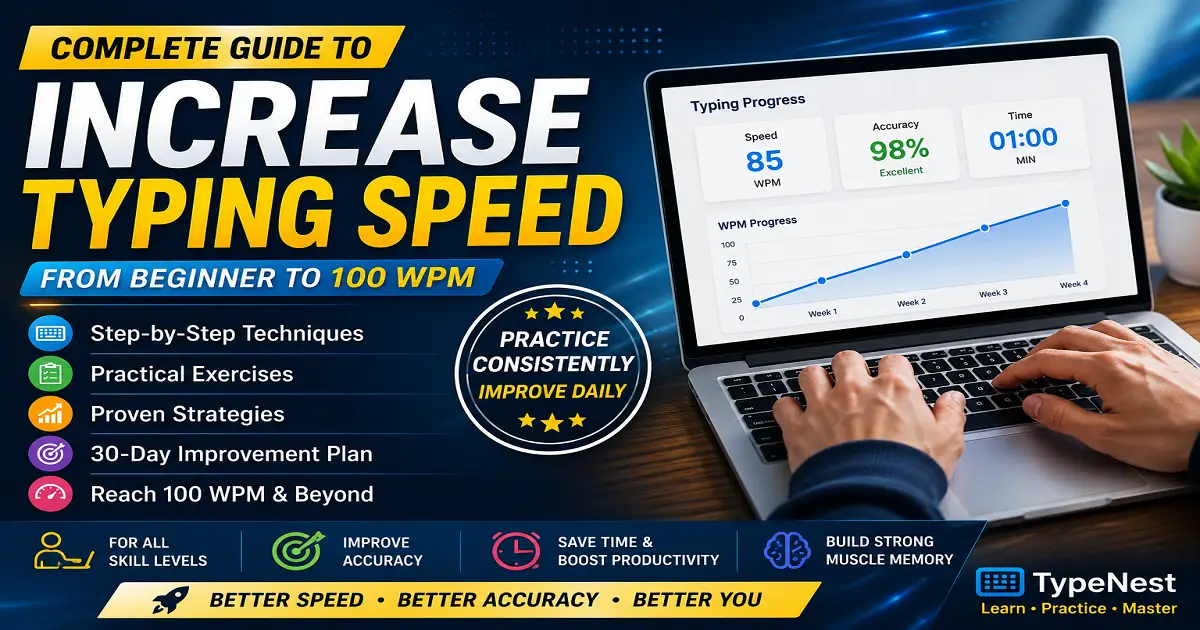
Complete Guide to Increase Typing Speed

Learn practical techniques, touch typing strategies, daily exercises, and a structured 30-day plan to type faster, improve accuracy, and build lasting keyboard skills.

📅 Updated: July 2026 ⏱️ 18 min read 👤 TypeNest Team

Why Typing Speed Matters Today

Typing has become one of the most essential skills in today's digital world. Whether you're a student preparing assignments, an office professional managing reports, a programmer writing code, a content writer creating articles, or a candidate preparing for a government typing exam, your typing speed directly affects how efficiently you work.

Many people believe that fast typing is a natural talent. In reality, typing speed is a skill that anyone can develop with the right techniques and consistent practice. Professional typists weren't born typing at 80 or 100 words per minute—they reached that level by following proper methods, avoiding common mistakes, and practicing regularly.

One of the biggest misconceptions is that typing faster simply means pressing keys more quickly. That's rarely the real solution. High typing speed comes from building muscle memory, using the correct finger placement, maintaining good posture, reducing unnecessary hand movement, and practicing with accuracy before focusing on speed.

Another common mistake is chasing a higher WPM while ignoring typing accuracy. If you make frequent errors, you'll spend valuable time correcting them, which actually reduces your overall productivity. That's why experienced typists focus on developing both speed and accuracy together instead of treating them as separate goals.

The good news is that even small daily improvements can produce significant results over time. Practicing for just 20 to 30 minutes a day with the right exercises can gradually increase your typing speed without sacrificing accuracy. Consistency matters far more than long practice sessions done only occasionally.

This guide combines practical techniques, structured practice methods, and realistic improvement strategies into one comprehensive resource. Instead of relying on shortcuts or unrealistic promises, you'll learn proven methods that help you build lasting typing skills for work, study, and everyday computer use.

What You'll Learn in This Guide

This guide is designed to help beginners as well as intermediate typists improve their typing performance step by step. By the end of this article, you'll understand not only how to type faster but also why certain methods work better than others.

  • Understand what typing speed (WPM) actually means.
  • Learn why typing accuracy is more important than raw speed.
  • Discover common habits that slow down your typing.
  • Master touch typing techniques and correct finger placement.
  • Follow practical methods to increase your typing speed safely.
  • Learn how to progress from 40 WPM to 80 WPM.
  • Build a realistic plan for reaching 100 WPM.
  • Use a structured 30-day practice routine.
  • Avoid mistakes that prevent long-term improvement.
  • Develop typing skills that remain useful throughout your career.

Whether your goal is passing a typing test, becoming more productive at work, preparing for competitive exams, or simply typing comfortably every day, the techniques covered in this guide will help you build a stronger foundation and achieve steady progress.

What Is Typing Speed?

Typing speed is the number of words you can type in one minute. It is commonly measured in Words Per Minute (WPM), which is the standard metric used by typing tests, employers, schools, and online typing platforms. A higher WPM generally means you can complete digital tasks more quickly, but speed alone doesn't tell the whole story.

Professional typing is a combination of speed, accuracy, consistency, and proper technique. Someone who types 90 WPM but makes frequent mistakes may actually finish work more slowly than someone typing at 65 WPM with excellent accuracy. This is why experienced typists always focus on building speed without sacrificing precision.

Every time you type an email, prepare a report, write code, create documents, or complete an online examination, your typing speed influences how efficiently you work. Even saving a few seconds on each task can add up to hours of saved time over weeks and months.

How Is Typing Speed Measured?

Typing speed is measured using a simple formula based on the average length of a word. Instead of counting actual dictionary words, most typing tests consider five characters (including spaces) as one standard word.

For example, if you type 250 characters in one minute, your typing speed is calculated as:

Total Characters Typed Formula Typing Speed
250 Characters 250 ÷ 5 50 WPM
350 Characters 350 ÷ 5 70 WPM
500 Characters 500 ÷ 5 100 WPM

This standardized calculation allows different typing tests to compare performance fairly, regardless of the words used in the exercise.

Gross WPM vs Net WPM

Many beginners are surprised to learn that there are two different ways to measure typing speed: Gross WPM and Net WPM.

  • Gross WPM measures how many words you typed before deducting mistakes.
  • Net WPM subtracts typing errors, making it a more accurate reflection of your real typing ability.

Most modern typing platforms display your Net WPM because it represents your actual productivity. If you frequently stop to correct mistakes, your Net WPM will naturally be lower than your Gross WPM.

Why Accuracy Is Part of Typing Speed

Typing quickly without maintaining accuracy creates more work rather than less. Every typing mistake requires extra time to identify, correct, and review. In professional environments, inaccurate typing can also lead to communication errors, incorrect data entry, and reduced efficiency.

For this reason, many typing experts recommend reaching at least 95–98% accuracy before trying to significantly increase your WPM. Once your fingers consistently hit the correct keys, your speed naturally improves through repetition and muscle memory.

Fast typing is not about moving your fingers as quickly as possible. It is about developing consistent accuracy so that speed becomes a natural result of good typing habits.

Can Anyone Improve Typing Speed?

Yes. Typing is a learned skill rather than an inborn talent. Age, profession, or previous experience may influence your starting point, but almost everyone can improve with structured practice. Daily sessions of 20 to 30 minutes, combined with proper finger placement and touch typing techniques, are often enough to produce noticeable progress within a few weeks.

The sections that follow explain why typing speed matters, what WPM goals are realistic, and the practical strategies you can use to steadily improve your performance.

Why Typing Speed Matters

Typing is no longer a skill limited to secretaries or data entry operators. Today, almost every profession requires regular computer use. Whether you're sending emails, creating documents, writing code, preparing assignments, or attending online classes, your ability to type efficiently affects both your productivity and confidence.

Many people underestimate the long-term value of improving their typing speed. Saving just a few seconds while writing emails or reports may not seem significant, but those small improvements accumulate over weeks, months, and years. Faster typing allows you to spend less time entering text and more time thinking, solving problems, and completing meaningful work.

Let's look at how typing speed benefits different groups of people.

For Students

Students spend a large portion of their academic life typing assignments, research papers, project reports, notes, and online examinations. Slow typing often forces students to focus on pressing keys instead of understanding the subject they are studying.

A good typing speed allows students to write lecture notes more efficiently, complete assignments faster, and participate confidently in online learning platforms. During timed examinations, faster typing also reduces pressure and gives students more time to review their answers before submission.

  • Complete assignments more quickly.
  • Take digital notes efficiently.
  • Perform better in online exams.
  • Spend more time learning instead of typing.

For Office Professionals

Office employees write emails, prepare reports, create presentations, update spreadsheets, and communicate with colleagues throughout the day. Even a moderate improvement in typing speed can save several minutes every day, which eventually translates into many productive hours each month.

Professionals who type confidently also appear more efficient during meetings, live documentation, customer communication, and administrative work. Faster typing reduces interruptions and helps maintain focus while working on important tasks.

  • Write emails faster.
  • Create reports efficiently.
  • Improve workplace productivity.
  • Reduce repetitive typing fatigue.

For Programmers and Developers

Software developers spend thousands of hours writing source code, documentation, comments, and technical notes. Although programming involves much more than typing, efficient keyboard skills reduce interruptions and help developers stay focused on solving problems rather than searching for keys.

Many experienced programmers also rely heavily on keyboard shortcuts, making typing accuracy and keyboard familiarity even more valuable during software development.

For Content Writers and Bloggers

Writers, bloggers, journalists, and copywriters often produce thousands of words every week. Slow typing can interrupt the natural flow of ideas, making it difficult to capture thoughts while writing.

A comfortable typing speed allows writers to concentrate on creativity, structure, and content quality instead of keyboard movement. This results in smoother writing sessions and better overall productivity.

For Government Typing Exams

Many government recruitment exams include typing tests as part of the selection process. These tests usually require candidates to achieve a minimum typing speed while maintaining high accuracy within a fixed time limit.

Candidates who prepare regularly are more likely to meet the required standards without feeling rushed during the examination. Consistent daily practice is generally far more effective than trying to improve dramatically a few days before the test.

For Everyday Computer Users

Even if your profession does not specifically require fast typing, improving this skill still makes everyday computer use easier. Searching the internet, chatting with friends, filling online forms, creating personal documents, and managing digital records all become faster and more comfortable.

Typing is similar to driving a car or riding a bicycle. Once it becomes automatic, you stop thinking about each individual movement and naturally focus on the task itself.

The Long-Term Benefits of Better Typing Speed

Improving your typing speed is an investment that continues to provide benefits throughout your education and career. Unlike many technical skills that become outdated, efficient typing remains useful regardless of changing software, operating systems, or job roles.

  • Increase daily productivity.
  • Save time on repetitive computer tasks.
  • Improve confidence during online work.
  • Reduce mental effort while typing.
  • Prepare for competitive exams.
  • Support long-term career growth.
Typing faster is not about winning a typing race. It is about making every digital task easier, smoother, and more efficient throughout your personal and professional life.

Now that you understand why typing speed matters, the next step is to determine what typing speed is considered good and what realistic goals you should aim for based on your experience and needs.

What Is a Good Typing Speed?

One of the most common questions beginners ask is, "What is a good typing speed?" The answer depends on your purpose. A student writing assignments does not need the same typing speed as a professional transcriptionist. Likewise, a software developer and a government exam candidate may have different typing requirements.

Instead of comparing yourself with the fastest typists on the internet, it is better to focus on realistic goals based on your current skill level. Typing speed improves gradually through regular practice, and even an increase of 10 to 15 WPM can make everyday computer work noticeably easier.

While speed is important, accuracy should always remain your highest priority. A person typing at 60 WPM with 98% accuracy is generally more productive than someone typing at 80 WPM while making frequent mistakes.

Typing Speed Categories

Typing Level Words Per Minute (WPM) Description
Beginner Below 20 WPM Learning keyboard layout, finger placement, and basic typing skills.
Basic 20–40 WPM Comfortable for everyday typing tasks while building confidence and consistency.
Average 40–60 WPM Suitable for students, general computer users, and most office work.
Good 60–80 WPM Strong typing performance for professional work with high accuracy.
Advanced 80–100 WPM Excellent touch typing skills with fast, accurate, and consistent performance.
Professional 100+ WPM Exceptional typing ability typically achieved by expert typists, transcriptionists, and competitive typists.

Is 40 WPM Good?

Yes. A typing speed of around 40 WPM is considered a solid starting point for most people. At this level, you can comfortably complete everyday computer tasks such as writing emails, creating documents, chatting, and browsing the web.

If your current speed is around 40 WPM, your main goal should not be to type faster immediately. Instead, work on improving accuracy, reducing unnecessary finger movement, and developing consistent typing habits. Speed usually increases naturally as these skills improve.

Is 60 WPM Good?

Absolutely. Typing at around 60 WPM is considered very good for most students, office professionals, and general computer users. At this speed, typing rarely becomes a bottleneck during everyday work.

Many employers consider this level sufficient for administrative work, customer support, documentation, and other office-related tasks where efficient keyboard skills are important.

Is 80 WPM Good?

A typing speed of 80 WPM places you well above the average computer user. Reaching this level usually requires strong touch typing skills, good muscle memory, and consistent practice over time.

People who regularly write reports, articles, technical documents, or software code often benefit greatly from typing at this speed because it allows ideas to flow naturally without frequent interruptions.

Is 100 WPM Necessary?

Many beginners dream of reaching 100 WPM, but the truth is that very few jobs actually require such a high typing speed. While achieving 100 WPM is certainly impressive, it is not essential for becoming productive.

If your daily work mainly involves emails, documents, spreadsheets, or programming, maintaining a comfortable speed between 60 and 80 WPM with excellent accuracy is often more valuable than chasing an extremely high WPM.

Focus on Progress, Not Comparison

Typing improvement is different for everyone. Some learners progress quickly during the first few weeks, while others improve more gradually. Comparing yourself with professional typists or online leaderboard scores can become discouraging and may even lead to poor typing habits.

Instead, compare your current performance with your own previous results. If you typed at 35 WPM last month and now consistently reach 45 WPM with better accuracy, that is meaningful progress worth celebrating.

A Realistic Typing Goal

For most learners, aiming for 60 to 80 WPM while maintaining 95–98% accuracy is a practical long-term goal. This range provides an excellent balance between speed, precision, and comfort for study, work, and everyday computer use.

  • Beginners should first aim for 30–40 WPM.
  • Intermediate typists can target 50–60 WPM.
  • Experienced users should gradually work toward 70–80 WPM.
  • Only after achieving consistent accuracy should you consider aiming for 100 WPM.
A good typing speed is not the highest number on the screen. It is the speed that allows you to work confidently, accurately, and comfortably every single day.

Now that you know what typing speed you should aim for, the next step is understanding the habits and mistakes that may be preventing you from reaching your full potential.

Why Your Typing Speed Is Slow

Many people assume that slow typing is caused by a lack of talent. In reality, the biggest obstacles are usually poor habits that develop over time. Even people who use a computer every day can remain stuck at the same typing speed for years simply because they repeat the same mistakes without realizing it.

The encouraging news is that most typing problems can be corrected. Once you identify what is slowing you down, improving your speed becomes much easier. Let's look at the most common reasons why typing progress often stalls.

1. Looking at the Keyboard Too Often

One of the biggest barriers to faster typing is constantly looking down at the keyboard. Every time your eyes leave the screen, your brain must relocate the correct key before continuing. This repeated interruption slows your typing rhythm and reduces overall efficiency.

Learning touch typing allows your fingers to locate keys through muscle memory instead of visual searching. Although this feels difficult in the beginning, it becomes much faster with regular practice.

2. Using the Wrong Fingers

Many beginners rely on only two or three fingers while typing. This creates unnecessary hand movement because a small number of fingers must cover the entire keyboard.

Proper touch typing distributes the workload across all ten fingers. Each finger is responsible for a specific group of keys, allowing movements to become smaller, faster, and more consistent.

3. Focusing Only on Speed

Trying to type as fast as possible before developing accuracy is a common mistake. When mistakes become frequent, you spend additional time correcting words, which actually lowers your effective typing speed.

A better approach is to slow down slightly, maintain high accuracy, and allow speed to increase naturally as your confidence grows.

4. Inconsistent Practice

Typing is similar to learning a musical instrument. Practicing once a week for two hours is usually less effective than practicing for twenty minutes every day.

Short, consistent practice sessions strengthen muscle memory much more efficiently than occasional long sessions.

5. Poor Sitting Posture

Typing performance is influenced by your posture more than many people realize. Sitting too low, stretching toward the keyboard, or placing your wrists at awkward angles can reduce comfort and increase fatigue.

Keep your back supported, shoulders relaxed, elbows close to your body, and wrists in a neutral position. Good posture allows your hands to move more naturally across the keyboard.

6. Weak Finger Coordination

Fast typing depends on finger coordination rather than raw finger speed. If your fingers hesitate before pressing each key, your overall typing rhythm becomes inconsistent.

Practicing common letter combinations, words, and short sentences helps improve coordination over time.

7. Ignoring Keyboard Shortcuts

Many users repeatedly move their hands between the keyboard and mouse for simple actions like copy, paste, undo, or save. This constant switching interrupts workflow and reduces productivity.

Learning frequently used keyboard shortcuts minimizes unnecessary hand movement and helps you stay focused while working.

8. Practicing Without Clear Goals

Typing for long periods without measuring progress often leads to slow improvement. Instead of simply typing random text, set small weekly goals that are realistic and measurable.

For example, you might aim to increase your typing speed from 40 WPM to 45 WPM while maintaining at least 97% accuracy. Small improvements are easier to achieve and maintain than unrealistic jumps.

9. Skipping Accuracy Training

Some learners only pay attention to their WPM score and completely ignore accuracy. This creates bad habits because incorrect finger movements become part of muscle memory.

Developing consistent accuracy first creates a stronger foundation for future speed improvements.

10. Giving Up Too Early

Typing improvement is rarely perfectly linear. Some weeks you may see rapid progress, while other weeks your speed appears unchanged. This is a normal part of skill development.

Most learners who eventually reach 70, 80, or even 100 WPM continue practicing through these temporary plateaus instead of becoming discouraged.

Signs That You're Improving

Progress isn't measured only by your WPM score. You are also improving when you:

  • Look at the keyboard less frequently.
  • Make fewer typing mistakes.
  • Finish documents with fewer corrections.
  • Feel more relaxed while typing.
  • Maintain a steady typing rhythm.
  • Type longer without hand fatigue.

The Good News

Every slow typist can improve with the right habits. Most typing limitations are not permanent—they are simply the result of inefficient techniques that can be replaced through consistent practice. By correcting these common mistakes, you prepare yourself for much faster improvement in the next stage of your typing journey.

Fast typing is rarely about moving your fingers faster. It is about removing the habits that slow your fingers down.

Now that you understand what may be limiting your progress, the next step is learning the single most effective skill for increasing typing speed: touch typing.

Learn Touch Typing

One of the fastest ways to improve typing speed is learning touch typing. Instead of looking at the keyboard, touch typing trains your fingers to locate keys through muscle memory while your eyes remain focused on the screen.

Although it may feel slower during the first few days, this technique gradually reduces unnecessary hand movement, improves typing accuracy, and helps you build a smoother typing rhythm. Nearly all professional typists, programmers, writers, and data entry operators rely on touch typing rather than the hunt-and-peck method.

Rather than covering the complete technique here, we've created a dedicated guide that explains home row keys, finger placement, typing without looking at the keyboard, beginner mistakes, daily exercises, and structured practice routines.

Recommended Reading: Master touch typing with our Complete Beginner's Guide to Touch Typing .

Once you're comfortable using touch typing, the techniques below will help you convert that foundation into higher typing speed and better long-term consistency.

10 Proven Ways to Increase Typing Speed

Once you've learned the basics of touch typing, the next step is building habits that consistently improve your speed. There is no secret trick that instantly adds 30 or 40 words per minute overnight. Instead, experienced typists improve through small, repeatable habits practiced every day.

The following techniques are practical, beginner-friendly, and widely recommended because they focus on both speed and accuracy. Rather than trying to type as fast as possible, concentrate on developing efficient typing habits that naturally lead to higher WPM over time.

1. Master Accuracy Before Speed

Many beginners make the mistake of chasing a higher WPM from the very beginning. They type quickly, make frequent mistakes, and spend valuable time correcting errors. This often results in slower overall productivity.

Instead, focus on maintaining an accuracy of at least 95–98%. Once your fingers consistently press the correct keys, your typing speed will naturally improve through repetition and muscle memory.

2. Practice Every Day

Consistency is one of the biggest factors in typing improvement. Practicing for twenty minutes every day is usually more effective than practicing for several hours only once a week.

Daily practice strengthens finger coordination, improves rhythm, and gradually builds long-term muscle memory. Even short sessions can produce noticeable improvements when repeated consistently.

3. Focus on Rhythm Instead of Rushing

Fast typists rarely type by pressing random keys as quickly as possible. Instead, they maintain a smooth and consistent rhythm that allows their fingers to move naturally across the keyboard.

A steady rhythm helps reduce hesitation, minimizes typing errors, and creates a comfortable pace that becomes faster over time.

4. Use Proper Finger Placement

Keeping your fingers in the correct home row position reduces unnecessary hand movement. Each finger should be responsible for its assigned keys instead of allowing one or two fingers to perform all the work.

Correct finger placement may initially feel slower, but it provides one of the strongest foundations for long-term typing improvement.

5. Stop Looking at the Keyboard

Looking at the keyboard interrupts your typing flow and prevents muscle memory from developing. Although this habit is difficult to break, keeping your eyes on the screen significantly improves typing efficiency over time.

Whenever possible, challenge yourself to complete short typing exercises without looking down. The first few sessions may feel uncomfortable, but consistent practice quickly builds confidence.

6. Practice Real Words and Sentences

Typing random letters has limited practical value after learning the keyboard layout. Once you understand finger placement, spend more time practicing common English words, complete sentences, and realistic paragraphs.

This better reflects everyday typing and helps your brain recognize common letter combinations automatically.

7. Improve Your Weak Keys

Most typists have certain letters or key combinations that consistently slow them down. Rather than practicing only the keys you already type comfortably, identify your weakest areas and spend extra time improving them.

Targeted practice often produces faster results than repeating exercises you have already mastered.

8. Learn Keyboard Shortcuts

Although keyboard shortcuts do not directly increase your WPM, they improve your overall efficiency while using a computer. Shortcuts such as Ctrl + C, Ctrl + V, Ctrl + Z, and Ctrl + S reduce unnecessary mouse movement and help maintain workflow.

Over time, using shortcuts becomes automatic and contributes to faster computer productivity beyond typing alone.

9. Track Your Progress

Regularly measuring your typing speed helps you understand whether your practice routine is producing results. Record your WPM, typing accuracy, and daily practice time each week instead of relying on memory.

Seeing gradual improvement provides motivation and makes it easier to identify areas that still need attention.

10. Stay Patient and Trust the Process

Typing improvement rarely happens in a straight line. Some weeks your speed may increase rapidly, while other weeks you may feel as though you are making little progress.

This is completely normal. During these slower periods, your brain is strengthening muscle memory and refining movement patterns behind the scenes. Consistency during these phases often leads to the biggest breakthroughs later.

Putting Everything Together

These ten habits work best when practiced together rather than individually. Improving typing speed is not about finding one perfect exercise—it is about building a complete system of good habits.

  • Prioritize accuracy.
  • Practice every day.
  • Maintain a steady rhythm.
  • Use all ten fingers.
  • Keep your eyes on the screen.
  • Practice meaningful text.
  • Improve weak keys.
  • Use keyboard shortcuts.
  • Track your progress.
  • Stay consistent and patient.
Small improvements repeated every day produce greater results than occasional bursts of intense practice. Consistency is the real secret behind every fast typist.

Now that you understand the habits that improve typing speed, the next step is learning the daily exercises that strengthen finger movement, increase accuracy, and build lasting muscle memory.

Daily Typing Exercises That Actually Work

Learning the correct typing technique is only the beginning. Real improvement comes from consistent practice. The quality of your daily practice matters far more than the total amount of time you spend at the keyboard. Practicing with purpose helps your fingers build muscle memory, improves coordination, and gradually increases both typing speed and accuracy.

Many beginners believe they need to practice for several hours every day to become a fast typist. In reality, short and focused practice sessions often produce better results than long sessions that lead to fatigue and careless mistakes. Even 20 to 30 minutes of structured practice each day can create noticeable improvement within a few weeks.

Exercise 1: Home Row Practice

Every practice session should begin with the home row keys. These keys form the foundation of touch typing and help your fingers return to the correct position after every keystroke.

Spend three to five minutes typing simple combinations such as:

asdf    jkl;

asdf jkl;

asdfg hjkl;

This simple warm-up activates your fingers and prepares them for longer typing exercises.

Exercise 2: Common Word Practice

Instead of typing random letters for long periods, practice the words you are most likely to use in everyday writing. This helps your brain recognize common letter patterns and improves typing rhythm.

Examples include:

  • computer
  • keyboard
  • practice
  • education
  • information
  • technology
  • typing
  • accuracy
  • productivity
  • development

Repeating frequently used words strengthens muscle memory and makes everyday typing feel much smoother.

Exercise 3: Sentence Practice

After practicing individual words, move on to complete sentences. Typing full sentences teaches your fingers how to handle punctuation, capitalization, spacing, and natural typing flow.

Choose paragraphs from books, articles, or educational content rather than random text. Real-world writing provides better preparation for daily computer work.

Exercise 4: Accuracy Training

Dedicate part of every practice session exclusively to accuracy. Slow your typing speed slightly and concentrate on pressing every key correctly.

Your goal during this exercise is not to achieve a high WPM score but to maintain excellent accuracy. As your accuracy improves, your speed will naturally follow.

Exercise 5: Weak Letter Practice

Everyone has certain keys that feel slower or less comfortable than others. Instead of avoiding these letters, practice them deliberately.

If you often make mistakes with letters such as G, B, Y, or P, create short exercises that repeat these keys in different words and combinations. Improving weak areas produces faster overall progress than repeatedly practicing keys you already know well.

Exercise 6: Timed Typing Tests

Take one or two timed typing tests each day to measure your progress. Avoid taking dozens of tests in a single session because constant testing leaves little time for actual learning.

After each test, review your mistakes instead of focusing only on your WPM score. Understanding why errors occur is one of the fastest ways to improve.

Exercise 7: Long Paragraph Practice

Short typing tests are useful for measuring speed, but longer paragraphs build endurance. Typing continuously for five to ten minutes improves concentration, rhythm, and consistency.

Long-form practice is especially valuable for students, writers, programmers, and professionals who spend extended periods working on a computer.

A Simple 30-Minute Daily Practice Routine

Practice Activity Time
Home Row Warm-up 5 Minutes
Word Practice 5 Minutes
Sentence Practice 10 Minutes
Accuracy Practice 5 Minutes
Typing Test & Review 5 Minutes

This routine is short enough to fit into a busy schedule while still covering every important aspect of typing improvement. Following it consistently often produces better results than practicing without a clear plan.

Practice Tips for Faster Progress

  • Practice every day, even if only for 20 minutes.
  • Stop immediately if you become overly tired.
  • Take short breaks during longer sessions.
  • Focus on accuracy before increasing speed.
  • Gradually increase difficulty as your skills improve.
  • Track your weekly WPM and accuracy scores.
  • Celebrate small improvements instead of expecting instant results.

Quality Beats Quantity

Typing improvement is not measured by the number of hours you spend practicing. It is measured by how effectively you practice. Twenty minutes of focused, distraction-free training is usually far more valuable than an hour of careless typing while multitasking.

Think of each practice session as an opportunity to strengthen good habits. Every correctly typed word reinforces muscle memory, improves coordination, and brings you one step closer to becoming a faster and more confident typist.

Consistent daily practice is the bridge between your current typing speed and the typing speed you want to achieve.

With a structured practice routine in place, you are ready to take the next step: learning how to increase your typing speed from 40 WPM to 80 WPM using realistic milestones and proven improvement strategies.

How to Increase Your Typing Speed from 40 WPM to 80 WPM

Reaching 40 WPM is an excellent milestone because it shows that you already have a basic understanding of the keyboard and can comfortably complete everyday typing tasks. However, many learners remain stuck between 35 and 45 WPM for months because they continue practicing in the same way without making any changes.

The journey from 40 WPM to 80 WPM is less about typing harder and more about typing smarter. Instead of trying to double your speed overnight, focus on improving one small skill at a time. Better finger movement, stronger muscle memory, higher accuracy, and consistent daily practice work together to produce steady improvement.

Step 1: Make 40 WPM Feel Easy

Before trying to increase your speed, make sure that typing at 40 WPM feels comfortable and consistent. You should be able to maintain this speed without looking at the keyboard and without feeling rushed.

Your accuracy should remain between 95% and 98%. If your accuracy is lower, spend more time correcting typing habits before trying to type faster.

Step 2: Increase Speed Gradually

One of the biggest mistakes beginners make is jumping directly from 40 WPM to 70 WPM. This usually creates frustration because the fingers cannot keep up with the desired speed.

Instead, improve in small stages.

Current Speed Next Target
40 WPM 45 WPM
45 WPM 50 WPM
50 WPM 60 WPM
60 WPM 70 WPM
70 WPM 80 WPM

Small improvements feel more achievable and help you build confidence without sacrificing accuracy.

Step 3: Increase Accuracy First

Many learners believe typing faster means pressing keys more quickly. In reality, typing becomes faster when your fingers make fewer mistakes.

Every error forces you to stop, press Backspace, and retype words. Eliminating these interruptions often increases your effective typing speed without making your fingers move any faster.

Step 4: Practice Longer Paragraphs

Short one-minute typing tests are useful for measuring performance, but they do not fully prepare you for real-world typing.

Spend time typing complete articles, stories, or reports for five to ten minutes without interruption. This improves endurance, consistency, and concentration while helping you maintain speed over longer periods.

Step 5: Develop Muscle Memory

Muscle memory is what separates experienced typists from beginners. After enough repetition, your fingers automatically know where each key is located without conscious thought.

Avoid changing finger placement frequently. Using the same correct technique every day allows muscle memory to develop much faster.

Step 6: Identify Your Weak Areas

Most people slow down on specific letters, punctuation marks, or keyboard combinations. Instead of practicing only your strongest keys, identify the parts that consistently reduce your speed.

For example, if you struggle with capital letters, numbers, or punctuation, dedicate a few minutes of every practice session to these specific skills.

Step 7: Review Your Typing Tests

After completing a typing test, avoid immediately starting another one. Spend a few minutes reviewing your mistakes.

  • Which words caused the most errors?
  • Which letters slowed you down?
  • Did you lose accuracy when trying to type faster?
  • Were your hands positioned correctly?

Answering these questions helps you improve more efficiently than simply repeating the same test.

Expected Progress Timeline

Every learner progresses at a different pace, but consistent practice usually produces gradual improvement over time.

Practice Period Expected Improvement
Week 1–2 Improved accuracy and smoother finger movement.
Week 3–4 Increase of approximately 5–10 WPM.
Month 2 Better consistency and stronger muscle memory.
Month 3+ Many learners reach 70–80 WPM with regular practice.

Remember that these numbers are general guidelines rather than guaranteed results. Individual progress depends on consistency, practice quality, and previous typing experience.

Stay Consistent During Plateaus

Almost every learner experiences periods where typing speed appears to stop improving. These plateaus are a normal part of learning any skill.

Instead of changing your technique or becoming discouraged, continue following your practice routine. Many typists notice significant improvement shortly after these temporary slow periods.

The difference between a 40 WPM typist and an 80 WPM typist is rarely natural talent. More often, it is months of consistent practice, better habits, and patience.

The Goal Isn't Just 80 WPM

Reaching 80 WPM is an impressive achievement, but it should not be your final objective. Your long-term goal should be typing comfortably, accurately, and confidently in real-world situations. A steady 75–80 WPM with excellent accuracy is often more valuable than occasionally reaching a higher speed while making frequent mistakes.

After reaching this milestone, the next challenge is learning how experienced typists continue improving toward the highly respected 100 WPM mark without losing control or accuracy.

How to Reach 100 WPM

Reaching 100 Words Per Minute (WPM) is a milestone many typists aspire to achieve. It represents a high level of keyboard proficiency and demonstrates years of consistent practice, strong muscle memory, and excellent typing technique. While 100 WPM is impressive, it is important to remember that it is not a requirement for most careers. For many professionals, maintaining 70–80 WPM with outstanding accuracy is already more than sufficient.

If your goal is to join the small group of typists who consistently type at 100 WPM or higher, your focus must shift from basic improvement to refining every aspect of your typing technique. At this stage, small adjustments often make a much bigger difference than long hours of random practice.

Build a Strong Foundation First

Attempting to reach 100 WPM before mastering the fundamentals usually leads to frustration. Before setting this goal, you should already be comfortable with touch typing, maintain excellent finger placement, and consistently achieve high accuracy.

A solid foundation generally includes:

  • Typing comfortably at 70–80 WPM.
  • Maintaining at least 97–99% accuracy.
  • Using all ten fingers naturally.
  • Avoiding the habit of looking at the keyboard.
  • Maintaining good posture during long typing sessions.

Without these fundamentals, increasing speed becomes much more difficult.

Train for Consistency Instead of Peak Speed

Many learners occasionally achieve 100 WPM during a short typing test but cannot maintain that speed for longer than a minute. Professional typists focus on consistency rather than isolated high scores.

Instead of asking yourself, "Can I type at 100 WPM once?", ask:

  • Can I maintain this speed for five minutes?
  • Can I keep my accuracy above 98%?
  • Can I type comfortably without feeling tense?

Long-term consistency is a far better indicator of real typing ability than a single personal record.

Increase Speed in Small Stages

Jumping directly from 80 WPM to 100 WPM rarely works. Experienced typists usually improve gradually by increasing their comfortable speed in small increments.

Current Speed Next Target
80 WPM 85 WPM
85 WPM 90 WPM
90 WPM 95 WPM
95 WPM 100 WPM

Small milestones make progress easier to measure and help you maintain confidence throughout the learning process.

Improve Finger Efficiency

At higher typing speeds, every unnecessary movement becomes noticeable. Professional typists keep their hands relaxed and move only the finger responsible for the next key instead of shifting the entire hand across the keyboard.

Smaller, controlled movements reduce fatigue and help maintain a smooth typing rhythm even during long practice sessions.

Practice Longer Sessions

Short typing tests are useful for measuring progress, but longer practice sessions develop endurance. Try typing articles, books, or reports continuously for ten to fifteen minutes while maintaining steady speed and high accuracy.

This type of practice prepares you for real-world typing tasks where concentration must be maintained for extended periods.

Develop Automatic Word Recognition

Fast typists rarely think about individual letters. Instead, they recognize complete words and common letter combinations almost instantly. This ability develops naturally through repeated exposure to meaningful text.

Reading while typing instead of spelling each letter individually helps your brain process language more efficiently and improves typing flow.

Stay Relaxed While Typing

Many learners unknowingly create tension in their hands, wrists, shoulders, or neck when trying to type faster. This extra tension actually slows movement and causes fatigue.

Keep your hands relaxed, breathe naturally, and avoid striking the keys harder than necessary. Efficient typing depends on controlled movement rather than physical force.

Learn From Your Mistakes

At advanced speeds, small mistakes become easier to identify. Instead of becoming frustrated by errors, treat them as valuable feedback.

  • Which words consistently slow you down?
  • Which keys cause the most mistakes?
  • Do errors increase when you become tired?
  • Does accuracy decrease when trying to beat your personal record?

Answering these questions helps you make targeted improvements instead of relying on guesswork.

Common Myths About 100 WPM

  • Myth: Only naturally gifted people can reach 100 WPM.
    Reality: Most fast typists develop their skills through years of consistent practice.
  • Myth: Typing faster always means pressing keys harder.
    Reality: Efficient movement is far more important than force.
  • Myth: More hours automatically produce better results.
    Reality: Focused practice is usually more effective than simply practicing longer.
  • Myth: High speed is more important than accuracy.
    Reality: Accuracy remains the foundation of professional typing.

A Long-Term Perspective

Reaching 100 WPM is not a race. Some learners achieve this milestone within a year, while others take considerably longer. The exact timeline is less important than building reliable typing habits that continue improving throughout your career.

Every practice session strengthens muscle memory, increases confidence, and makes typing feel more natural. Even if you never reach exactly 100 WPM, becoming a comfortable and accurate typist will save countless hours throughout your professional and personal life.

Typing at 100 WPM is not the result of one extraordinary practice session. It is the result of hundreds of ordinary practice sessions completed with patience, consistency, and the right technique.

Now that you understand how experienced typists continue improving beyond 80 WPM, the next section brings everything together in a practical 30-day typing improvement plan that you can begin following immediately.

30-Day Typing Improvement Plan

Improving your typing speed doesn't require endless hours of practice. What matters most is following a structured plan and practicing consistently. Many people type for weeks without seeing significant improvement because they repeat the same exercises every day without a clear objective.

The following 30-day plan is designed for beginners and intermediate typists who want to build better typing habits while gradually increasing both speed and accuracy. Each week focuses on a different skill, allowing you to improve step by step instead of trying to master everything at once.

Week 1: Build the Foundation

The first week is about learning the correct technique rather than typing quickly. Your primary goal should be to become comfortable with touch typing and the home row position.

  • Practice for 20–25 minutes every day.
  • Learn correct finger placement.
  • Keep your eyes focused on the screen.
  • Slow down whenever accuracy drops below 95%.
  • Complete one short typing test at the end of each session.

By the end of the first week, you should feel more confident locating keys without constantly looking at the keyboard.

Week 2: Improve Accuracy

Once the keyboard layout becomes familiar, shift your attention toward reducing mistakes. High accuracy creates the foundation for higher typing speed later.

  • Continue daily practice.
  • Practice complete words instead of random letters.
  • Type short paragraphs with proper punctuation.
  • Review mistakes after every typing test.
  • Aim for 96–98% accuracy.

During this stage, don't worry if your WPM increases only slightly. Building accuracy now will make future speed improvements much easier.

Week 3: Increase Speed Gradually

By the third week, your fingers should begin moving more naturally across the keyboard. This is the ideal time to increase your typing speed while maintaining good accuracy.

  • Practice longer typing passages.
  • Increase your target by 3–5 WPM.
  • Continue focusing on proper finger placement.
  • Avoid rushing through difficult words.
  • Take one five-minute typing test every day.

Most learners notice smoother typing rhythm and fewer pauses during this stage.

Week 4: Build Consistency

The final week focuses on maintaining your new typing skills consistently. Rather than chasing personal records every day, work toward producing reliable typing performance during longer practice sessions.

  • Practice complete articles or reports.
  • Maintain consistent typing rhythm.
  • Keep accuracy above 97%.
  • Measure your weekly progress.
  • Identify areas that still need improvement.

Consistency is what transforms temporary improvement into a permanent typing skill.

A Sample Daily Schedule

Activity Time
Warm-up (Home Row) 5 Minutes
Word Practice 5 Minutes
Paragraph Practice 10 Minutes
Typing Test 5 Minutes
Review Mistakes 5 Minutes

This simple schedule keeps your practice balanced and prevents you from spending too much time on only one aspect of typing.

How to Measure Your Progress

Tracking your progress is one of the easiest ways to stay motivated. Instead of relying on memory, record your results after each week.

Week Target WPM Target Accuracy
Week 1 Current Speed 95%
Week 2 +3 WPM 96%
Week 3 +5 WPM 97%
Week 4 +8–10 WPM 98%

Remember that these numbers are only examples. Every learner progresses at a different pace, and consistent improvement is more important than reaching a specific number within 30 days.

What If You Miss a Few Days?

Missing a day or two of practice is completely normal. The important thing is to return to your routine instead of giving up entirely. One missed session has very little impact, but stopping for several weeks makes it harder to maintain muscle memory.

Treat typing improvement as a long-term habit rather than a short-term challenge.

After the First 30 Days

Completing this plan is not the end of your typing journey. It is the beginning of a stronger foundation. Continue practicing regularly, increase your goals gradually, and keep tracking your progress each month.

Many learners who complete a structured practice plan continue improving for months afterward because they have already developed the habits necessary for long-term success.

The purpose of a 30-day plan is not to create a perfect typist. Its purpose is to build consistent habits that continue improving your typing speed long after the first month is over.

You now have the techniques, exercises, and practice plan needed to improve your typing speed. Before finishing this guide, let's clear up some common myths and answer the questions that many learners have about typing speed and accuracy.

Common Typing Myths You Should Stop Believing

The internet is filled with advice about typing speed, but not all of it is accurate. Some common beliefs sound convincing yet actually slow down your progress. Understanding the difference between myths and proven techniques helps you focus on habits that genuinely improve your typing skills.

Myth 1: Fast Typists Are Born With Natural Talent

Many beginners believe that professional typists simply have a natural gift. In reality, almost every fast typist reached their current speed through months or years of regular practice. Typing is a learned skill, just like riding a bicycle or playing a musical instrument.

Your starting speed does not determine your potential. What matters most is practicing consistently with the correct technique.

Myth 2: Typing Faster Means Pressing Keys Harder

Some people think striking the keyboard with more force makes them type faster. In reality, experienced typists use light, controlled keystrokes that reduce fatigue and improve rhythm.

Pressing keys harder only tires your fingers and may even slow you down during longer typing sessions.

Myth 3: Looking at the Keyboard Is Harmless

Occasionally glancing at the keyboard may seem harmless, but making it a regular habit slows the development of muscle memory. Every glance interrupts your rhythm and forces your brain to relocate the next key.

Keeping your eyes on the screen allows your fingers to gradually memorize key positions, making typing smoother over time.

Myth 4: Practice for Hours Every Day

Long practice sessions are not always better. Quality matters far more than quantity. Twenty to thirty minutes of focused practice every day usually produces better long-term results than several hours of distracted typing once a week.

Short, consistent sessions also reduce mental fatigue and help maintain concentration.

Myth 5: Speed Is More Important Than Accuracy

Many beginners become obsessed with increasing their WPM score while ignoring typing mistakes. However, typing quickly with poor accuracy often leads to more corrections, wasted time, and lower productivity.

Professional typists understand that speed grows naturally from consistent accuracy. Improving your accuracy first almost always leads to better long-term typing performance.

How to Know Your Typing Skills Are Improving

Typing improvement is not measured only by a higher WPM score. In many cases, progress appears in other ways long before you notice a major increase in typing speed.

You are moving in the right direction if you notice the following changes:

  • You rarely look at the keyboard.
  • Your typing feels smoother and more relaxed.
  • You make fewer spelling and typing mistakes.
  • Your fingers automatically find the correct keys.
  • You can type longer without feeling tired.
  • Your accuracy continues improving even when your speed increases.
  • You feel more confident during typing tests.
  • You spend less time correcting mistakes.

These improvements show that your muscle memory is developing correctly. Once these habits become automatic, higher typing speeds become much easier to achieve.

Final Tips for Long-Term Success

Before moving to the frequently asked questions, here are a few practical reminders that experienced typists consistently follow throughout their learning journey.

  • Practice every day, even if only for 20 minutes.
  • Never sacrifice accuracy simply to achieve a higher WPM score.
  • Take short breaks during long typing sessions.
  • Maintain proper posture and hand position.
  • Review your mistakes after every typing test.
  • Set realistic weekly goals instead of expecting instant improvement.
  • Celebrate small improvements because they lead to significant long-term progress.
Every fast typist was once a beginner. The difference is that they continued practicing long after the initial excitement had disappeared.

In the final section of this guide, we'll answer some of the most frequently asked questions about typing speed, typing accuracy, practice routines, and realistic improvement expectations.

Frequently Asked Questions (FAQs)

Even after learning the basics of typing speed, many learners have practical questions about improvement, practice routines, and realistic expectations. The following answers address some of the most common questions asked by beginners and intermediate typists.

1. How long does it take to improve typing speed?

The time required depends on your current typing skills, practice routine, and consistency. Most learners notice small improvements within two to four weeks of regular practice. Significant improvements usually become visible after two to three months of consistent training.

2. Is practicing for 20 minutes a day enough?

Yes. A focused 20 to 30-minute practice session every day is generally more effective than practicing for several hours only once a week. Daily repetition strengthens muscle memory and improves finger coordination much faster.

3. How often should I change my typing practice routine?

Always focus on accuracy first. High accuracy builds correct typing habits, while speed naturally increases as your fingers become more familiar with the keyboard. Chasing higher WPM too early usually creates unnecessary mistakes.

4. Is touch typing really necessary?

While it is possible to type reasonably fast without touch typing, learning proper finger placement makes long-term improvement much easier. Touch typing reduces unnecessary hand movement, improves accuracy, and allows you to type without constantly looking at the keyboard.

5. What is considered a good typing speed?

For most people, a typing speed between 50 and 70 WPM is considered good. Professionals who spend much of their day typing often work comfortably between 70 and 90 WPM, while experienced typists may exceed 100 WPM.

6. Can I improve after the age of 30 or 40?

Absolutely. Typing is a learnable skill rather than an age-dependent ability. Adults frequently improve their typing speed by practicing consistently and following proper touch typing techniques.

7. Why has my typing speed stopped improving?

Temporary plateaus are completely normal. Continue practicing, review your mistakes, and gradually increase the difficulty of your exercises. Most learners experience periods where progress appears slow before reaching another noticeable improvement.

8. Does buying a mechanical keyboard increase typing speed?

A comfortable keyboard can improve the typing experience, but it does not automatically increase WPM. Technique, muscle memory, and regular practice remain far more important than the type of keyboard you use.

9. Should I practice every day?

Yes. Daily practice helps maintain muscle memory and prevents your typing skills from becoming rusty. Even short sessions are valuable when repeated consistently.

10. Can I learn typing without attending a course?

Yes. Many people successfully improve their typing skills using online lessons, structured practice exercises, and regular typing tests. The key factor is consistency rather than the learning method itself.

11. Is 100 WPM necessary for most jobs?

No. While reaching 100 WPM is an impressive achievement, most careers do not require such a high typing speed. Maintaining 60–80 WPM with excellent accuracy is sufficient for many professional roles.

12. How often should I take typing tests?

One or two typing tests per practice session are usually enough. Spending all your time taking tests leaves less time for improving the underlying skills that actually increase typing speed.

13. What should I do if I make too many mistakes?

Slow down slightly and focus on accuracy. Once your error rate decreases, gradually increase your typing speed again. Building good habits now prevents bigger problems later.

14. Can typing improve productivity?

Yes. Faster and more accurate typing allows you to complete emails, reports, assignments, coding tasks, and other computer-based work more efficiently. Over time, these small time savings add up significantly.

15. What is the most important advice for beginners?

Be patient and practice consistently. Avoid comparing your progress with others. Focus on accuracy, use proper finger placement, and trust that your typing speed will improve steadily as your muscle memory develops.

Consistent practice, correct technique, and patience are far more valuable than searching for shortcuts to increase typing speed.

You've now learned the principles, techniques, exercises, and strategies needed to improve your typing speed. In the final section, we'll summarize the key takeaways and explain your next steps for continuing your typing journey.

Conclusion

Improving your typing speed is not about finding shortcuts or memorizing tricks. It is a gradual process built on consistent practice, correct technique, and patience. Whether your current typing speed is 20 WPM or 70 WPM, you can continue improving by following the right habits and practicing regularly.

Throughout this guide, you've learned that speed alone does not define a good typist. Accuracy, rhythm, posture, finger placement, and muscle memory all work together to create efficient typing skills. When these fundamentals improve, higher typing speeds become a natural outcome rather than the primary objective.

Key Takeaways

  • Learn touch typing before trying to increase your speed.
  • Focus on accuracy first and allow speed to develop naturally.
  • Practice consistently for 20–30 minutes every day.
  • Keep your eyes on the screen instead of the keyboard.
  • Use all ten fingers and maintain proper posture.
  • Review mistakes after every typing test.
  • Increase your WPM gradually instead of rushing.
  • Track your weekly progress to stay motivated.
  • Build strong muscle memory through repetition.
  • Stay patient and trust the learning process.

Your Next Goal

If you are just beginning your typing journey, your first objective should be building confidence and consistency. Once you can comfortably type with high accuracy, gradually work toward higher WPM goals. Remember that every improvement, even a small increase of five words per minute, makes everyday computer work easier and more efficient.

Professional typists were once beginners too. The difference is that they practiced regularly, corrected their mistakes, and continued improving one step at a time. Your progress may not happen overnight, but steady practice always produces meaningful results.

Typing is one of the few skills that rewards consistency more than intensity. Practice a little every day, and your future self will thank you for the time invested today.

Continue Learning

Typing is a skill built through continuous learning and practice. If you found this guide helpful, explore the following articles to deepen your knowledge and improve specific areas of your typing performance.

Keep Improving with TypeNest

Learning to type faster is not a one-time achievement—it's a skill that continues to improve with regular practice. Keep exploring our typing guides, structured lessons, and learning resources to strengthen your speed, accuracy, and overall keyboard confidence.

Every article you read and every practice session you complete brings you one step closer to becoming a faster, more accurate, and more productive typist.


Last Updated: July 2026
Author: TypeNest Editorial Team

🚀 Keep Improving Your Typing Skills

Explore more expert guides and structured courses to improve your typing speed, accuracy, and productivity.

Welcome Back

Login to continue your typing journey.