⌨️ Typing Mistakes Guide

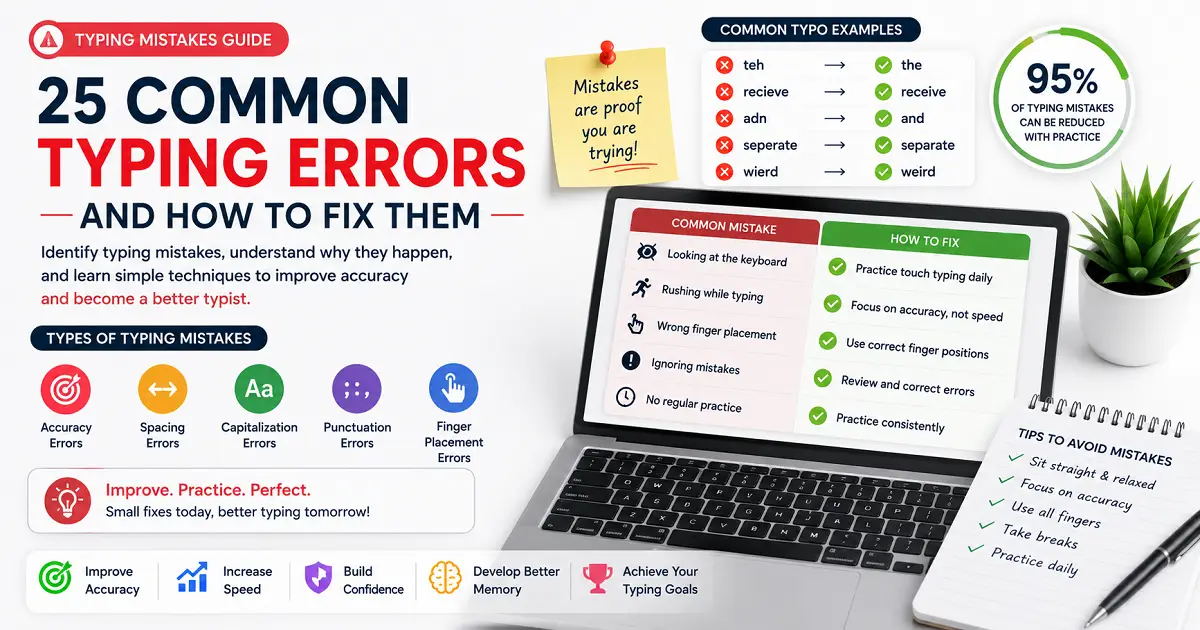
Typing Mistakes Guide: 25 Common Typing Errors and How to Fix Them

Discover the most common typing mistakes beginners and experienced typists make, learn why they happen, and follow practical techniques to reduce errors, improve accuracy, and build better typing habits.

📅 Updated: July 2026 ⏱️ 20 min read 👤 TypeNest Team

📑 Table of Contents

Jump to any section of this complete typing mistakes guide.

Introduction

Everyone makes typing mistakes. Whether you are just learning to use a keyboard or have years of computer experience, errors are a normal part of typing. Missing letters, pressing the wrong key, skipping words, or using incorrect finger movements can happen to anyone. The difference is that experienced typists recognize these problems quickly and know how to correct them before they become long-term habits. Many people believe that typing mistakes are caused only by moving too fast. In reality, most errors come from poor keyboard habits, inconsistent practice, incorrect finger movement, weak muscle memory, or losing concentration. These small problems may seem harmless at first, but over time they can reduce productivity, lower typing confidence, and make everyday computer work more difficult. Whether you are writing emails, preparing reports, completing assignments, entering data, programming software, or taking an online typing test, frequent mistakes slow you down. Every correction interrupts your rhythm, breaks your focus, and adds extra time to tasks that should be completed smoothly. The good news is that typing mistakes are not permanent. Nearly every common error can be corrected with the right practice methods and a better understanding of why the mistake happens in the first place. Once you identify the habits affecting your keyboard performance, improving both speed and accuracy becomes much easier. This complete Typing Mistakes Guide explains the most common errors made by beginners and experienced typists, why these mistakes occur, and the practical steps you can take to avoid them. Instead of simply telling you to "practice more," this guide focuses on helping you practice smarter. By the end of this guide, you will understand which mistakes have the biggest impact on your typing performance, how to fix them effectively, and how to build better keyboard habits that improve your confidence every time you type.

Why Typing Mistakes Matter

Typing mistakes affect far more than just a typing test score. Every incorrect keystroke interrupts your workflow, forces you to make corrections, and reduces overall efficiency. Even small errors repeated throughout the day can add up to a significant loss of time. Many learners focus only on increasing their typing speed, assuming that mistakes will disappear naturally. In reality, repeating incorrect habits simply reinforces them. The more often you make the same mistake, the more likely it becomes during future typing sessions. Understanding why mistakes happen is the first step toward eliminating them. Before learning how to fix individual errors, it is important to understand how they affect speed, accuracy, confidence, and long-term keyboard performance.

15 Common Typing Mistakes Beginners Make

Almost every beginner experiences similar typing problems during the learning process. These mistakes are not a sign that you cannot become a good typist—they simply indicate which skills need more attention. The important thing is to recognize these habits early. When incorrect techniques are repeated every day, they become much harder to correct later. By identifying the most common typing mistakes now, you can build better keyboard habits and improve more efficiently. Below are some of the mistakes that slow down beginners the most.

1. Typing Too Fast Too Soon

Many learners believe that typing faster should be their first goal. As a result, they rush through practice sessions before developing proper control. This usually leads to frequent typing errors, constant corrections, and frustration. A steady pace with fewer mistakes is far more effective than chasing a higher speed before your technique is ready.

2. Ignoring Accuracy

Some people pay attention only to their WPM score and ignore how many mistakes they make. A high score loses its value if every sentence requires corrections afterward. Focusing on clean, accurate typing creates stronger habits and naturally leads to better performance over time.

3. Looking at the Keyboard Too Often

Frequently looking down interrupts concentration and slows your typing rhythm. Instead of focusing on the screen, your attention constantly shifts between the keyboard and the text. This makes it harder to develop consistent keyboard awareness and smooth typing flow.

4. Pressing Keys Too Hard

Many beginners strike the keys with unnecessary force, believing it improves control. In reality, excessive pressure only causes finger fatigue and reduces comfort during longer typing sessions. Light, controlled keystrokes are faster and easier to maintain.

5. Poor Hand Position

Starting with uncomfortable hand placement often leads to awkward finger movement and unnecessary stretching. Even small positioning errors become noticeable during longer practice sessions because your hands must travel farther across the keyboard.

6. Relying on Only a Few Fingers

Some learners perform almost every task using two or three fingers while the remaining fingers do very little. This limits efficiency because a small number of fingers must cover the entire keyboard. Balanced finger usage distributes the workload more evenly and improves overall control.

7. Constantly Correcting Every Small Error

Pressing Backspace after every minor mistake interrupts your rhythm. While mistakes should eventually be corrected, stopping every few seconds makes it difficult to develop smooth and confident typing.

8. Practicing Without a Goal

Opening random typing tests every day without knowing what you want to improve often produces slow progress. Each practice session should have a clear objective, such as reducing spelling mistakes, improving consistency, or becoming more comfortable with specific keys.

Poor Habit Better Approach
Typing as fast as possible Build control before increasing speed
Ignoring mistakes Review and understand every error
Practicing randomly Practice with a specific goal
Looking at the keyboard constantly Keep your attention on the screen
Using excessive force Type with light, relaxed keystrokes

These beginner mistakes are extremely common, but they are also easy to correct once you become aware of them. Small improvements in daily habits often produce much bigger results than simply spending more time practicing. In the next section, we will look at the mistakes that quietly reduce your typing speed, even when you believe you are making good progress.

Mistakes That Reduce Typing Speed

Many people assume that slow typing is caused only by a lack of practice. In reality, several everyday habits quietly reduce your typing speed without you even noticing. Even if you practice regularly, these habits can prevent you from reaching your full potential. The good news is that most of these problems are easy to identify and correct. Once you eliminate them, your typing speed often improves naturally without trying to press keys faster.

1. Pausing Too Often Between Words

Some learners type one word, stop briefly, then think about the next word before continuing. These tiny pauses may seem insignificant, but they accumulate throughout a typing session and reduce your overall speed. Instead of focusing on individual words, try to maintain a steady flow. Reading slightly ahead while typing helps create smoother transitions between words.

2. Hesitating Before Difficult Keys

Many typists become noticeably slower whenever they encounter numbers, punctuation marks, or less frequently used letters. This hesitation interrupts typing rhythm and lowers your final performance. Identifying the keys that consistently slow you down allows you to spend extra practice time on those specific areas.

3. Frequent Backspace Interruptions

Correcting every small mistake immediately can seriously reduce typing speed. While accuracy is important, constantly pressing Backspace breaks your rhythm and makes it difficult to maintain consistent performance. During practice sessions, focus on completing short passages smoothly before reviewing your mistakes.

4. Inconsistent Typing Rhythm

Some people type very quickly for a few seconds, then suddenly slow down before speeding up again. These constant speed changes reduce efficiency because your fingers never develop a comfortable rhythm. Smooth, consistent typing usually produces better long-term results than alternating between very fast and very slow typing.

5. Taking Your Hands Off the Keyboard

Repeatedly moving your hands away from the keyboard interrupts your typing flow. Whether you adjust your sitting position, reach for the mouse, or reposition your hands after every sentence, these unnecessary movements reduce efficiency over longer sessions.

6. Overthinking Every Keystroke

Many beginners consciously think about every key before pressing it. This slows typing because your brain must make hundreds of tiny decisions every minute. As practice continues, finger movements should become automatic, allowing you to concentrate on the content instead of individual keys.

7. Practicing Only Easy Text

Repeating simple words again and again may increase confidence, but it does not prepare you for real typing situations. A balanced practice routine should include different sentence lengths, punctuation, numbers, and varied vocabulary so your keyboard skills continue developing.

Habit Effect on Speed
Frequent pauses Breaks typing flow
Constant Backspace use Interrupts rhythm
Hesitating on difficult keys Reduces consistency
Practicing only easy content Limits long-term improvement
Overthinking every key Slows finger movement
Removing hands from the keyboard Reduces efficiency
Speed Tip: If your typing speed has stopped improving, do not immediately try to type faster. First, identify the habits that interrupt your rhythm. Removing those obstacles often increases your performance without any additional effort.

Typing speed is closely connected to consistency. Small interruptions repeated hundreds of times during a practice session can have a surprisingly large impact on your final result. In the next section, we will examine the common mistakes that reduce typing accuracy and explain why even experienced typists continue to make them.

Mistakes That Hurt Typing Accuracy

Typing accuracy is not determined by speed alone. Many errors occur because of small habits that gradually become part of your typing routine. These mistakes often go unnoticed until they begin affecting your work, typing tests, or daily productivity. Improving accuracy starts with recognizing these patterns. Once you understand why errors happen, it becomes much easier to prevent them during future practice sessions.

1. Guessing Instead of Reading Carefully

Some typists look only at the first few letters of a word and assume they already know the rest. This habit often results in missing letters, incorrect spellings, or skipped words. Reading each word carefully before typing improves accuracy and reduces unnecessary corrections.

2. Rushing Through Difficult Words

Long words, unfamiliar vocabulary, and technical terms often cause mistakes because many people try to type them at the same speed as simple words. Slowing down slightly for challenging words usually produces better overall performance than correcting multiple mistakes afterward.

3. Ignoring Capital Letters and Punctuation

Many learners concentrate only on letters while overlooking commas, periods, quotation marks, or capital letters. Although these mistakes may seem small, they reduce overall accuracy scores and make written content appear less professional.

4. Pressing Two Keys Together

Typing too aggressively sometimes causes two neighboring keys to register at the same time. This creates unnecessary spelling errors and interrupts typing rhythm. Relaxing your fingers and using controlled movements helps reduce accidental keystrokes.

5. Losing Concentration

Typing while talking, checking notifications, or multitasking increases the likelihood of mistakes. Even short distractions can cause skipped words, repeated letters, or incorrect key presses. A focused practice environment produces much better results.

6. Ignoring Repeated Errors

Many typists continue making the same mistake without trying to understand why it happens. If you repeatedly confuse the same letters or words, identify the pattern and spend a few minutes practicing that specific weakness instead of repeating random exercises.

7. Practicing While Tired

Fatigue reduces concentration and finger coordination. When your hands or mind become tired, mistake frequency naturally increases. Short, focused practice sessions are usually much more productive than forcing yourself to continue for long periods.

Common Mistake Better Habit
Guessing words Read each word carefully
Ignoring punctuation Type every character accurately
Typing while distracted Practice with full concentration
Repeating the same errors Review and correct weak areas
Practicing when exhausted Take short breaks and stay fresh
Rushing through difficult words Slow down briefly and stay accurate
Accuracy Tip: Instead of asking, "How many mistakes did I make?" ask, "Why did I make those mistakes?" Finding the cause is usually more valuable than simply counting the errors.

Accuracy improves when you consistently remove the habits that create errors. Even small corrections made every day can produce noticeable improvements over time. Next, we'll look at mistakes related to finger movement and keyboard positioning that quietly reduce both comfort and efficiency.

Finger Placement Errors

Many typing problems begin with inefficient finger movement rather than a lack of practice. When your fingers travel farther than necessary or work unevenly, typing becomes slower, less comfortable, and more prone to mistakes. These habits often develop gradually, especially for people who learn typing without structured lessons. The good news is that once you recognize these patterns, they become much easier to correct through regular practice.

1. Overusing One Hand

Some typists rely heavily on one hand while the other remains underused. This creates an uneven typing rhythm and increases fatigue because one side performs most of the work. Balanced hand usage allows both hands to share the workload and improves overall efficiency.

2. Stretching Fingers Too Far

Reaching across the keyboard instead of using the nearest finger forces unnecessary hand movement. Large finger stretches reduce comfort, interrupt rhythm, and increase the chance of pressing the wrong key, especially during longer typing sessions.

3. Lifting Your Hands Too High

Some learners lift their entire hands after nearly every word. These repeated movements waste time and make typing feel less natural. Keeping your hands relaxed and close to the keyboard allows smoother transitions between keys.

4. Uneven Finger Strength

Not every finger has the same level of strength or coordination. Many people naturally depend on their index fingers while avoiding weaker fingers. Over time this creates an imbalance that limits both speed and consistency. Regular practice helps improve coordination across all fingers.

5. Tense Hands and Fingers

Typing with stiff fingers or excessive muscle tension makes movement slower and more tiring. Relaxed hands allow quicker reactions and smoother keystrokes while reducing fatigue during extended typing sessions.

6. Ignoring Finger Fatigue

Long practice sessions without breaks can reduce finger control. As fatigue increases, accuracy often drops and typing mistakes become more frequent. Taking short breaks helps maintain consistent performance throughout the day.

7. Keeping an Uncomfortable Wrist Position

Awkward wrist angles limit natural finger movement and may cause discomfort during longer typing sessions. A neutral wrist position helps your fingers move freely while reducing unnecessary strain.

Common Habit Possible Result
Overusing one hand Uneven typing rhythm
Stretching across the keyboard More typing mistakes
Lifting hands frequently Slower typing flow
Typing with tense fingers Early fatigue
Ignoring weaker fingers Reduced consistency
Poor wrist position Lower comfort during long sessions
Remember: Small improvements in finger movement often have a bigger impact than trying to type faster. Comfortable, controlled movements make it easier to maintain both speed and accuracy over long periods.

Finger movement becomes more efficient with practice, but rhythm is equally important. Even if your fingers move correctly, an inconsistent typing rhythm can still reduce your overall performance. In the next section, we'll examine the most common rhythm and timing mistakes that interrupt smooth typing.

Rhythm & Timing Mistakes

Typing practice and typing tests are not exactly the same. During practice sessions, you have time to learn and correct mistakes. A typing test, however, measures your performance under time pressure, where even small errors can affect your final result. Many people perform much better during practice than they do during an actual typing test. This usually happens because of nervousness, poor preparation, or incorrect test strategies rather than a lack of typing ability. Understanding these common test-day mistakes can help you achieve a score that better reflects your actual keyboard skills.

1. Starting Too Fast

One of the most common mistakes is trying to achieve a very high score from the first few seconds. Typing too aggressively at the beginning often results in frequent errors and repeated corrections. A controlled start allows you to establish a comfortable rhythm before gradually increasing your pace.

2. Watching the Timer Constantly

Many learners repeatedly look at the countdown timer instead of focusing on the text. This breaks concentration and interrupts typing flow. Checking the timer occasionally is fine, but constantly monitoring it usually reduces overall performance.

3. Panicking After One Mistake

A single typing mistake should not affect the rest of your test. Some people become frustrated after one error and begin rushing to recover lost time, which often leads to additional mistakes. Staying calm helps you regain rhythm much more quickly.

4. Ignoring Accuracy During the Test

Trying to maximize speed while ignoring mistakes rarely produces a strong final result. Most typing tests reward balanced performance rather than raw speed alone. A slightly lower speed with excellent accuracy is often a better outcome than a higher speed filled with errors.

5. Taking Tests Without Warming Up

Beginning a typing test immediately after opening your computer can affect finger coordination. A short two- or three-minute warm-up helps your hands become comfortable with the keyboard and often leads to more consistent results.

6. Comparing Every Score

Daily scores naturally fluctuate because of concentration, fatigue, text difficulty, and other factors. Comparing every individual result can become discouraging. Instead, evaluate your average performance over several tests to understand your real level of improvement.

7. Changing Technique During the Test

Some learners suddenly change their typing style halfway through a test after making a few mistakes. Switching techniques usually creates even more inconsistency. Trust the habits you have developed during practice instead of experimenting during the test itself.

Common Test Mistake Better Strategy
Starting too quickly Build rhythm first
Watching the timer constantly Focus on the text
Panicking after mistakes Stay calm and continue
Ignoring accuracy Balance speed and precision
No warm-up Practice for 2–3 minutes first
Judging one test only Track average performance
Test Tip: Treat every typing test as a learning opportunity rather than a competition. Reviewing your mistakes after each test usually helps more than repeating another test immediately.

Avoiding these common test mistakes helps you produce more consistent results and gives a clearer picture of your actual typing ability. Next, we'll look at simple daily habits that gradually reduce typing mistakes and improve overall keyboard performance.

Daily Habits That Reduce Typing Mistakes

Typing mistakes are rarely eliminated by one long practice session. They disappear gradually through small improvements that become part of your daily routine. Simple habits followed consistently are usually far more effective than occasional intensive practice. The goal is not to achieve perfect results every day. Instead, focus on building routines that help you type more comfortably, make fewer mistakes, and improve naturally over time.

1. Warm Up Before Every Practice Session

Spend two or three minutes typing simple sentences before beginning a full lesson or typing test. A short warm-up improves finger coordination, helps you settle into a comfortable rhythm, and reduces early typing mistakes.

2. Practice with Full Concentration

Avoid checking your phone, talking to others, or switching between multiple tasks while practicing. Even brief distractions interrupt your concentration and increase the chance of repeated mistakes.

3. Review Your Mistakes After Every Session

Do not finish a typing session without looking at your results. Identify which words, letters, or punctuation marks caused the most problems. Understanding your weak areas helps you improve much faster than repeating random exercises.

4. Keep Practice Sessions Short and Consistent

Long practice sessions often lead to fatigue and lower concentration. Practicing for around 20 to 30 minutes each day usually produces better long-term improvement than several hours of practice once a week.

5. Challenge Yourself Gradually

Avoid practicing only familiar words or easy exercises. Gradually introduce longer paragraphs, punctuation, numbers, and more varied vocabulary so your keyboard skills continue developing.

6. Take Short Breaks

Typing continuously for long periods can reduce both comfort and concentration. A short break every twenty to thirty minutes allows your hands to relax and helps maintain consistent performance.

7. Track Your Progress

Keep a simple record of your practice sessions. Instead of focusing only on speed, monitor your consistency, accuracy, and the number of mistakes you make over time. Small improvements become much easier to notice when you compare your weekly results.

Daily Habit Benefit
Warm up before practice Improves finger coordination
Practice without distractions Reduces unnecessary mistakes
Review typing reports Finds weak areas quickly
Practice consistently Builds stronger keyboard habits
Take regular breaks Reduces fatigue
Track weekly progress Shows long-term improvement
Daily Habit Tip: Improvement comes from repeating good habits every day, not from occasional perfect practice sessions. Focus on consistency, and fewer mistakes will become a natural result.

Good habits gradually replace poor ones. As your practice becomes more structured, your typing becomes smoother, more accurate, and more reliable. In the next section, we'll look at a practical step-by-step method for identifying and fixing typing mistakes so they don't become long-term habits.

How to Fix Typing Mistakes Step by Step

Recognizing a typing mistake is only the first step. The real improvement comes from correcting the cause instead of repeating the same error during every practice session. Many learners continue making identical mistakes because they never stop to understand why those errors happen. A simple correction process can help you replace poor habits with better ones and improve your overall keyboard performance much faster. Follow the steps below whenever you notice recurring typing mistakes.

Step 1: Identify the Pattern

Instead of counting every mistake, look for patterns. Ask yourself:

Finding repeated patterns makes it much easier to solve the actual problem instead of treating every mistake as a separate issue.

Step 2: Slow Down Temporarily

If the same mistake appears repeatedly, reduce your typing speed for a short time. Typing more carefully allows your brain and fingers to rebuild correct movement patterns. Once the mistakes become less frequent, you can gradually return to your normal pace.

Step 3: Practice the Weak Area

Avoid repeating random paragraphs if only one specific area is causing problems. Spend a few minutes practicing difficult words, punctuation, numbers, or letter combinations that consistently lead to mistakes. Targeted practice is usually much more effective than general repetition.

Step 4: Check Your Progress

After several practice sessions, compare your recent results with previous ones. You should notice:

Improvement may be gradual, but small changes become significant when they are maintained consistently.

Step 5: Repeat the Process

Typing improvement is continuous. Each time you eliminate one weak habit, another opportunity for improvement becomes easier to identify. This cycle of practice, review, and correction is how experienced typists continue improving over time.

Step Action
1 Identify recurring mistakes.
2 Slow down and regain control.
3 Practice weak areas separately.
4 Review your typing reports.
5 Measure improvement weekly.
6 Repeat the cycle consistently.
Correction Tip: Do not aim for a mistake-free typing session immediately. Focus on eliminating one recurring error at a time. Small improvements made consistently lead to lasting results.

Correcting typing mistakes is a gradual process, but every improvement makes typing feel smoother and more comfortable. As poor habits disappear, both confidence and overall keyboard performance improve naturally. The next section explains how TypeNest helps learners identify mistakes, monitor progress, and build better typing habits through structured practice.

How TypeNest Helps You Reduce Typing Mistakes

Reducing typing mistakes becomes much easier when you practice with a structured learning system instead of relying on random typing exercises. Many learners improve for a short time but eventually reach a plateau because they continue repeating the same habits without identifying the real cause of their errors. TypeNest is designed to help learners recognize these patterns, build stronger keyboard habits, and make steady progress through guided practice.

Practice with Structured Lessons

Instead of presenting random paragraphs, TypeNest organizes lessons from basic to advanced levels. This gradual progression allows learners to become comfortable with each new skill before moving to more challenging exercises. Learning one step at a time reduces confusion and helps prevent common typing mistakes from becoming permanent habits.

Receive Instant Feedback

Immediate feedback makes it easier to understand where mistakes occur. After each lesson or typing test, learners can review their results and identify areas that need additional practice instead of guessing which skills require improvement.

Build Consistent Keyboard Habits

Long-term improvement comes from repeating good habits consistently. Regular practice helps develop smoother finger movement, better rhythm, and stronger keyboard confidence while gradually reducing unnecessary typing errors.

Track Your Progress

Monitoring your improvement over time keeps motivation high. TypeNest helps learners keep track of important performance indicators, including:

Reviewing these statistics regularly makes it easier to identify improvements and discover which areas still need attention.

Practice Smarter: Consistent practice combined with meaningful feedback produces better long-term results than simply repeating typing tests. Understanding why mistakes happen is the fastest way to eliminate them.

Whether your goal is improving typing accuracy, increasing speed, or becoming more confident on the keyboard, reducing unnecessary mistakes is an important step toward long-term improvement.

Frequently Asked Questions (FAQs)

Below are answers to some of the most common questions about typing mistakes, keyboard habits, typing accuracy, and reducing errors during practice and typing tests.

1. Why do I keep making the same typing mistakes?

Repeated typing mistakes usually become habits. If you continue practicing without reviewing your errors, your brain repeats the same finger movements. Identifying recurring mistakes and practicing those weak areas separately is the fastest way to correct them.

2. Why do I type correctly during practice but make mistakes in typing tests?

Typing tests often create time pressure. Many learners become nervous, start typing too quickly, or focus more on the timer than the text. Staying calm and maintaining a steady rhythm usually produces better results.

3. Is it normal to make mistakes while learning to type?

Yes. Every beginner makes typing mistakes. Errors are a natural part of learning. The important goal is not avoiding every mistake immediately but gradually reducing them through regular practice and better typing habits.

4. Should I correct every mistake immediately?

It depends on your practice goal. During learning sessions, reviewing mistakes afterward can help maintain a smoother rhythm. During real work, however, important mistakes should always be corrected before finishing the document.

5. Why do I make more mistakes when I try to type faster?

Increasing speed before developing consistent keyboard control often reduces accuracy. As your finger coordination improves, higher speed becomes much easier to maintain without increasing mistakes.

6. Can changing my keyboard reduce typing mistakes?

A comfortable keyboard may improve your typing experience, but it cannot replace good typing habits. Consistent practice, proper technique, and regular feedback have a much greater impact than changing hardware.

7. Do typing mistakes decrease naturally with practice?

Practice helps, but only if you learn from your mistakes. Simply repeating the same typing habits without reviewing your errors may slow long-term improvement.

8. Why do I keep pressing nearby keys by accident?

Accidentally pressing neighboring keys is often caused by rushing, unnecessary hand movement, or inconsistent finger control. Slowing down briefly and focusing on smooth keystrokes usually helps reduce this problem.

9. How can I stay calm during a typing test?

Take a short warm-up before the test, focus on the text instead of the timer, and avoid trying to recover immediately after making a mistake. A calm approach usually produces more consistent results.

10. How long does it take to reduce typing mistakes?

The timeline depends on your current skill level and practice routine. Many learners notice fewer mistakes after a few weeks of consistent practice, while long-term improvement develops gradually over several months.

11. Should I focus on difficult words during practice?

Yes. Spending extra time on words, punctuation marks, or key combinations that regularly cause mistakes helps eliminate weak areas much faster than repeating only easy exercises.

12. What is the best way to avoid typing mistakes?

Practice consistently, maintain good concentration, review your typing reports, correct one recurring mistake at a time, and focus on building reliable keyboard habits instead of trying to type as fast as possible.

Conclusion

Typing mistakes are a normal part of learning, but repeating the same mistakes without correcting them can slow your progress. Every error highlights an area that needs improvement, whether it is finger movement, concentration, typing rhythm, or keyboard familiarity.

Throughout this guide, you've learned why typing mistakes happen, how they affect both speed and accuracy, and the practical habits that help reduce them. We also explored common beginner errors, effective correction strategies, daily practice techniques, and simple methods for building more reliable keyboard habits over time.

Key Takeaways

Your Next Goal

Instead of aiming for perfect typing immediately, focus on reducing one recurring mistake at a time. Small improvements build stronger typing habits, increase confidence, and make everyday computer work easier.

As your typing becomes more accurate and consistent, higher typing speed follows naturally. Reliable keyboard skills are developed through steady practice—not by rushing toward bigger WPM numbers.

Every typing mistake is feedback, not failure. Correct it today, and tomorrow your fingers will remember the right movement.

Continue Learning

Reducing typing mistakes becomes much easier when you strengthen the skills that support accurate keyboard use. Explore these related guides to continue improving your typing performance.

Keep Improving with TypeNest

Building accurate typing habits takes regular practice, thoughtful feedback, and the right learning approach. Explore more TypeNest guides, structured lessons, and typing exercises to reduce mistakes, improve consistency, and become a more confident keyboard user.

Every practice session strengthens your muscle memory and brings you closer to faster, cleaner, and more reliable typing.


Last Updated: July 2026
Author: TypeNest Editorial Team

🚀 Improve Your Typing with TypeNest

Practice with structured lessons, guided exercises, typing tests, and expert articles designed to help you reduce mistakes, improve accuracy, and build faster keyboard skills.

Welcome Back

Login to continue your typing journey.