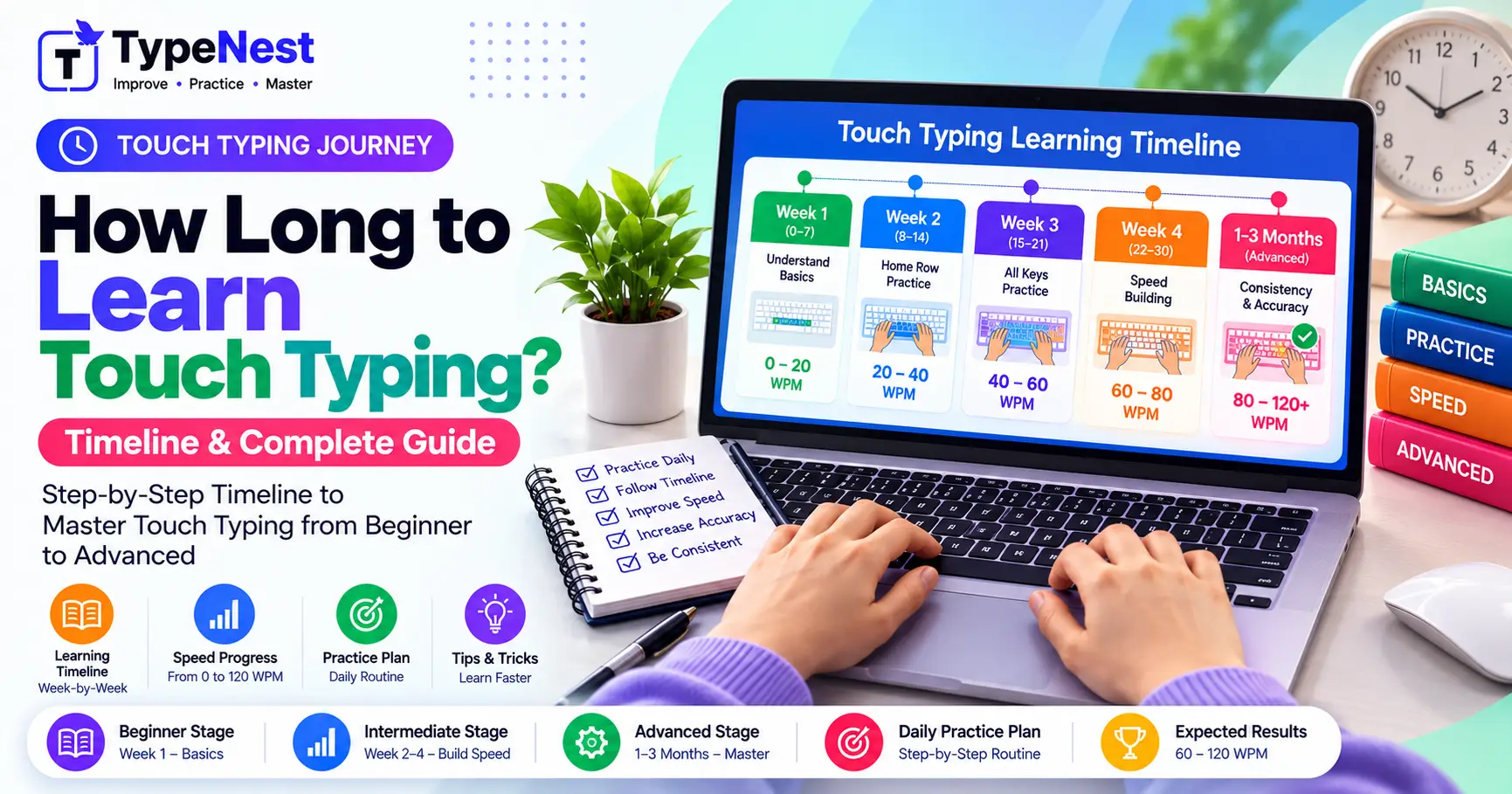
1. The Short Answer: How Long Does It Really Take?
Assuming you practice for 20 to 30 minutes every day, here is the realistic timeline for an average beginner transitioning from hunt-and-peck typing to proper 10-finger touch typing:
| Milestone | Time Required | Expected Capability |
|---|---|---|
| Key Placement Memory | 7 to 10 Days | Knowing which finger strikes which key without looking down (15–20 WPM). |
| Conversational Speed | 3 to 4 Weeks | Typing prose smoothly at 35–45 WPM with 95%+ accuracy. |
| Productive Mastery | 6 to 8 Weeks | Cruising at 55–70 WPM across workplace emails, essays, and code. |
2. The 3 Neuroplastic Stages of Touch Typing
Learning to type without looking is fundamentally a motor skill, similar to learning to play the piano or ride a bicycle. Your brain undergoes three distinct phases:
Phase 1: Cognitive Stage (Days 1–7)
You must consciously tell your finger to move: "Letter E is top row, left middle finger." Keystrokes feel stiff, awkward, and deliberate. You need active willpower to resist glancing at the physical board.
Phase 2: Associative Stage (Days 8–21)
Neural pathways begin bridging. Muscle memory takes over frequent letters like vowels and common consonants. Errors drop noticeably, and your hands naturally find their way back to Home Row anchors (F and J).
Phase 3: Autonomous Stage (Day 22+)
Motor automaticity is achieved. The keyboard disappears from your conscious thought. You see or think a complete word, and your hands execute the keystrokes without intermediate translation.
3. The Initial Speed Dip: Why Everyone Slows Down First
One of the biggest reasons learners abandon touch typing in week one is the temporary speed penalty. If you currently hunt-and-peck with two fingers at 35 WPM, starting touch typing will drop your initial speed to 12–15 WPM.
Expect the "J-Curve" Effect
Do not revert to two-finger typing during week one just because it feels faster. Hunt-and-peck typing has a hard biological ceiling of around 45 WPM. Touch typing temporarily drops your speed only to elevate your potential past 80+ WPM permanently.
4. The Week-by-Week 30-Day Practice Roadmap
| Week | Primary Objective | Target Speed & Accuracy |
|---|---|---|
| Week 1 (Days 1–7) | Home Row Mastery (ASDF JKL;) and upper row reaching without looking. |
15–20 WPM (98%+ Accuracy) |
| Week 2 (Days 8–14) | Bottom row (ZXCV BNM,./) integration and Shift key capitalizations. |
25–30 WPM (97%+ Accuracy) |
| Week 3 (Days 15–21) | Common word n-grams, short sentences, and eliminating backspace hesitation. | 35–42 WPM (96%+ Accuracy) |
| Week 4 (Days 22–30) | Endurance testing, punctuation marks, and real-world typing without visual reliance. | 45–55+ WPM (96%+ Accuracy) |
5. Optimal Practice Time: The 20-Minute Golden Rule
Cramming 3 hours of typing on a Sunday will not build lasting muscle memory. Neural consolidation occurs while you sleep between practice days.
The most effective formula is 20 to 25 minutes of focused daily deliberate practice. Practicing beyond 30 minutes in a single sitting as a beginner leads to mental fatigue, finger tension, and careless typos that reinforce bad habits.
6. Three Catalysts That Accelerate Your Timeline
- Strict "No-Peeking" Discipline: Cover your hands with a light cloth or use a blank keyboard overlay if you catch yourself glancing down.
- Accuracy Priority: Typing slow with 99% accuracy trains clean neural patterns. Typing fast with mistakes creates messy muscle memory that takes months to untangle. Read our Complete Typing Accuracy Guide.
- Ergonomic Hand Posture: Floating your wrists and maintaining a 90-degree elbow bend prevents premature forearm fatigue. Review our Typing Ergonomics Guide.
7. Frequently Asked Questions (FAQs)
Can adults learn touch typing as quickly as kids?
Yes. While children learn physical habits fluidly, adults who apply structured deliberate practice often master the keyboard layout in under 3 weeks due to superior focus and discipline.
Is 2 weeks enough to pass a 30 WPM exam?
If you already have general keyboard familiarity, two weeks of disciplined 45-minute daily practice can get you past 30 WPM, provided your accuracy stays above 95%.
Conclusion
Learning touch typing from scratch takes between 3 to 4 weeks of consistent, 20-minute daily practice. Give yourself permission to type slowly during the first week, trust your finger positioning, and celebrate the milestone when your thoughts begin flowing directly onto your screen.
Continue Learning
Last Updated: October 2026
Author: TypeNest Editorial Team