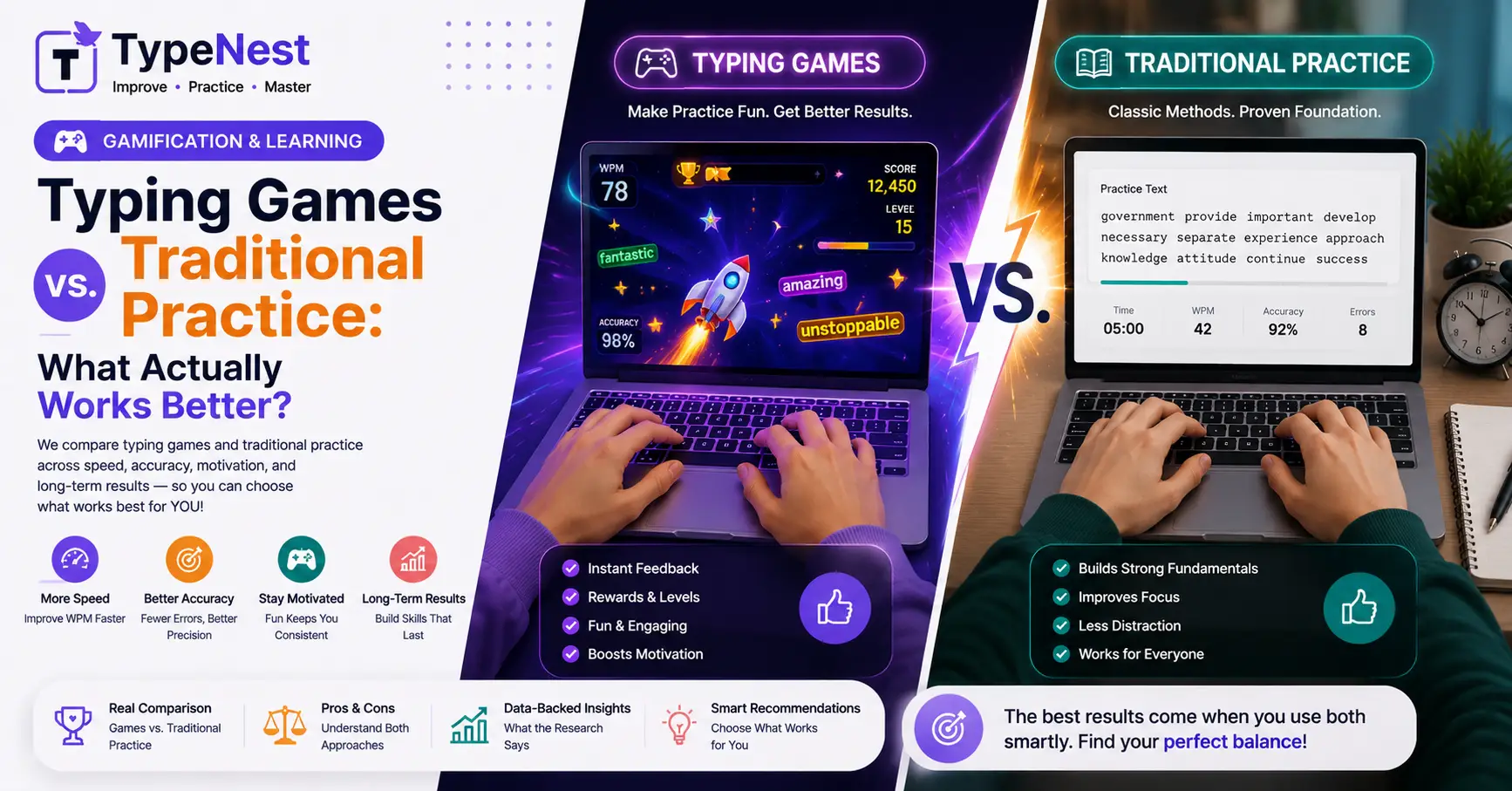
When you decide to improve your typing speed, you immediately face two distinctly different paths. On one side, you have traditional typing drills—structured, repetitive paragraph tests, home-row exercises, and timed speed assessments. On the other side, you have gamified typing platforms featuring racing cars, shooting space invaders, and climbing arcade leaderboards.
Purists often argue that games encourage sloppy habits and sacrifice accuracy for frantic speed. Meanwhile, gamers claim that traditional drills are boring, leading to burnout long before muscle memory forms.
Which method actually delivers superior results in less time? Let's break down the cognitive psychology, strengths, and hidden flaws of both approaches so you can construct the ultimate practice routine.
1. The Psychology of Traditional Practice: Structured & Disciplined
Traditional typing practice relies on deliberate repetition. By isolating specific key combinations (like A-S-D-F or tricky number rows), traditional software trains your subconscious brain to map finger movements precisely without visual prompts.
Why Traditional Drills Are Highly Effective:
- Focus on Net Accuracy: Traditional tools penalize typos heavily. They force you to pause or correct mistakes immediately, forming tight control habits early on. If you struggle with accuracy, review our Complete Typing Accuracy Guide.
- Simulates Real Work Environments: Typing complete sentences, paragraphs, and technical prose mirrors actual office tasks and coding syntax.
- Reduces Cognitive Overload: Without flashing animations or time bombs on screen, your brain focuses entirely on key-tactile feedback. Build a strong foundation first with our Complete Beginner's Guide to Touch Typing.
The Major Drawback: Traditional practice can feel monotonous. Without immediate rewards, many learners give up after 3 or 4 days due to sheer boredom.
2. The Psychology of Typing Games: Dopamine & Reaction Speed
Typing games transform mechanical practice into an immersive challenge. By adding urgency—such as a racing car whose speed matches your real-time WPM—games tap into your brain's dopamine reward loop.
Why Gamified Typing Works:
- High Engagement & Adherence: When practice feels like play, you naturally spend more time doing it. A student who plays 30 minutes of typing games daily will quickly outpace someone who abandons 5 minutes of boring drills.
- Pushes Peak Reaction Speed: Competitive pressure forces your fingers to react instantly without second-guessing key positions, helping you break through speed plateaus. Read our Complete Guide to Increase Typing Speed for more plateau-breaking tips.
- Great for Young Learners: Games are uniquely effective at teaching proper finger placement to children without making it feel like homework.
The Major Drawback: Games often prioritize raw velocity over precision. Players frequently spam keys blindly to win a match, picking up bad habits that lead to high error rates. Learn how to fix these bad habits with our Typing Mistakes & Common Errors Guide.
3. Head-to-Head Feature Breakdown
| Training Aspect | Traditional Drills | Gamified Typing Games |
|---|---|---|
| Primary Focus | Accuracy, rhythm & form | Reaction speed & entertainment |
| Muscle Memory Formation | High (precise finger mapping) | Moderate (can encourage key spamming) |
| Motivation / Retention | Requires self-discipline | Extremely high (addictive mechanics) |
| Real-World Relevance | Directly matches office & exam conditions | Single-word focus (less paragraph context) |
| Keypad & Symbol Support | Comprehensive (Numpad & Symbols) | Mostly limited to common English words |
4. Does Gamified Practice Translate to Professional Work?
Here is what cognitive research shows: Games excel at building raw motor speed, while traditional drills excel at building real-world context accuracy.
If you type 80 WPM in a racing game that only presents random short words, you might drop to 55 WPM when asked to type a complex corporate email or code block containing punctuation, shift keys, and numbers.
For professionals in specialized fields—such as developers typing brackets or accountants entering financial figures—traditional drills remain indispensable. Read our insights on developer productivity in Typing for Programmers & Coding Speed.
💡 The Ideal Hybrid Routine (The 70/30 Rule)
You don't have to choose one over the other! The fastest way to build professional typing skills is combining both methods:
- 70% Traditional Drills (10 Mins): Start your session with focused accuracy drills, home-row mechanics, and paragraph testing.
- 30% Gamified Practice (5 Mins): End your session with a typing game to test your burst speed under fun pressure.
5. Optimizing Your Hardware for Faster Reaction Times
Whether you prefer arcade games or serious timed tests, your physical hardware dictates your mechanical ceiling. Stiff laptop membrane keys can slow down key actuation during fast gaming rounds.
Upgrading to a responsive mechanical keyboard with light tactile or linear switches offers crisp feedback that elevates both gaming performance and daily typing comfort. Keep your hands healthy with our Typing Ergonomics Guide.
6. Frequently Asked Questions (FAQs)
1. Are typing games good for complete beginners?
Games are wonderful for building initial enthusiasm, but beginners should spend their first 3 to 5 days learning core home-row finger placements on basic tutorial platforms before jumping into fast-paced games.
2. How can I measure my true real-world WPM accurately?
Take a 3-minute or 5-minute paragraph test on a clean evaluation platform that calculates Net WPM by deducting errors.
3. Do alternative layouts work with typing games?
Yes! Once you configure your operating system layout, typing games process your inputs normally regardless of key mapping.
Conclusion
The debate between typing games and traditional practice isn't about finding a single winner—it's about leveraging the strengths of both. Use traditional drills to build flawless accuracy and proper form, then use typing games to push your speed limits and make daily practice enjoyable.
Continue Learning
Explore more ways to enhance your keyboard efficiency and speed with these related guides on TypeNest:
- Complete Beginner's Guide to Touch Typing
- Complete Guide to Increase Typing Speed
- Complete Typing Accuracy Guide
- Typing Ergonomics Guide: How to Type Without Wrist Pain
- Typing for Programmers & Coding Speed
- Essential Keyboard Shortcuts Every User Should Know
Last Updated: September 2026
Author: TypeNest Editorial Team