📑 Table of Contents
Explore the math behind typing metrics.
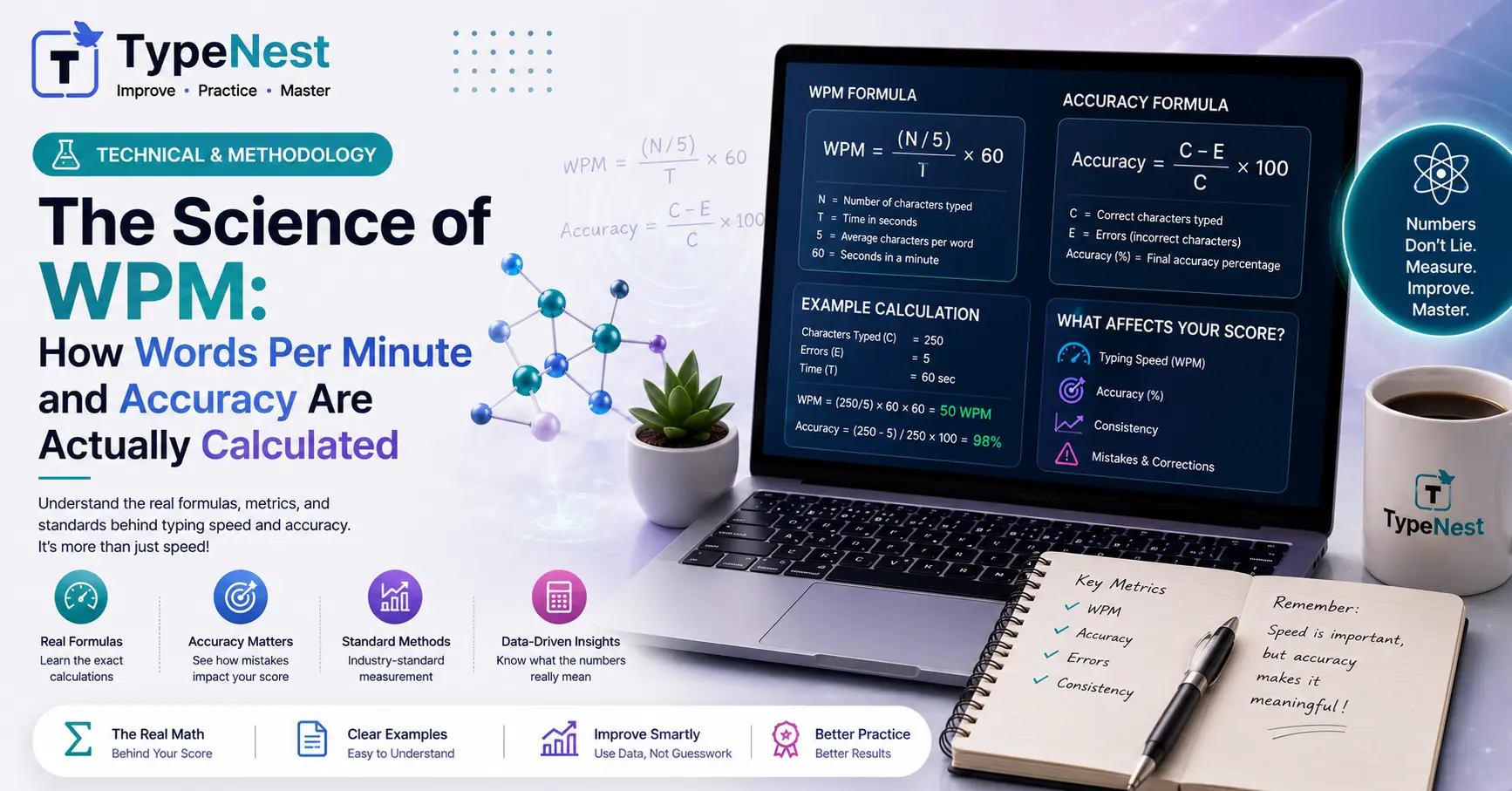
Whenever you finish a timed test on TypeNest or another typing platform, you are instantly greeted with performance metrics: 65 WPM, 98% Accuracy, 320 CPM. Most typists take these numbers at face value, celebrating speed surges or lamenting sudden drops. But have you ever wondered how typing software actually calculates these scores behind the scenes?
Is a short word like "cat" counted the same as a complex technical term like "internationalization"? Why does a single typo sometimes cause your score to plunge unexpectedly?
Understanding the mathematical formulas behind typing metrics is crucial—especially if you are preparing for job screenings, remote data entry assessments, or strict civil service tests. In this guide, we demystify the science of typing metrics, breaking down Standard Word Standardization, Gross WPM vs. Net WPM, Accuracy Formulas, and KPH conversions.
1. The "Standard Word" Rule: Why 1 Word = 5 Keystrokes
If typing tests simply counted space-separated words, someone typing short words (e.g., "it is in on at") would register an artificially inflated speed compared to someone typing complex prose (e.g., "extraordinary psychological phenomena").
To ensure standardized evaluation across all passage types, the global typing standard defines 1 Word as exactly 5 Keystrokes (including letters, numbers, punctuation, and spaces).
💡 Standard Word Formula
Total Standard Words = Total Keystrokes ÷ 5
For example, if you press 1,250 keys during a 5-minute typing test, you have typed exactly 250 Standard Words (1,250 ÷ 5 = 250), regardless of how many actual dictionary words appeared in the text.
2. Gross WPM vs. Net WPM: What Employers Look At
Not all Words Per Minute scores are created equal. Software evaluations split your raw key output into two major metrics: Gross WPM and Net WPM.
Gross WPM (Raw Speed)
Gross WPM measures your unadjusted typing speed without deducting points for mistakes. It simply calculates how many standard words you typed per minute.
Gross WPM = (Total Keystrokes ÷ 5) ÷ Time in Minutes
Net WPM (True Accuracy-Adjusted Speed)
Net WPM is the gold standard used by employers and certification bodies. It penalizes uncorrected errors to reflect actual usable workplace output.
Net WPM = Gross WPM - (Uncorrected Errors ÷ Time in Minutes)
Practical Example: Suppose you type 300 standard words in 5 minutes with 5 uncorrected errors:
- Gross WPM: 300 ÷ 5 = 60 WPM
- Error Penalty: 5 ÷ 5 = 1 WPM deduction
- Net WPM: 60 - 1 = 59 Net WPM
If you want to compare how these benchmarks apply across industries, read our detailed report on Typing Speed Requirements for Remote Jobs or check General Typing Speed Benchmarks.
3. How Accuracy Percentage Is Calculated
Accuracy measures your precision during a test session. Software calculates accuracy using character-level inputs or full word matches.
Character-Based Accuracy Formula
Accuracy (%) = [(Total Correct Keystrokes ÷ Total Keystrokes Pressed) × 100]
For instance, if you pressed 1,000 keys and made 20 typos, your accuracy is (980 ÷ 1,000) × 100 = 98%.
Maintaining high accuracy prevents mental distraction and preserves flow state. To train your brain to catch typos before they happen, review our Complete Typing Accuracy Guide and explore the Psychology of Typing & Muscle Memory.
4. KPH (Keystrokes Per Hour): The Data Entry Metric
While general typists measure performance in WPM, accounting, banking, and data entry recruiters rely heavily on KPH (Keystrokes Per Hour).
KPH measures total numeric and alphanumeric entries across an hour. You can easily convert WPM to KPH using the 5-keystroke rule:
KPH = WPM × 5 × 60 = WPM × 300
| Typing Speed (WPM) | Equivalent KPH | Skill Level / Target Job |
|---|---|---|
| 20 WPM | 6,000 KPH | Beginner / Casual User |
| 30 WPM | 9,000 KPH | GCC-TBC 30 WPM Qualification |
| 40 WPM | 12,000 KPH | Standard Data Entry & Office Admin |
| 60 WPM | 18,000 KPH | Advanced Remote Assistant & Transcription |
| 80+ WPM | 24,000+ KPH | Elite Typist / Power User |
If your goal is mastering numeric data entry on spreadsheets, practice with our dedicated 10-Key Numeric Keypad Training Guide.
5. Official Exam Variations: Backspace & Penalty Variations
Different testing authorities apply custom scoring modifications to the standard Net WPM formula:
- Disabled Backspace Mode: Many court clerk exams block the
Backspacekey completely. Every typo remains in the final text, severely reducing Net WPM. Read more in our Government Typing Test Guide. - Fixed Deduction Penalty: Some certification tests deduct 5 full words (25 keystrokes) for every omitted or substituted word, making accuracy far more critical than raw speed.
- Game-Based Scoring: Arcade typing platforms often award bonus points for speed streaks while penalizing missed words. See how games compare to traditional practice in our analysis of Typing Games vs. Traditional Practice.
💡 Pro-Tip: How Backspacing Destroys Your Net WPM
When you hit Backspace to fix a mistake, you press at least 3 extra keys: 1 to backspace + 1 to type the correct key + 1 to move forward. In a 1-minute test, hitting backspace 20 times wastes 60 keystrokes—costing you 12 Full WPM!
Learn how to fix excessive backspacing habits in our Typing Mistakes & Common Errors Guide.
How Ergonomics and Hardware Influence Your Metrics
Even with perfect mathematical understanding, physical friction can handicap your scores. Stiff key switches, poor posture, or an inefficient layout alter your timing metrics.
- Layout Optimization: Modern layouts like Colemak increase home-row efficiency, lowering finger travel distance. Compare layouts in Qwerty vs. Dvorak vs. Colemak.
- Keyboard Hardware: Responsive mechanical switches reduce actuation pressure, leading to faster CPM (Characters Per Minute). Explore switch types in our Mechanical vs. Membrane Keyboard Breakdown.
- Posture Alignment: Maintain wrist health during timed tests by following our Typing Ergonomics Guide.
Frequently Asked Questions (FAQs)
Q1. Is CPM (Characters Per Minute) the same as WPM?
No. CPM measures individual character inputs per minute. To convert CPM to WPM, simply divide your CPM by 5 (e.g., 300 CPM ÷ 5 = 60 WPM).
Q2. Why does my WPM score vary between different websites?
Different platforms use varying word difficulties, punctuation densities, and scoring algorithms. Simple word-list tests produce higher scores than full prose passages containing punctuation and numbers.
Q3. What is considered a good accuracy score?
A professional baseline is 95% accuracy, while elite data entry and court typing roles require 98% to 100% net accuracy.
Conclusion
Typing speed is a precise mathematical science. By understanding how standard word standardization, Gross vs. Net WPM, and error penalties function, you can tailor your practice sessions to focus on what truly improves your score: consistent rhythm and high net accuracy.
Ready to see your exact Net WPM and Accuracy breakdown? Take a free standardized test on TypeNest's Speed Test Tool today!
Continue Learning
Deepen your knowledge of typing mechanics and performance improvement with these guides:
- Complete Beginner's Guide to Touch Typing
- Complete Guide to Increase Typing Speed
- Top Free Typing Websites Compared
- Essential Keyboard Shortcuts Every User Should Know
Track Your Real Metrics on TypeNest
TypeNest uses standardized algorithms to calculate your exact Net WPM, Gross WPM, KPH, and real-time accuracy percentage. Start practicing on TypeNest Practice today!
Last Updated: September 2026
Author: TypeNest Editorial Team