📑 Table of Contents
Navigate through the custom keyboard and switch guide.
If you spend hours every day typing prose, writing code, or executing data entry tasks, your physical keyboard is your primary instrument. While stock laptop chiclet keys and budget rubber dome keyboards get the job done for casual browsing, serious typists eventually hit a physical ceiling. Flat keys offer zero tactile feedback, leading to finger fatigue and unforced typos.
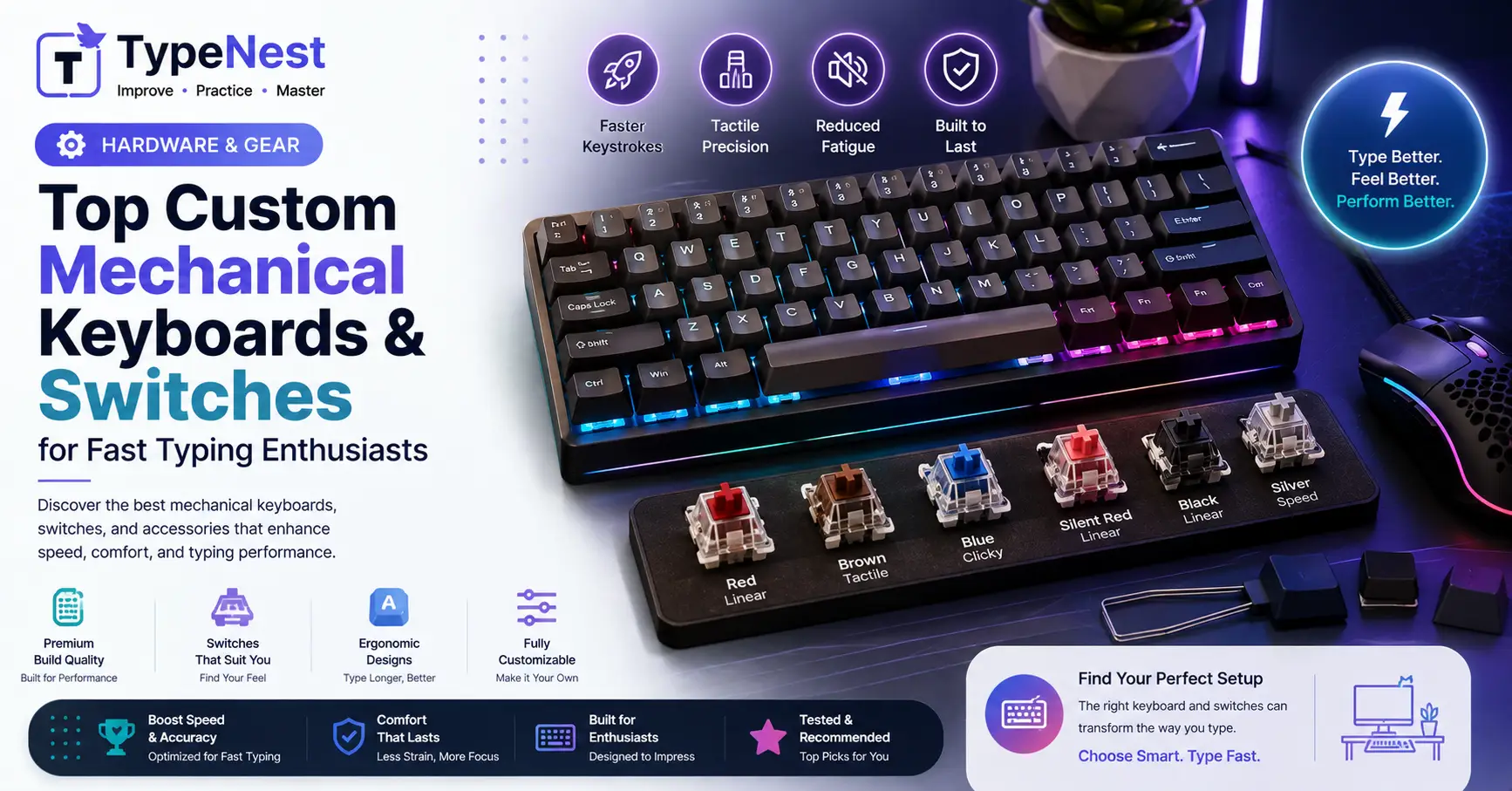
Enter the world of custom mechanical keyboards. What was once a niche hobby for tech tinkerers has evolved into a mainstream movement for writers, software engineers, and typing speed enthusiasts.
By choosing the right combination of mechanical switches, hot-swappable PCBs, sound-dampening mounting styles, and ergonomic keycap profiles, you can create a personalized typing setup that feels effortless and sounds incredible. In this ultimate gear guide, we break down the best switches, custom boards, and hardware modifications for fast, fatigue-free typing.
1. Understanding Mechanical Switches: Linear vs. Tactile vs. Clicky
The mechanical switch underneath every keycap dictates how the key feels, how much force is needed to press it, and how much sound it generates. Choosing the correct switch category is the single most important hardware decision you will make.
Tactile Switches: The Typist’s Gold Standard
Tactile switches feature a smooth bump right before the actuation point. This tactile feedback tells your fingers that the keystroke has registered without needing to press the key all the way down (bottoming out).
- Best For: High-speed touch typing, office work, and error reduction.
- Top Recommendations: Gazzew Boba U4T, Holy Panda, Cherry MX Brown, Durock T1.
Linear Switches: Smooth, Fast, and Quiet
Linear switches move straight down without any bump or click resistance. They offer a buttery-smooth travel motion preferred by gamers and light-touch typists.
- Best For: Gamers, quiet office spaces, and typists with a gentle touch.
- Top Recommendations: Gateron Oil King, NovelKeys Cream, Cherry MX Red, Akko CS Jelly Black.
Clicky Switches: High Auditory Feedback
Clicky switches produce a sharp auditory "click" alongside a tactile bump upon actuation. While satisfying for solo typists, their loud sound can disturb coworkers in shared environments.
- Best For: Solo typists who love rhythmic audio feedback.
- Top Recommendations: Kailh Box White, Kailh Jade, Cherry MX Blue.
If you want to understand how mechanical switches compare to conventional laptop dome keys in detail, read our comprehensive breakdown on Mechanical vs. Membrane Keyboards.
2. Key Switch Actuation Force & Speed Optimization
Beyond switch feel, Actuation Force (measured in grams, g) determines how heavy a key press feels:
- Light Switches (35g – 45g): Require minimal finger effort. Ideal for rapid speed bursts, though light switches can cause accidental key presses for heavy-handed typists.
- Medium Switches (50g – 62g): The ideal sweet spot for balanced speed, control, and muscle memory formation.
- Heavy Switches (67g – 80g+): Require intentional finger pressure. They build finger strength but can cause wrist fatigue during long sessions.
Understanding mechanical resistance helps you maintain a steady cadence during timed tests. Learn how key feel impacts brain focus in our article on the Psychology of Typing & Muscle Memory, or measure how hardware impacts your score using The Science of WPM Calculation.
3. Top Custom Keyboard Form Factors & Formats
| Keyboard Layout Size | Keys Included | Best Use Case / Target User |
|---|---|---|
| 100% Full-Size | 104 Keys (Includes Numeric Numpad) | Accounting, finance, and Data Entry Remote Jobs |
| 1800-Compact / 96% | ~98 Keys (Numpad + Compact cluster) | Full functionality with reduced desk footprint |
| 75% / TKL (Tenkeyless) | 80–84 Keys (Function row, no numpad) | Most popular sweet spot for writers and coders |
| 65% Compact | 67 Keys (Dedicated arrow keys, no F-row) | Minimalist desktop setups and travel portability |
| Ergonomic Split (Alice / Ergodox) | Varies (Split tented housing) | Typists suffering from wrist pain or RSI |
If you type on non-traditional layout configurations like Colemak or Dvorak, a hot-swappable custom board lets you rearrange physical keys effortlessly. Read our layout breakdown in Qwerty vs. Dvorak vs. Colemak Layouts.
4. Keycap Profiles: Cherry vs. OEM vs. SA vs. MT3
The sculpted shape of your keycaps determines how easily your fingertips glide across rows during touch typing:
- Cherry Profile: Slightly lower height with sculpted rows. Highly recommended by speed typists for low finger travel.
- OEM Profile: The standard profile found on most pre-built mechanical keyboards. Taller than Cherry with angled rows.
- MT3 & SA Profiles: Tall, retro-inspired spherical keycaps with deep dish tops that cup your fingertips. They sound incredible but require longer finger reaches.
- XDA & DSA Profiles: Uniform, flat keycaps with zero row height variation. Great for custom layouts, but harder for blind touch typing.
Pairing Cherry profile keycaps with proper home-row finger mechanics optimizes your movement. Review our foundational techniques in the Beginner's Guide to Touch Typing.
💡 Top 3 Budget-Friendly Custom Keyboards for Beginners
- Keychron V-Series (V1 / V2 / V6): Feature-packed hot-swappable boards with QMK/VIA customization and solid gasket mounting at an affordable price point.
- Akko 5075S / MOD007: Outstanding out-of-the-box typing acoustics with smooth factory-lubed switches.
- Epomaker EK68 / TH80: Compact wireless boards with pre-installed dampening foam and long battery life.
5. Modding Tips for Ultimate Typing Sound and Feel
Customizing a mechanical keyboard allows you to fine-tune sound dampening and key stability:
- Lube Your Switches (Krytox 205g0): Applying a thin layer of synthetic lubricant to switch stems eliminates scratchiness, making keystrokes buttery smooth.
- Tune Your Stabilizers: Stabilizers hold larger keys (
Spacebar,Enter,Shift,Backspace) steady. Clipping and lubing stabilizers prevents distracting key rattles. - Add Case & PCB Foam: Inserting PORON or EVA foam inside the keyboard housing absorbs hollow echoes, delivering a deep, satisfying "thocky" typing sound.
- Combine Mods with Ergonomics: A great-sounding keyboard should be paired with proper desk height and arm positioning. Read our Typing Ergonomics Guide to prevent wrist strain.
6. How Hardware Upgrades Impact Exam & Workplace Performance
Whether you are preparing for strict civil service tests like those covered in our Government Typing Exam Guide or improving your daily output using Typing Games vs. Traditional Practice, a reliable custom keyboard provides tactile consistency that builds confidence.
Developers who use custom mechanical boards also benefit from fewer syntax errors when typing special characters and brackets. Learn more in Typing for Programmers & Coding Productivity.
7. Frequently Asked Questions (FAQs)
1. Are expensive custom keyboards worth it for fast typing?
While a custom keyboard won't magically turn a 30 WPM typist into a 100 WPM typist overnight, high-quality switches and comfortable keycaps reduce physical fatigue, allowing you to sustain peak typing speed for much longer sessions.
2. What is a "Hot-Swappable" keyboard?
A hot-swappable keyboard allows you to pull out and replace mechanical switches without using a soldering iron. This makes it easy to test different switch types (Linear, Tactile, Clicky) whenever you want.
3. Which switch is best for eliminating typing mistakes?
Medium-weight Tactile switches (around 55g–62g) are widely considered best for reducing typos because the physical bump prevents accidental key actuations. For more error-prevention tips, explore our Complete Typing Accuracy Guide and Typing Mistakes & Common Errors Guide.
Conclusion
Building a custom mechanical keyboard allows you to tailor your workstation hardware to your exact physical preferences. By selecting tactile switches, a comfortable Cherry keycap profile, and a solid hot-swappable board, you transform typing from a daily chore into a deeply satisfying experience.
Ready to test your new hardware setup? Benchmark your speed and net accuracy on TypeNest's Speed Test Tool today!
Continue Learning
Explore more ways to enhance your workstation setup and keyboard skills with these guides:
- Complete Guide to Increase Typing Speed
- Typing Speed Benchmarks Across Career Tracks
- Essential Keyboard Shortcuts Every User Should Know
- Top Free Typing Platforms Compared
Last Updated: September 2026
Author: TypeNest Editorial Team